Introduction
Smart Home Interior Design | A smart home should make everyday life easier, but that doesn’t mean your rooms need to look like a technology showroom. When smart speakers sit on every surface, wires run behind furniture, switches don’t match, and multiple devices compete for attention, even an expensive interior can feel unfinished.
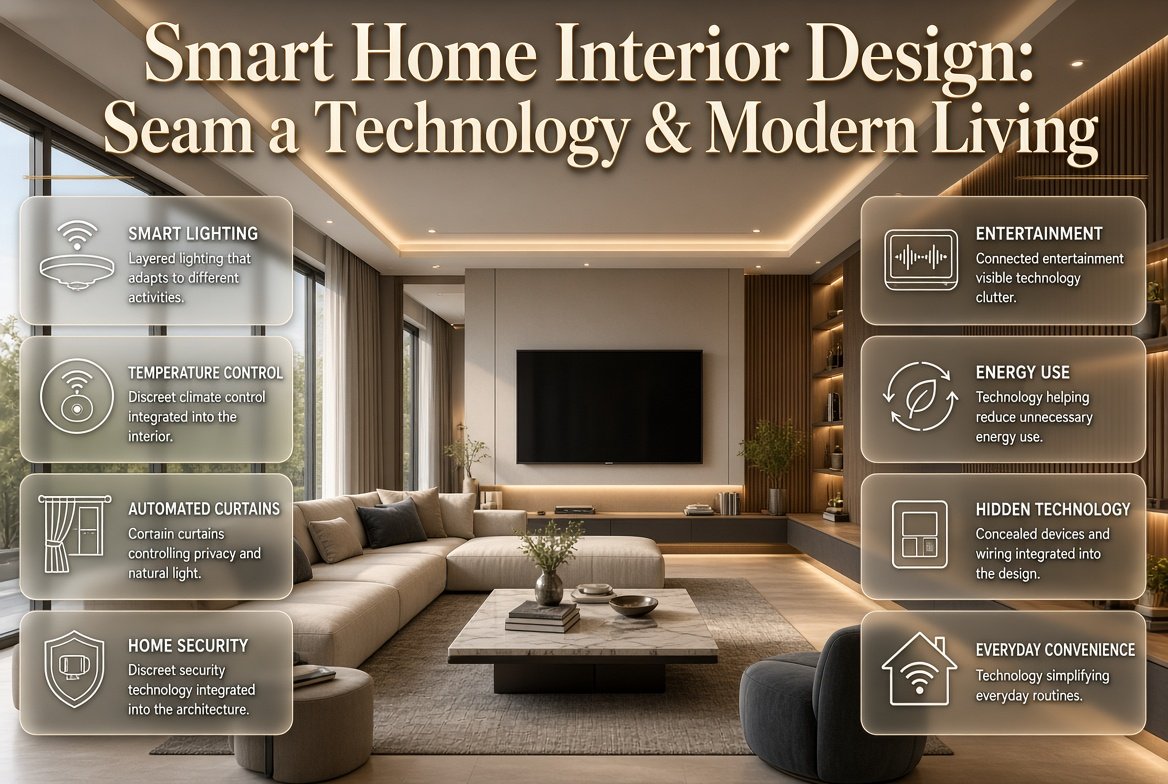
That is why smart home interior design is becoming an important part of modern home planning. The idea is not simply to install smart bulbs, cameras, automated curtains, thermostats, speakers, or connected appliances. The real goal is to integrate technology into the home so naturally that it improves comfort and convenience while preserving the beauty, warmth, and personality of the interior.
A well-planned smart home can adjust lighting for different activities, control temperature, manage privacy, improve security, simplify entertainment, reduce unnecessary energy use, and make everyday routines more convenient. At the same time, the technology can remain discreet enough that the home still feels calm and inviting.
If you’re planning a new home, renovating an existing property, or simply looking for ways to make your rooms more functional, this guide explains how to approach smart technology from an interior-design perspective. You’ll learn how to plan each room, choose useful automation, hide technology, coordinate lighting, avoid common mistakes, and create a connected home that still feels personal.
For a broader collection of practical interior ideas and room-planning inspiration, explore DesignMode24 Interior Design.
What Is Smart Home Interior Design?
Smart home interior design is the process of combining connected technology with furniture, lighting, architecture, color, materials, storage, and room planning so everything works together as one environment.
Instead of purchasing smart devices after a room has already been completed, the technology is considered during the design process. This makes it easier to determine where switches, sensors, speakers, televisions, charging points, network equipment, automated blinds, and other devices should go.
The strongest smart interiors don’t necessarily have the most technology. They have the technology that solves real problems.
For example, a bedroom might benefit from automated blackout curtains and dimmable bedside lighting. A kitchen may benefit from motion-activated task lighting and smart appliances. A living room might need integrated entertainment, climate control, and lighting scenes.
The important principle is simple:
Technology should support the interior rather than compete with it.
Why Is Smart Home Interior Design Important?
Technology can improve a home’s functionality, but poor integration can create visual clutter. A collection of disconnected gadgets may work individually while making the room look less organized.
Interior planning solves that problem by considering technology as part of the overall composition.
A properly planned smart home can provide:
- Better daily convenience
- More flexible lighting
- Improved comfort
- Better energy management
- Cleaner cable management
- Greater privacy
- Improved security
- Easier entertainment
- Better use of storage
- A more organized appearance
- More adaptable rooms
There is also a financial advantage to planning early. Running cables, creating recessed spaces, installing suitable outlets, and preparing cabinetry before construction is usually easier than attempting to modify finished walls later.
💡 Pro Tip: Don’t begin by asking which smart products you should buy. Begin by asking which daily problems you want your home to solve. That approach prevents unnecessary technology from taking over your rooms.
How Do You Plan a Smart Home Interior?
The best smart home doesn’t start with a shopping list. It starts with an understanding of how people use the space.
Walk through each room and think about what happens there during a normal day.
Ask:
- Where do people spend the most time?
- Which lights are used repeatedly?
- Where are phones and laptops charged?
- Where does daylight enter?
- Which areas need privacy?
- Which appliances are used frequently?
- Where would automatic lighting be useful?
- Which devices need a strong network connection?
- Which technology should remain hidden?
This simple exercise creates a much better foundation than buying devices first.
Step 1: Map Your Daily Routines
Consider your morning routine.
You might wake up, open curtains, turn on a bedside light, check the weather, adjust the temperature, and enter the kitchen.
Instead of treating those as six separate actions, a smart home can coordinate some of them.
A morning scene could gradually brighten the bedroom, open the curtains, and adjust the climate while leaving entertainment and unnecessary lights switched off.
The objective isn’t to automate every action. It’s to remove repetitive tasks.
Step 2: Plan the Room Before the Technology
Furniture placement should come first.
Decide where the bed, sofa, dining table, desk, kitchen workstations, storage units, and other major elements will be positioned.
Then determine where technology should interact with those areas.
For example, if a reading chair is located in a corner, the lighting plan should provide focused illumination there. If the sofa faces a television, power and media connections should be planned around that wall.
This is one reason Home Design Ideas can be useful when you’re considering the relationship between room layout and technology.
Step 3: Plan Infrastructure Early
If you’re building or renovating, plan the infrastructure before walls and ceilings are finished.
Think about:
- Power outlets
- Data connections
- Ethernet
- Wi-Fi access points
- Speaker locations
- Television connections
- Smart switches
- Sensors
- Cameras
- Motorized blinds
- Charging points
- Network equipment
Even if you don’t install everything immediately, preparing sensible infrastructure can make future upgrades much easier.
📌 Quick Tip: Photograph walls before they are closed after cables and conduits are installed. Keep those photographs with your renovation records so you know where hidden infrastructure is located.
What Smart Technologies Work Best With Interior Design?
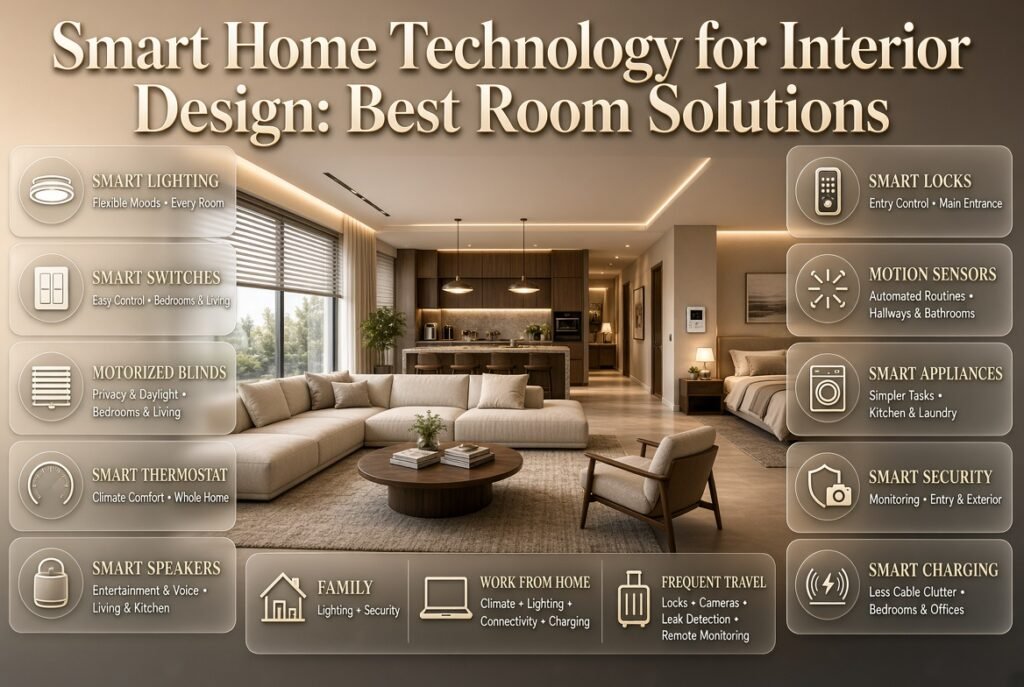
Some smart technologies have a much stronger relationship with interior design than others. Lighting, climate control, motorized window coverings, security, entertainment, and charging solutions are particularly useful because they can improve the room without creating excessive visual clutter.
| Smart Technology | Main Interior Benefit | Best Locations |
|---|---|---|
| Smart lighting | Creates flexible moods and scenes | Every room |
| Smart switches | Convenient lighting control | Bedrooms, living areas |
| Motorized blinds | Controls privacy and daylight | Bedrooms, living rooms |
| Smart thermostat | Improves comfort and climate management | Whole home |
| Smart speakers | Adds entertainment and voice control | Living rooms, kitchens |
| Smart locks | Convenient entry control | Main entrance |
| Motion sensors | Automates lights and routines | Hallways, bathrooms |
| Smart appliances | Simplifies daily tasks | Kitchen, laundry |
| Smart security | Improves monitoring | Entryways, exterior |
| Smart charging | Reduces cable clutter | Bedrooms, offices |
The right combination depends on the household.
A family with children may prioritize lighting and security. Someone working from home may focus on climate, lighting, connectivity, and charging. A frequent traveler may value smart locks, cameras, leak detection, and remote monitoring.
How Should Smart Lighting Be Used in Interior Design?
Smart lighting is one of the most valuable areas of smart home interior design because light directly affects how a room looks and feels.
However, smart lighting should never be used as a replacement for good lighting design.
A successful room usually combines several lighting layers.
Ambient Lighting
Ambient lighting provides general illumination. Ceiling fixtures, recessed lights, and other broad sources can establish the overall brightness of a room.
Task Lighting
Task lighting supports specific activities.
Examples include:
- Kitchen counter lighting
- Reading lamps
- Desk lighting
- Bathroom mirror lighting
- Bedside lights
Accent Lighting
Accent lighting draws attention to selected features such as artwork, shelving, architectural details, plants, or decorative surfaces.
Decorative Lighting
Decorative fixtures can become part of the visual design themselves.
Smart controls can connect these layers into scenes.
For example:
Movie Scene
Main lights dim → Accent lighting remains soft → Curtains close → Entertainment area becomes the visual focus
Reading Scene
General lighting remains moderate → Reading light increases → Glare is reduced
Cleaning Scene
General lighting becomes brighter → Accent lights increase → Shadows are reduced
The value comes from coordinating the environment rather than simply making bulbs controllable from a phone.
What Mistakes Should You Avoid With Smart Lighting?
A common mistake is purchasing smart bulbs for every fixture without considering fixture quality, color temperature, glare, or placement.
A smart bulb can’t correct an incorrectly positioned light.
Before choosing smart lighting, consider:
- Color temperature
- Light output
- Glare
- Fixture scale
- Beam direction
- Dimming performance
- Room purpose
- Natural daylight
- Wall and ceiling colors
For more ideas about selecting and coordinating colors, explore the Paint Color category.
Color and lighting should be considered together because the same paint can appear dramatically different under warm, neutral, or cool light.
How Can You Hide Smart Home Technology?
One of the biggest differences between a professionally planned smart interior and a collection of gadgets is how technology is integrated visually.
The objective isn’t to hide everything at any cost. The objective is to prevent technology from creating unnecessary visual noise.
Practical Ways to Integrate Technology
You can use:
- Built-in media cabinets
- Recessed television installations
- Concealed cable channels
- Integrated speakers
- Charging drawers
- Wall-mounted control panels
- Hidden network cabinets
- Under-cabinet lighting
- Motorized curtain tracks
- Furniture with cable management
- Concealed power outlets
A television wall is a good example.
Instead of allowing HDMI cables, power cords, gaming consoles, and streaming devices to remain visible, create a media zone where the equipment has a planned location.
The result feels cleaner without reducing functionality.
⚠ Common Mistake: Don’t hide equipment where it can’t be accessed. Routers, power supplies, hubs, and electronics require ventilation and occasional maintenance. A perfectly concealed device that becomes impossible to service is poor design.
How Do You Design a Smart Living Room?
The living room usually contains more technology than almost any other room, which makes planning particularly important.
Start with seating.
Determine where people will sit, where they will walk, and where daylight enters the room. Then position entertainment and lighting around that layout.
A well-designed smart living room may include:
- Wall-mounted television
- Concealed cables
- Integrated or discreet speakers
- Automated curtains
- Layered lighting
- Smart climate control
- Hidden charging points
- Simple scene controls
- Organized media storage
Furniture can play an important role.
A media console can conceal streaming equipment and power management while providing ventilation. Side tables can include discreet charging. Shelving can provide a location for a smart speaker without making it the focal point.
If your goal is a cohesive room rather than a technology-heavy appearance, the Home Styling section can provide additional ideas for balancing function and decoration.
Smart Living Room Example
Imagine a living room with a large window, a sofa facing the television, a reading chair near a floor lamp, and a small work area.
Instead of giving every area separate controls, you could create several useful scenes:
Relax: warm ambient lighting + curtains partially closed + comfortable temperature
Movie: television wall emphasized + main lights dimmed + curtains closed
Reading: reading light increased + nearby ambient light maintained
Away: unnecessary lights off + selected security devices active + climate adjusted
The technology becomes useful because it follows the way the room is already being used.
How Can Smart Technology Improve Bedroom Design?
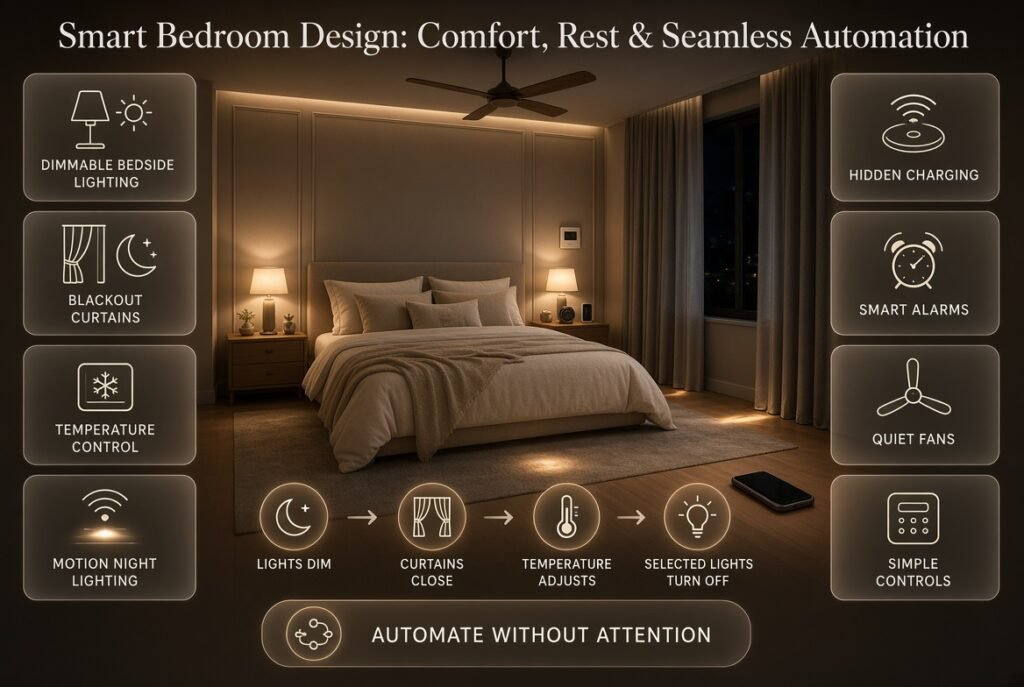
Bedrooms should prioritize comfort, rest, and simplicity.
Technology can help when it removes small repetitive tasks rather than introducing more screens.
Useful features include:
- Dimmable bedside lighting
- Automated blackout curtains
- Temperature control
- Motion-sensitive nighttime lighting
- Hidden charging
- Smart alarms
- Quiet fans
- Simple bedside controls
A nighttime scene might gradually dim the room, close the curtains, adjust the temperature, and turn off selected lights.
However, the bedroom shouldn’t feel like a control center.
The most successful design is usually subtle.
Bedroom Design Principle
Think about what should happen without requiring attention.
If a feature forces the user to open an app every night, it may not be solving the problem efficiently.
How Should Smart Technology Be Integrated Into a Kitchen?
Kitchen technology should support practical activities.
Smart home interior design in the kitchen can include:
- Motion-activated under-cabinet lighting
- Smart appliances
- Voice-controlled timers
- Automated task lighting
- Leak detection
- Smart ventilation
- Charging drawers
- Connected ovens or refrigerators
The electrical plan is particularly important.
Kitchens often have more appliances than homeowners initially expect, so outlet planning should happen before cabinets and backsplashes are finalized.
Think about:
- Coffee machines
- Blenders
- Mixers
- Toasters
- Phones
- Tablets
- Small cooking appliances
Good planning keeps these devices functional without creating permanent countertop clutter.
If you’re upgrading your kitchen as part of a larger renovation, DIY Home Projects can provide ideas for practical improvements, while electrical work should be handled appropriately by qualified professionals where required.
How Can Smart Technology Improve a Home Office?
A smart home office should focus on concentration, comfort, and organization.
The most useful features are usually:
- Adjustable lighting
- Automated shades
- Climate control
- Strong connectivity
- Cable management
- Charging stations
- Smart power management
- Task lighting
- Acoustic improvements
The desk should have access to power without requiring cables to cross walking paths.
A simple automation could increase task lighting during working hours and soften it during evening use.
The office should also avoid unnecessary notifications. A smart home is supposed to reduce distractions, not create more of them.
What Makes a Smart Home Look Expensive?
Luxury isn’t determined by how many smart devices you own.
A sophisticated smart interior usually looks expensive because everything feels coordinated.
Pay attention to:
- Consistent switch finishes
- High-quality lighting
- Clean cable management
- Proper furniture scale
- Concealed equipment
- Good acoustics
- Balanced materials
- Organized storage
- Minimal visual clutter
A modest smart system can look more elegant than a much more expensive installation if it has been integrated carefully.
This is where understanding Interior Design Styles becomes valuable. Technology should complement the design language rather than forcing the room into a futuristic style.
How Can You Keep a Smart Home Warm and Personal?
Technology can make a room feel cold when it becomes the dominant visual element.
The solution is balance.
Combine technology with:
- Natural wood
- Stone
- Linen
- Cotton
- Wool
- Plants
- Artwork
- Textured rugs
- Handmade accessories
- Warm lighting
Natural materials add visual softness while technology provides convenience in the background.
This is particularly important in minimalist and contemporary interiors where there are fewer decorative objects to distract from technical equipment.
For homeowners interested in a calm, natural aesthetic, Japandi Interior Design offers useful inspiration because the style naturally emphasizes simplicity, natural materials, warmth, and restraint.
Smart Home Interior Design for Different Interior Styles
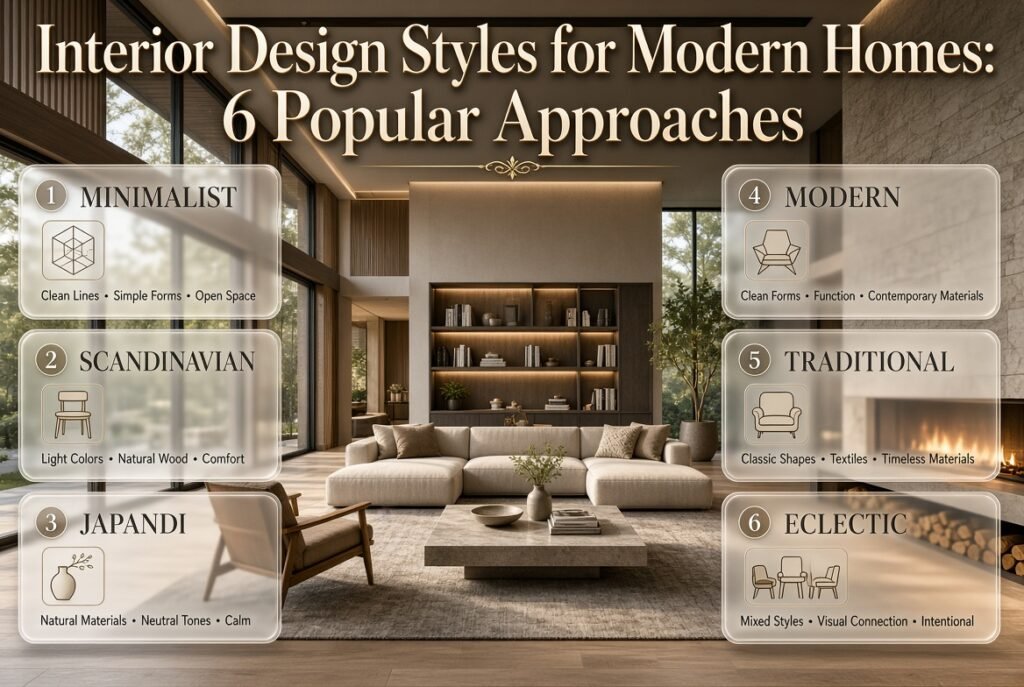
Smart technology doesn’t require one specific decorating style.
Modern Interior Design
Modern spaces work well with:
- Concealed screens
- Linear lighting
- Automated blinds
- Integrated speakers
- Minimal controls
- Flush-mounted technology
Scandinavian Interior Design
Keep technology visually quiet and combine it with:
- Light wood
- Soft textiles
- Natural light
- Warm neutral colors
- Simple furniture
Japandi Interior Design
Use automation sparingly and keep interfaces discreet.
Focus on:
- Natural materials
- Warm lighting
- Minimal visual noise
- Concealed technology
- Functional furniture
Traditional Interior Design
Technology can be integrated into:
- Cabinetry
- Built-ins
- Furniture
- Architectural details
- Discreet wall controls
The objective is to preserve the traditional character of the room.
Minimalist Interior Design
Minimalism and smart technology can work particularly well together because automation can reduce visible controls.
However, minimalism doesn’t mean removing every functional object. It means making deliberate choices.
Wired vs. Wireless Smart Home Technology: Which Is Better?
Both approaches have advantages.
| Factor | Wired | Wireless |
| Reliability | Generally strong | Depends on network conditions |
| Installation | More complex | Easier |
| New construction | Excellent option | Useful |
| Existing homes | Can require work | Very convenient |
| Future expansion | Strong when infrastructure is planned | Flexible |
| Equipment visibility | Can be concealed | May require visible devices |
| Best use | Permanent systems | Flexible additions |
A hybrid system is often practical.
For example, important network infrastructure and permanent entertainment equipment can use wired connections, while sensors and selected controls can use wireless technology.
The important thing isn’t choosing a technology because it’s fashionable. Choose based on the building, reliability requirements, budget, and future plans.
How Can You Future-Proof a Smart Home?
No one can predict exactly which smart devices will be popular several years from now.
Instead of trying to predict specific products, build flexible infrastructure.
Consider:
- Accessible cable routes
- Adequate electrical capacity
- Network connections
- Spare conduit where practical
- Serviceable equipment locations
- Flexible mounting options
- Expandable storage
- Compatible systems
Future-proofing is especially valuable during major renovation because opening walls later is expensive and disruptive.
⭐ Expert Tip: Spend more attention on infrastructure than on predicting the exact devices you’ll own in five years. Flexible infrastructure makes future technology upgrades much easier.
What Are the Biggest Smart Home Interior Design Mistakes?
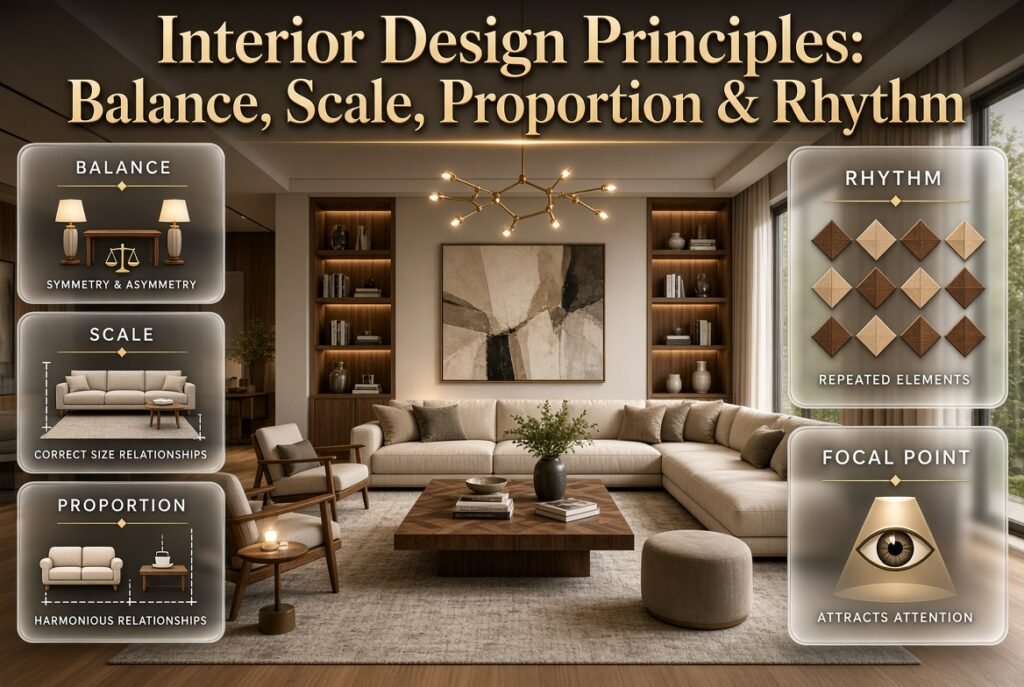
1. Buying Gadgets Before Planning the Room
This is one of the most common mistakes.
People buy smart speakers, bulbs, cameras, screens, and sensors and then try to find places for them.
Why it causes problems: Technology becomes an afterthought and can create clutter.
Better solution: Plan the room first and decide which technology actually supports it.
2. Automating Everything
Automation isn’t automatically useful.
Why it causes problems: Too many scenes and triggers can become confusing.
Better solution: Automate repetitive actions that genuinely save time.
3. Ignoring Network Planning
A smart home depends on communication between devices.
Why it causes problems: Weak connectivity can create delays and unreliable behavior.
Better solution: Think about network coverage during the design stage.
4. Forgetting Manual Controls
Technology can fail.
Why it causes problems: A basic function like turning on a light shouldn’t become impossible because a network is unavailable.
Better solution: Keep practical manual controls for essential systems where appropriate.
5. Hiding Equipment Without Considering Maintenance
Concealment is valuable, but accessibility matters.
Why it causes problems: Technicians may need to dismantle cabinetry or walls to reach equipment.
Better solution: Create discreet but accessible service areas.
6. Choosing Products That Don’t Match
Different finishes, colors, sizes, and styles can make a room feel visually inconsistent.
Better solution: Treat switches, control panels, speakers, and screens as part of the overall material palette.
7. Ignoring Natural Light
Smart blinds and lighting don’t replace good window planning.
Better solution: Start with daylight and use automation to improve it.
How Can Decorative Finishes Support Smart Home Design?
Walls, cabinetry, ceilings, and built-in elements can provide opportunities to integrate technology.
For example, textured wall treatments can create a visual backdrop for a television, while carefully designed cabinetry can conceal equipment.
Decorative elements should never be added simply to hide a problem. They should contribute to the room’s overall character.
If you’re exploring ways to combine architectural details with technology, Decorative Finishes can provide additional direction.
Can Woodworking Help Hide Smart Home Equipment?
Yes. Custom or simple woodworking can solve several common technology problems.
Useful ideas include:
- Media consoles
- Floating shelves
- Charging stations
- Cable-management boxes
- Router cabinets
- Printer storage
- Speaker shelves
- Equipment drawers
A well-designed cabinet can hide several devices while keeping ventilation and maintenance access.
For practical inspiration, see Easy Woodworking Projects.
The important thing is to design the storage around the equipment dimensions instead of forcing devices into an unsuitable cabinet.
Can DIY Decor Work in a Smart Home?
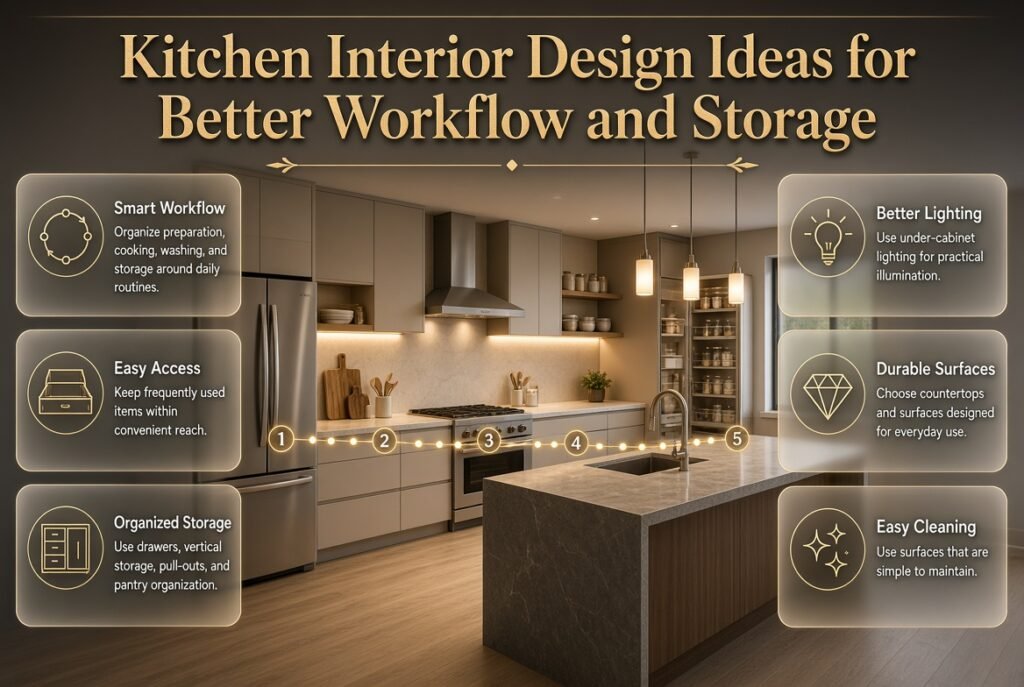
Absolutely.
A connected home doesn’t need to look technical. Handmade decorative pieces, wall art, plants, textiles, and small DIY improvements can give the space personality.
You can create:
- Decorative cable covers
- Custom shelves
- Charging stations
- Wall organizers
- Small display units
- Decorative storage
- Handmade artwork
The DIY Home Decor Crafts section can be useful when you’re looking for ways to personalize a technology-focused room.
The goal is balance: technology handles convenience while décor provides identity.
How Does Smart Home Design Compare With Other Interior Concepts?
Smart home design is not really a decorating style by itself. It is a functional layer that can be added to many styles.
For example, a smart home can be:
- Minimalist
- Contemporary
- Scandinavian
- Traditional
- Japandi
- Industrial
- Luxury
- Eclectic
The design style determines the visual language, while smart technology determines how the home behaves.
This distinction is important because homeowners sometimes assume that installing smart devices means their home must look futuristic. It doesn’t.
For a different perspective on interior planning and creative digital environments, you can also explore Minecraft Interior Design. While the environment is virtual, the same principles of zoning, proportion, lighting, furniture placement, and visual balance can inspire real-world design thinking.
How Can You Create a Smart Home on a Budget?
You don’t need to automate an entire property at once.
Start with the areas that provide the most noticeable benefit.
Budget-Friendly Priorities
- Smart lighting in frequently used rooms
- Simple automated routines
- Smart plugs where genuinely useful
- Organized charging points
- Basic climate automation
- Selected security improvements
- Better cable management
Avoid spending money on complicated systems simply because they sound impressive.
A small number of reliable features can deliver a better experience than dozens of inexpensive devices that don’t communicate properly.
A Practical Budget Strategy
Think in stages.
Stage 1: Lighting and basic controls
Stage 2: Climate and curtains
Stage 3: Security and access
Stage 4: Entertainment
Stage 5: Advanced automation
This allows you to learn how you actually use the technology before expanding the system.
How Much Automation Does a Home Really Need?
The best smart home is not necessarily the most automated home.
A useful rule is:
Automate repetitive decisions, not every decision.
Good automation might include:
- Hallway lights turning on when someone enters
- Exterior lights following a schedule
- Curtains closing at a chosen time
- Bedroom lighting gradually dimming
- Climate settings adjusting according to routine
- Security routines activating when the home is empty
Less useful automation might involve constant changes that require the homeowner to override the system.
If people regularly disable an automation because it behaves unpredictably, the automation needs to be redesigned.
The system should adapt to the residents rather than forcing residents to adapt to the system.
How Can You Create Simple Smart Home Scenes?
Scenes are most useful when they correspond to recognizable activities.
Morning
Curtains open → Soft lighting → Climate adjusts
Work
Task lighting increases → Desk area becomes brighter → Unnecessary entertainment devices remain off
Relax
Ambient lighting becomes warmer → Curtains partially close → Climate adjusts
Movie
Curtains close → Main lights dim → Accent lighting remains low
Good Night
Selected lights turn off → Bedroom lighting dims → Curtains close → Security routine activates
The fewer decisions required, the more useful the scene becomes.
What Should You Consider Before Installing Smart Home Technology?
Before purchasing or installing anything, review five areas.
Compatibility
Will the devices communicate effectively?
Reliability
What happens if the network fails?
Accessibility
Can essential functions still be controlled manually?
Maintenance
Can equipment be reached for replacement or repair?
Future Expansion
Can the system grow without forcing a complete redesign?
These questions are more important than whether a device has the longest feature list.
How Can I Make a Smart Home Look Stylish Instead of Too Technical?
A smart home looks stylish when technology is integrated into the interior instead of being placed on top of it. The biggest difference comes from planning where devices, cables, switches, speakers, screens, sensors, and charging points will go before the room is finished. In 2026, the strongest smart-home interiors are moving toward technology that blends into the architecture, rather than rooms filled with visible gadgets.
Instead of putting a smart speaker, router, charging cable, and entertainment equipment wherever there is free space, create dedicated locations for them. Built-in cabinetry, concealed cable routes, recessed screens, integrated speakers, hidden charging drawers, and carefully positioned control panels can keep the room visually clean.
Key design points:
Hide unnecessary cables and power supplies.
Use consistent finishes for switches and controls.
Integrate speakers into cabinetry or ceilings where appropriate.
Create dedicated charging areas instead of leaving cables on tables.
Keep routers and technical equipment accessible for maintenance.
Choose smart devices that complement the room’s colors and materials.
Balance technology with wood, textiles, plants, artwork, and natural textures.
⭐ Professional Tip: Don’t try to hide every piece of technology. Hide the technology that creates visual clutter and intentionally display the devices that genuinely contribute to the room’s design. A smart home should feel refined and connected, not like a showroom for electronics.
What Are the Best Smart Home Features to Include in Interior Design?
The best smart-home features aren’t necessarily the most expensive or technologically advanced. They are the features that improve something you already do every day. For most homes, smart lighting, automated curtains, climate control, security, convenient charging, and simple room scenes offer more practical value than adding dozens of unrelated gadgets.
One of the biggest 2026 shifts is toward coordinated automation rather than isolated smart devices. Instead of controlling lighting, curtains, and climate separately, homeowners increasingly want them to work together according to an activity or routine.
For example, a Movie Night scene could close the curtains, dim the main lights, leave subtle accent lighting on, and adjust the room for entertainment. A Good Morning scene could gradually increase bedroom lighting, open the curtains, and adjust the temperature.
The most useful features include:
Smart and dimmable lighting
Automated blinds and curtains
Smart climate control
Occupancy or motion sensors
Smart locks
Security cameras where appropriate
Integrated speakers
Hidden charging stations
Smart appliances
Energy monitoring
Simple lighting and lifestyle scenes
📌 Best Practice: Prioritize technology based on frequency of use. If you’ll use a feature every day, it deserves more attention than a gadget that sounds impressive but will rarely be touched.
Is Smart Lighting Worth It for Interior Design?
Smart lighting is one of the most worthwhile smart-home upgrades because lighting affects both the function and atmosphere of a room. It allows homeowners to adjust brightness, create different scenes, coordinate multiple fixtures, and sometimes change color temperature according to the time of day or activity.
The important point is that smart lighting should be built on a proper layered lighting plan. Current interior trends continue to emphasize lighting as a design element rather than treating it as simple overhead illumination.
A well-designed room might combine ambient, task, accent, and decorative lighting. Smart controls can then coordinate those layers.
For example:
Morning: brighter, more energizing lighting
Work: focused task lighting
Dinner: softer ambient lighting
Relax: warm, lower-intensity lighting
Night: very low-level pathway lighting
This approach makes smart lighting feel natural because the technology is responding to how the room is being used.
For better results:
Use different lighting layers rather than one ceiling fixture.
Select color temperature according to the room’s purpose.
Avoid excessive brightness and glare.
Use dimmers where appropriate.
Highlight artwork, shelving, or architectural features with accent lighting.
Coordinate lighting with curtains and natural daylight.
Keep physical controls simple and easy to understand.
💡 Expert Tip: Don’t buy smart bulbs first and design the room around them. Decide what the room needs to look and feel like, then select the lighting technology that supports that design.
How Can I Future-Proof My Smart Home Interior Design?
Future-proofing a smart home doesn’t mean trying to predict which exact devices will be popular five or ten years from now. Technology changes too quickly for that approach to be reliable. A better strategy is to create flexible infrastructure that can support different devices and systems later.
This is particularly important during new construction or major renovation. Once walls, ceilings, flooring, and custom cabinetry are finished, adding new wiring or changing equipment locations can become expensive and disruptive.
Current smart-home guidance increasingly emphasizes infrastructure, interoperability, and systems that can evolve instead of creating a house full of disconnected products.
Focus on these areas:
Adequate electrical outlets
Strong Wi-Fi coverage
Ethernet where appropriate
Accessible cable routes
Spare conduit where practical
Proper equipment ventilation
Accessible network equipment
Flexible mounting locations
Compatible smart-home ecosystems
Manual controls for essential functions
⚠ Common Mistake: Don’t permanently seal smart-home equipment behind walls or inside inaccessible cabinetry simply to make the room look cleaner. Every technical component eventually needs troubleshooting, replacement, or maintenance.
Professional approach: Invest in the infrastructure first and upgrade the devices gradually. This gives your interior greater flexibility without requiring a complete redesign whenever technology changes.
How Do I Balance Smart Technology With a Warm and Comfortable Interior?
The secret is to make the home feel human first and intelligent second. A room can contain advanced automation and still feel warm when technology is balanced with natural materials, comfortable furniture, layered lighting, artwork, plants, and personal objects.
This matters because some smart-home designs become overly minimal and sterile. Current 2026 interiors are increasingly moving toward warmer, more personalized spaces, with designers combining technology with texture, character, and layered comfort.
Instead of creating a room where every surface is glossy and every device is visible, use technology quietly in the background.
Think about:
Warm wood tones
Soft upholstery
Natural stone
Linen and cotton
Area rugs
Indoor plants
Artwork
Handmade décor
Warm layered lighting
Comfortable furniture
Personal collections
The technology should make these elements easier to enjoy.
For example, automated curtains can control harsh daylight without requiring constant adjustment. Smart lighting can create a warmer evening atmosphere. Climate automation can maintain comfort without frequent manual changes. Hidden charging can reduce countertop clutter.
The professional rule is simple:
Automate the routine, not the personality.
Your home should still reflect your taste, lifestyle, memories, and personality. Smart technology should quietly support that environment rather than becoming its main visual identity.
Conclusion
The best smart home interior design is not the one with the most impressive collection of gadgets. It is the home where technology quietly improves everyday life while the interior remains comfortable, attractive, organized, and personal.
A smart lighting system should make the right atmosphere easier to create. Automated curtains should simplify privacy and daylight control. Climate technology should improve comfort. Security devices should provide confidence without dominating the visual environment. Charging points should reduce cable clutter. Entertainment technology should work without becoming the centerpiece of every room.
Most importantly, the technology should fit the way you actually live.
Start with your routines. Plan your furniture. Consider lighting, color, materials, storage, electrical infrastructure, connectivity, and technology as parts of one design. Then automate only the tasks that genuinely make life easier.
Whether you’re creating a minimalist apartment, a warm family home, a contemporary villa, a traditional interior, or a calm Japandi-inspired space, smart technology can become a natural part of the environment when it is planned carefully.
The result shouldn’t feel like a house filled with gadgets.
It should simply feel like a better home.
For more practical ideas on home design, styling, colors, DIY improvements, and interior planning, visit DesignMode24 Interior Design and continue building a home where technology works quietly in the background while the design remains unmistakably yours.
Leave a Reply