
Introduction
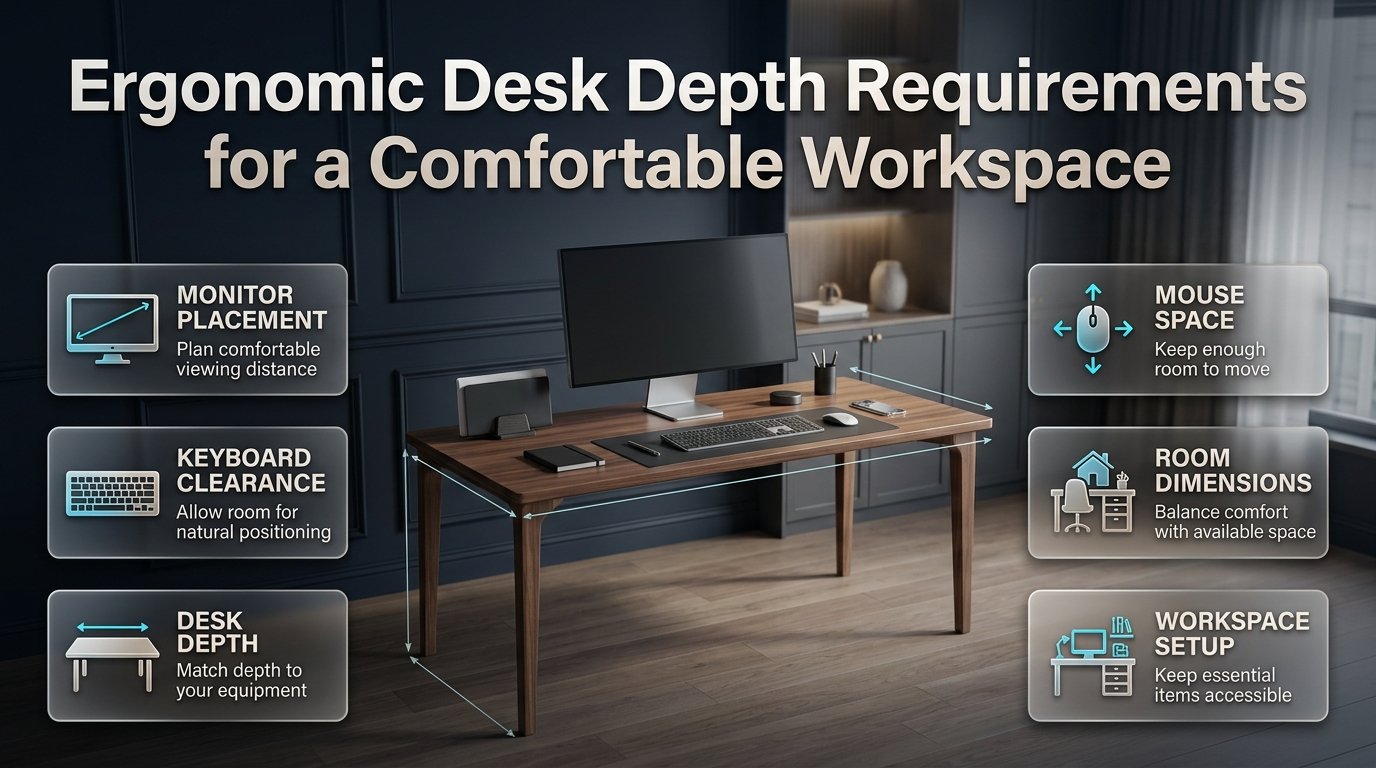
Ergonomic Desk Depth Requirements | Choosing a desk can seem simple until you start working at it every day. Your monitor sits too close, the keyboard takes up most of the surface, and there’s barely enough room to move your mouse. After a few hours, you may find yourself leaning forward or stretching your arms just to work comfortably.
These problems often begin with poor workstation planning. Understanding ergonomic desk depth requirements helps you choose a desk that accommodates your equipment, supports a comfortable working position, and fits your room without wasting valuable space. Whether you’re setting up a home office, upgrading a gaming station, or furnishing a small study area, the right dimensions can make everyday work easier.
Start by exploring Design Mode 24 Interior Design for practical home improvement and workspace inspiration. Then consider your monitor size, viewing distance, keyboard placement, desk height, and available room before deciding which desk will work best.
This guide covers recommended desk depths, practical measurements, different computer setups, space-saving solutions, common purchasing mistakes, and expert tips for creating a comfortable workspace.
What Are the Standard Ergonomic Desk Depth Requirements?
For many desktop computer users, a desk approximately 28–30 inches deep (71–76 cm) is a useful starting point. A 24-inch-deep desk can work in certain compact setups, while larger monitors, multiple displays, and additional work materials may require a deeper surface. The correct measurement depends on whether your equipment can be positioned comfortably without forcing you to lean forward or reach excessively.
The Occupational Safety and Health Administration (OSHA) advises that computer monitors should generally be positioned at least 20 inches (50 cm) from the user’s eyes. Its workstation guidance also emphasizes sufficient desktop space for the monitor, keyboard, mouse, and other frequently used equipment.
Importantly, OSHA does not establish one universal desktop depth for every computer user. The measurements commonly recommended for home offices are practical planning guidelines rather than mandatory dimensions.
Desk Depth Comparison Chart
| Desk depth | Metric measurement | Typical use | Main consideration |
|---|---|---|---|
| 20–22 inches | 51–56 cm | Compact laptop stations | Limited room for separate equipment |
| 24 inches | 61 cm | Small home offices | Requires careful equipment placement |
| 28–30 inches | 71–76 cm | Standard desktop setups | Good starting point for many users |
| 32–36 inches | 81–91 cm | Large monitors and multi-screen setups | Requires more room |
| 36+ inches | 91+ cm | Specialized workstations | Extra depth must serve a practical purpose |
These ranges are not strict ergonomic standards. A shallow desk with a suitable monitor arm may provide more usable space than a deeper desk with an oversized monitor stand.
For example, a person working on a laptop may need relatively little desktop depth. Someone using a 32-inch monitor, a full-size keyboard, a mouse pad, and printed documents may need considerably more room.
The best desk is the one that accommodates your equipment while allowing a comfortable working posture.
Why Is Desk Depth Important for Ergonomic Comfort?
Desk depth determines how much front-to-back space you have to position your screen, keyboard, mouse, and other essentials. When that space is insufficient, you may place your monitor too close, push your keyboard toward the desk edge, or move your chair away from the workstation to create room.
These adjustments can make it harder to maintain a comfortable position throughout the working day.
A well-planned desk helps you:
- Maintain a comfortable distance between your eyes and the screen.
- Position the keyboard and mouse within easy reach.
- Keep your shoulders relaxed while typing.
- Avoid repeatedly leaning forward to read small text.
- Organize essential equipment without overcrowding the desktop.
- Maintain sufficient room for normal hand and arm movements.
OSHA identifies limited workspace as a potential cause of awkward equipment placement and unnecessary reaching. Its guidance recommends arranging frequently used items within the primary working area.
How an Incorrect Desk Depth Affects Your Working Position
Imagine sitting at a shallow desk with a large monitor. Its stand occupies a significant portion of the surface, leaving little room for your keyboard and mouse.
You move the keyboard forward, but your wrists approach the desk edge. You push the monitor backward, but it nearly touches the wall. Eventually, you start leaning forward to read the screen comfortably.
The issue isn’t necessarily the monitor or keyboard individually. It’s the relationship between the equipment, the desktop, and your sitting position.
A deeper desk may solve the problem, but it isn’t the only solution. A compatible monitor arm, a better chair adjustment, or an external keyboard tray may provide the space you need without replacing the entire workstation.
Professional recommendation: Adjust the equipment around your natural working position instead of choosing a desk based solely on its advertised dimensions.
How Deep Should a Desk Be for Different Workstations?
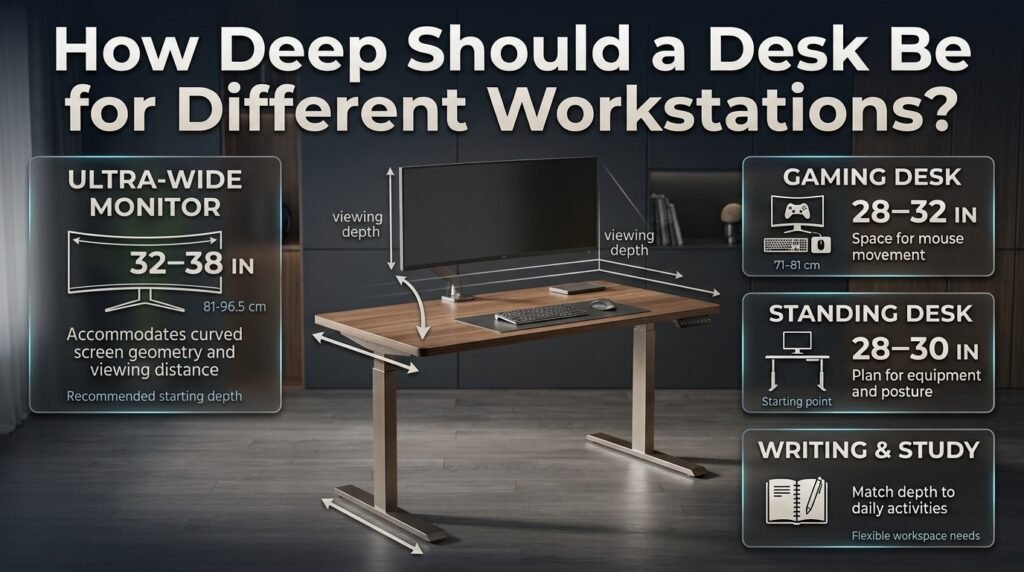
The ideal desk depth varies according to your equipment and daily activities. Before purchasing furniture, consider how you use your computer rather than choosing a desk based on appearance alone.
1. Laptop Workstations
A desk measuring approximately 20–24 inches deep (51–61 cm) may work for a compact laptop-only setup. The laptop’s integrated screen and keyboard reduce the amount of space required compared with a conventional desktop arrangement.
However, laptop ergonomics involve a trade-off. When the keyboard is at a comfortable typing height, the screen may be too low. Raising the laptop to improve screen positioning can make typing less comfortable.
For extended computer work, consider using a laptop stand with an external keyboard and mouse. This arrangement allows you to position the screen independently from the input devices, although it may require additional desktop space.
Useful additions include:
- A compact laptop riser.
- A separate keyboard and mouse.
- A small desk lamp.
- A document holder for frequently referenced papers.
- A drawer or shelf for accessories you don’t use continuously.
If you’re building a workspace in a bedroom or spare room, DIY home projects can help you explore practical improvements without committing to a complete renovation.
2. Single-Monitor Desktop Setups
A desk around 28–30 inches deep (71–76 cm) is a sensible starting point for many single-monitor desktop workstations.
This depth can provide room for the monitor, keyboard, mouse, and some additional working space. However, the monitor’s stand design and your seating position determine how much of the surface remains usable.
Before choosing a desk, measure the monitor stand from front to back. Then position the keyboard and mouse as you normally would and check whether the remaining space allows comfortable reaching.
Example: A monitor stand that occupies 9 inches of depth, a keyboard that occupies 8 inches, and the remaining space needed for comfortable hand positioning can make a 24-inch desk feel restrictive. A 28–30-inch desk may offer more flexibility.
These numbers illustrate a possible layout rather than a universal calculation. The monitor’s distance from your eyes, not the sum of product dimensions alone, determines whether the arrangement works.
3. Dual-Monitor Workstations
Dual-monitor setups need sufficient width and depth. Width accommodates the two displays side by side, while depth helps maintain suitable viewing distances and provides room for the keyboard and mouse.
A desk approximately 30–36 inches deep (76–91 cm) may suit some dual-monitor arrangements, particularly when the displays have large stands or the user also works with paperwork.
To make the arrangement practical:
- Position your primary monitor directly in front of you.
- Keep the secondary display close enough to view without excessive head movement.
- Use monitor arms if the stands occupy too much space.
- Keep the keyboard and mouse within comfortable reach.
- Avoid placing frequently used accessories at the far back of the desk.
If you spend similar amounts of time on both screens, arrange them so neither requires repeated, uncomfortable neck rotation.
Remember that a wider desk may be just as important as a deeper one. Measure the combined width of the monitors, their stands, and any additional equipment before purchasing.
4. Gaming Desks
Gaming workstations often include large monitors, keyboards, mouse pads, headsets, microphones, controllers, and other accessories.
A depth of approximately 28–32 inches (71–81 cm) can be a useful starting point for many gaming setups. Players using large displays or extensive mouse movements may benefit from a larger surface.
Think about your preferred playing style. If you use low mouse sensitivity, you may need considerable horizontal mouse movement. A desk that leaves little room for your mouse pad can feel restrictive even if the monitor fits comfortably.
A practical gaming desk should provide:
- Adequate mouse movement space.
- Comfortable screen viewing distance.
- Room for the keyboard and forearms.
- Sufficient legroom beneath the surface.
- Cable management that doesn’t interfere with movement.
A desk with extra depth isn’t automatically better. Your chair, monitor position, keyboard placement, and available room must work together.
5. Standing Desks
Standing desks follow the same basic depth principles as seated workstations. A depth of approximately 28–30 inches is a useful starting point for many standard computer setups, while large monitors and additional equipment may require more space.
The adjustable height is equally important. When standing, you should be able to use the keyboard without raising your shoulders or bending your wrists excessively.
Before purchasing a standing desk, check:
- Whether the surface accommodates your monitor and input devices.
- Whether the monitor can remain at a comfortable viewing distance.
- Whether the desk is stable at your intended working height.
- Whether the monitor arm is compatible with the desk.
- Whether cables have enough slack when the desk moves.
- Whether your feet and legs have sufficient clearance.
Standing all day isn’t necessary to create a better workstation. Changing positions periodically and avoiding long periods in one fixed posture can help make the setup more practical.
6. Writing and Study Desks
A writing desk may need less equipment depth than a computer workstation, but its requirements depend on how you work.
Someone who primarily writes by hand may prioritize space for notebooks, textbooks, and documents. A student using a laptop alongside printed study materials may need more depth.
For mixed computer and writing tasks, consider whether you can place documents beside the monitor without moving the keyboard into an awkward position.
A shallow desk may be sufficient for occasional study, while a deeper surface can be more convenient for daily use involving several books or documents.
How Far Should Your Monitor Be From Your Eyes?
For many desktop users, a viewing distance of approximately 20–40 inches (50–100 cm) is a useful reference range. OSHA identifies this as a generally preferred range, although monitor size, text size, vision, and personal comfort affect the appropriate position.
The measurement is taken from your eyes to the front surface of the screen, not from the front edge of the desk to the monitor stand.
This distinction matters because a desk’s advertised depth doesn’t tell you exactly how far away the monitor will sit once you are seated.
How to Measure Monitor Viewing Distance
- Sit in your normal working position with your back supported.
- Position the monitor directly in front of you.
- Measure from your eyes to the front of the screen.
- Adjust the monitor until you can read comfortably without leaning forward.
- Increase text size if small characters encourage you to move closer.
- Check that the screen height and angle allow a relaxed head and neck position.
OSHA recommends positioning the monitor so the top of the screen is at or slightly below eye level for many users. The screen should also be positioned to reduce glare and avoid unnecessary head turning.
💡 Pro Tip: Before moving your monitor closer, try increasing your operating system’s display scaling or browser zoom. Larger text may improve readability without compromising your viewing distance.
How to Calculate the Desk Depth You Need
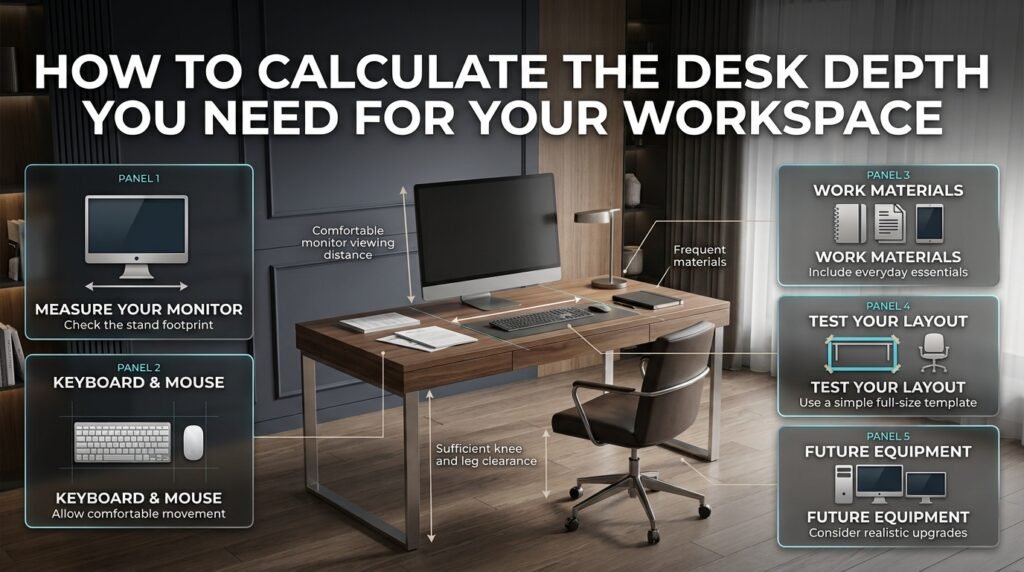
You don’t need a complicated formula to choose a suitable desk. You need accurate measurements of your equipment and a clear understanding of how the workstation will be used.
Step 1: Measure Your Monitor and Stand
Measure the monitor stand’s front-to-back footprint. If you intend to use a monitor arm, check its mounting requirements and adjustment range.
A monitor arm can free up desktop space, but it doesn’t remove the need for a suitable viewing distance. The screen must still be positioned correctly relative to your eyes.
Step 2: Position the Keyboard and Mouse
Place your keyboard and mouse in the positions you naturally prefer.
Check that your elbows can remain near your body and that you don’t need to reach forward to type. Leave enough room to move the mouse without pushing it toward the edge.
Don’t measure the keyboard alone. Your hands, forearms, and mouse movements also affect the layout.
Step 3: Allow Space for Work Materials
If you regularly use printed documents, notebooks, or a tablet, include them in your layout.
You don’t necessarily need to store every item on the desktop. Drawers, nearby cabinets, and wall shelves can keep occasional-use items accessible without occupying the primary work area.
Step 4: Check the Complete Layout
Use cardboard, paper, or painter’s tape to mark the proposed desk dimensions on a table or floor.
Arrange the equipment within that outline and sit in your normal working position. This simple test can reveal whether a desk is too shallow before you spend money on it.
Check that you can:
- View the monitor without leaning forward.
- Reach the keyboard and mouse comfortably.
- Keep frequently used objects within easy reach.
- Move your chair close enough to the desk.
- Maintain sufficient knee and leg clearance.
Step 5: Consider Future Equipment
Think about whether your setup is likely to change.
You may eventually add a second monitor, replace a laptop with a desktop computer, or use printed documents more frequently.
Planning for realistic future needs can help you avoid buying a desk that becomes inconvenient after a small equipment upgrade.
However, don’t purchase a significantly larger desk simply because you might need it someday. Balance likely requirements against room size, cost, and available space.
Is a 24-Inch-Deep Desk Enough for Ergonomic Work?
A 24-inch-deep desk can work for certain computer setups, but it isn’t automatically suitable for every workstation. The important question is whether you can position your monitor at a comfortable viewing distance while keeping the keyboard and mouse within easy reach.
A compact monitor with a space-saving stand may fit comfortably. A large monitor, bulky stand, full-size keyboard, and paperwork may leave too little usable space.
If you already own a 24-inch desk, try these adjustments before replacing it:
- Use a compatible monitor arm to free up desktop space.
- Remove unnecessary accessories.
- Increase screen text size if you struggle to read comfortably.
- Consider a suitable keyboard tray.
- Reposition the desk to provide additional clearance behind the monitor.
If these changes don’t provide sufficient room, a deeper work surface may be the more practical solution.
The University of Pennsylvania’s environmental health and safety guidance recommends a 30-inch-deep typing surface as generally adequate for a 17-inch monitor and keyboard, and advises against 24-inch-deep surfaces for general computer workstation use. This is an institutional recommendation, not a universal rule for every modern display.
What Is the Best Desk Depth for a Small Home Office?
For a small home office, a desk around 24–28 inches deep (61–71 cm) may provide a useful balance between workspace and room clearance. A laptop-only setup may work with less depth, while a large desktop monitor may require more.
The right choice depends on the room’s layout and the activities you perform there.
A deeper desk can provide additional working space, but it may obstruct a doorway, reduce chair movement, or make a narrow room feel crowded. A compact desk can preserve floor space, but only if your equipment fits comfortably.
Make a Small Desk More Functional
Use a monitor arm. A compatible arm can remove a bulky stand from the desktop and make screen positioning easier.
Choose compact accessories. A smaller keyboard or low-profile stand may free up room without compromising comfort.
Move storage off the desk. Keep books, stationery, and occasional-use equipment in drawers or on shelves.
Keep the front working area clear. Your keyboard and mouse should have priority over decorative objects and equipment you rarely use.
Check the entire room layout. Make sure the chair can move naturally and that the desk doesn’t block access to other furniture.
When designing a workspace, proportions matter as much as individual furniture measurements. Understanding furniture proportions can help you assess the relationship between a desk and the surrounding room.
For further inspiration, explore sophisticated interiors without luxury furniture to see how practical furniture choices can support an attractive interior without requiring an expensive renovation.
What Other Desk Dimensions Matter for Ergonomics?
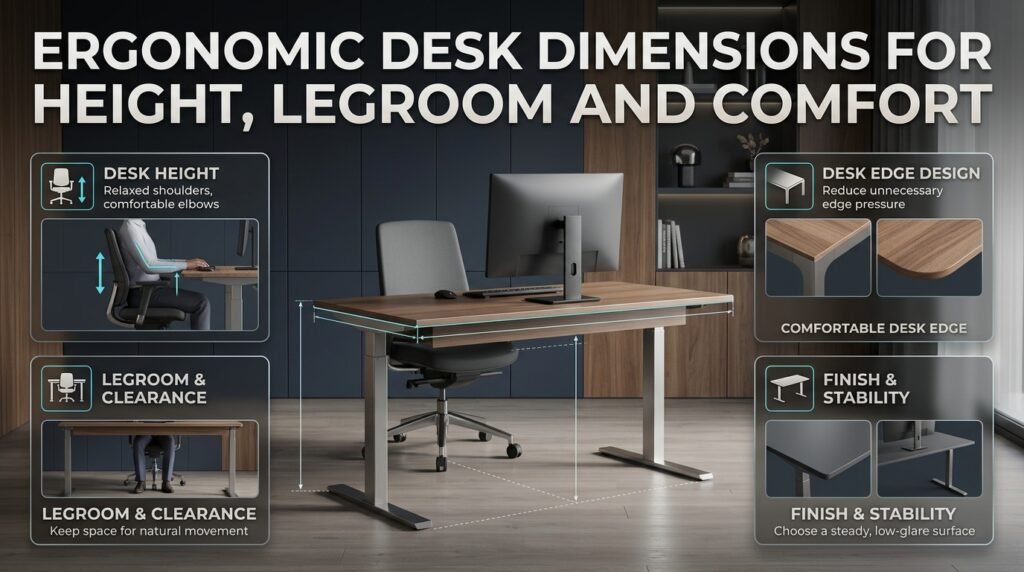
Desk depth is only one part of workstation planning. Desk height, legroom, surface finish, and edge design also affect comfort and usability.
Desk Height
Your keyboard should be positioned so your shoulders remain relaxed, your elbows stay near your body, and your wrists remain relatively straight while typing.
The appropriate desk height depends on your body dimensions, chair, and preferred working position. A fixed-height desk may require an adjustable chair or keyboard tray to achieve a comfortable arrangement.
When adjusting chair height, make sure your feet remain supported. A stable footrest may help if your feet no longer reach the floor comfortably.
Legroom and Under-Desk Clearance
Your legs need room to move, and the chair should be able to approach the desk without obstruction.
Avoid storing boxes, computer towers, or filing cabinets where they interfere with your knees and feet. Restricted legroom may force you to sit farther away from the keyboard, encouraging unnecessary reaching.
OSHA recommends adequate clearance beneath the work surface so users can change position and approach their equipment comfortably.
Desk Edge Design
A sharp front edge can create pressure where the forearms or wrists contact the surface.
A rounded or gently contoured edge may be more comfortable, particularly during extended computer use. Keep the keyboard and mouse positioned so you don’t need to press your wrists against a hard edge while actively typing.
Desktop Finish and Stability
A stable desk provides a reliable surface for typing, writing, and using a monitor arm. A matte finish can also help reduce distracting reflections.
If you’re purchasing an adjustable desk, check its stability at the height you intend to use. A desk that wobbles significantly may make daily computer work less comfortable.
For broader workspace planning, explore home improvement and interior design ideas that combine practical furniture dimensions with a well-organized room.
Common Mistakes When Choosing Ergonomic Desk Depth
Many people choose a desk based on appearance or price and only discover its limitations after using it for several days.
Mistake 1: Choosing a Desk Based Only on Appearance
A desk may look spacious in a product photograph but feel cramped once the monitor and keyboard are installed.
Why it happens: Product images often show minimal equipment and don’t reveal the user’s actual working position.
How to avoid it: Measure the monitor, stand, keyboard, and mouse area before purchasing. If possible, test the layout using a mock-up.
Mistake 2: Assuming a Bigger Desk Is Always Better
A very deep desk can place frequently used objects too far away. Reaching repeatedly for a mouse, phone, or notebook may make the workstation less convenient.
How to avoid it: Keep daily-use items in the primary working area and reserve the back of the desk for objects you use less often.
Mistake 3: Ignoring Monitor Stand Depth
A bulky stand can occupy a surprising amount of space, leaving little room for the keyboard.
How to avoid it: Measure the stand’s footprint and consider a compatible monitor arm if the existing stand restricts the layout.
Mistake 4: Forgetting About Keyboard and Mouse Placement
A desk may have enough room for a monitor but insufficient space for comfortable typing and mouse movement.
How to avoid it: Test the complete arrangement. Keep your elbows near your body and ensure you can move the mouse without stretching your arm.
Mistake 5: Overlooking Room Clearance
A deep desk may interfere with a doorway, wardrobe, chair movement, or other furniture.
How to avoid it: Measure the room as well as the desk. Account for the space required to pull out the chair and move around the workstation.
Mistake 6: Buying a Desk Without Considering Future Needs
A desk that works for a laptop today may become inconvenient if you later add an external monitor or other equipment.
How to avoid it: Consider realistic future requirements, but don’t pay for unused space that the room cannot accommodate comfortably.
Mistake 7: Treating Desk Depth as the Only Ergonomic Factor
A deeper desk cannot compensate for a poorly adjusted chair, an incorrectly positioned monitor, or a keyboard that forces your wrists into an awkward angle.
How to avoid it: Evaluate the complete workstation, including chair height, screen position, keyboard placement, legroom, and lighting.
For additional ideas about creating a visually balanced room, layering textures without overcrowding can help you think about decorative details without sacrificing useful surface space.
Expert Advice for Choosing the Right Desk
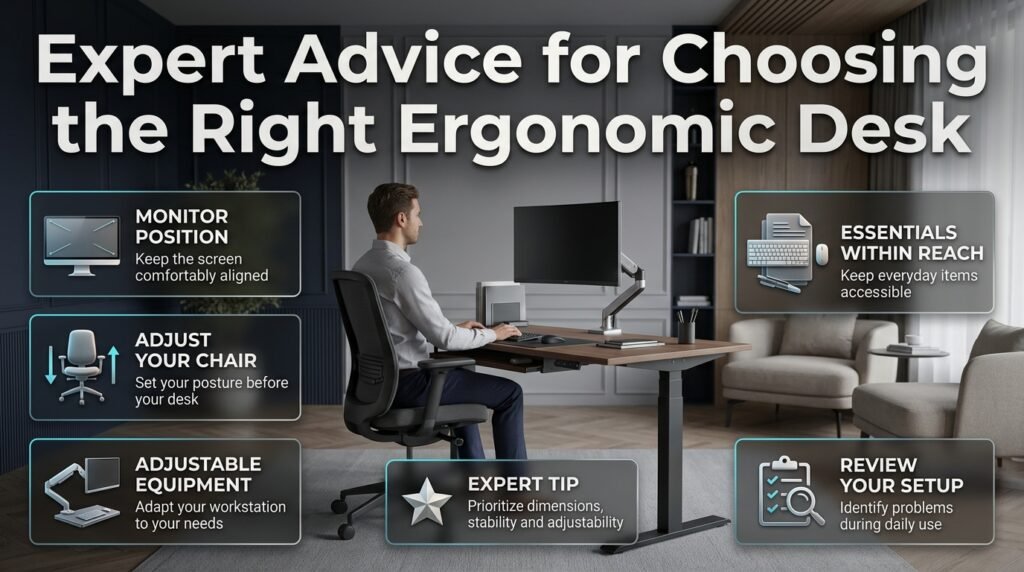
The most useful workstation improvements usually begin with identifying the actual problem rather than buying new furniture immediately.
If the monitor is too close, you may need a deeper desk or a monitor arm. If the keyboard is too far away, a shallower arrangement or a keyboard tray may be more appropriate. If the chair cannot approach the desktop comfortably, legroom or desk height may be the real issue.
Use these practical recommendations when planning your workstation.
Prioritize the Monitor’s Position
Place the screen directly in front of you and adjust it until you can read comfortably without leaning forward. A suitable viewing distance should work with your natural sitting position.
Adjust the Chair Before Finalizing the Layout
Set your chair height and sitting position first. Then position the monitor, keyboard, and mouse around that posture.
This approach helps prevent the common mistake of adjusting your body to accommodate poorly positioned equipment.
Choose Adjustable Equipment When Possible
Monitor arms and keyboard trays can make a fixed desk more adaptable. They may be especially useful in small home offices where replacing the desktop isn’t practical.
Check compatibility, weight limits, mounting requirements, and available adjustment ranges before buying accessories.
Keep Frequently Used Items Accessible
Your keyboard, mouse, and regularly used work materials should remain within comfortable reach. Items you rarely use can be stored elsewhere.
A tidy desk isn’t simply about appearance. It also helps preserve the space required for essential equipment.
Reassess Your Setup After a Few Days
Pay attention to how you work during normal tasks.
Do you lean forward to read the screen? Do you reach repeatedly for your mouse? Does the desk edge press against your forearms? Do your knees touch equipment stored beneath the surface?
These observations can reveal which adjustment will provide the greatest improvement.
⭐ Expert Tip: If you’re investing in a desk for long-term use, prioritize suitable dimensions, stability, and adjustability over decorative features. A well-designed workstation should remain useful as your equipment and work habits change.
If you need professional help coordinating furniture, storage, and the wider room layout, review questions to ask an interior design consultant before hiring someone. For a clearer understanding of project scope, costs, and responsibilities, read interior designer contract essentials.
You can also explore Japandi furniture proportions for ideas about simple furniture arrangements and automated window treatment planning when planning glare control and natural light in a home office.
For further inspiration across different spaces, visit the room-by-room design hub.
How Lighting and Room Design Affect Desk Placement
A workstation should fit comfortably into the room without making daily tasks more difficult. Desk depth, lighting, window placement, and nearby furniture all contribute to the final arrangement.
Position the Desk to Reduce Screen Glare
Bright windows and overhead lighting can create reflections that make a monitor difficult to read.
OSHA recommends positioning monitors perpendicular to windows where practical. Depending on the room, changing the desk’s orientation or adjusting window coverings may reduce glare.
Avoid solving glare problems by moving the monitor so far away that you must lean forward to read it.
Balance Storage and Workspace
Books, stationery, and decorative accessories can quickly occupy the space needed for a keyboard and mouse.
Use drawers, cabinets, and shelves to move occasional-use items off the desktop. This approach preserves useful working space without requiring a larger desk.
Consider Color and Visual Simplicity
A coordinated room can feel more organized when the desk, chair, storage, and surrounding colors work together.
If you’re refreshing the workspace, paint color ideas may help you choose a suitable background for your furniture and lighting. Focus on finishes that work with the room’s natural light rather than selecting a color solely because it looks attractive online.
What Is the Ideal Desk Depth for an Ergonomic Workstation?
The ideal desk depth for an ergonomic workstation depends on your monitor size, working habits, and available space. For many people using a standard desktop computer, a desk around 28–30 inches deep (71–76 cm) provides a practical balance between monitor placement and usable workspace. It offers room for a keyboard, mouse, and everyday accessories without making the setup unnecessarily large.
However, a compact laptop workstation may function well with a shallower desk, while a dual-monitor setup or a workstation with several accessories may need additional depth. The goal is to position your monitor at a comfortable viewing distance while keeping your keyboard and mouse within easy reach.
Practical points to consider:
Choose approximately 28–30 inches of depth as a starting point for a standard desktop setup.
Measure your monitor stand before deciding how much usable surface space remains.
Keep your keyboard and mouse close enough to avoid repeatedly reaching forward.
Consider your room dimensions so the desk doesn’t restrict chair movement.
Is a 24-Inch-Deep Desk Enough for a Monitor and Keyboard?
A 24-inch-deep desk can accommodate a monitor and keyboard in some setups, but its suitability depends on the equipment and the user’s seating position. A compact monitor with a small stand may leave enough room for comfortable computer work. A larger display with a bulky stand, a full-size keyboard, and a separate mouse may make the same desk feel cramped.
The main concern is viewing distance. OSHA recommends keeping a computer monitor at least 20 inches from your eyes, with the appropriate distance depending on individual needs. If your desk forces you to position the screen too close or lean forward to read it, the layout needs adjustment.
Ways to make a shallow desk more practical:
Use a compatible monitor arm to free up space occupied by the stand.
Keep unnecessary accessories and paperwork off the desktop.
Consider a keyboard tray if it improves your typing position.
Check your actual eye-to-screen distance while sitting normally.
Choose a deeper desk if comfortable positioning remains difficult.
How Deep Should a Desk Be for a 27-Inch or 32-Inch Monitor?
For a 27-inch or 32-inch monitor, a desk around 28–36 inches deep (71–91 cm) may be a useful planning range, depending on the monitor stand and viewing distance. Larger screens can require more careful placement because their physical dimensions and stand designs affect how much room is available.
Screen size alone doesn’t determine the correct desk depth. A monitor mounted on an adjustable arm may leave more usable desktop space than the same monitor on a large stand. Your chair position, eyesight, and preferred text size also affect the final arrangement.
Before choosing a desk, check these details:
Measure the monitor stand’s front-to-back footprint.
Position the screen at a comfortable viewing distance.
Make sure the keyboard and mouse remain easy to reach.
Increase text size if small content encourages you to lean forward.
Consider a monitor arm if the stand takes up too much room.
Does Desk Depth Affect Posture and Neck Comfort?
Desk depth can influence posture because it determines how much space is available to position your monitor, keyboard, and mouse. When the desk is too shallow, you may place the screen too close or move the keyboard toward the front edge. When the desk is excessively deep, frequently used equipment may end up too far away, encouraging repeated reaching.
Neither problem can be solved by desk depth alone. Chair height, screen position, keyboard placement, and regular changes in working posture also matter. A well-arranged workstation allows you to sit comfortably, keep your shoulders relaxed, and view the monitor without leaning forward.
Practical ways to improve your setup:
Position the monitor directly in front of you.
Keep the keyboard and mouse within comfortable reach.
Adjust your chair before finalizing the equipment layout.
Avoid resting your wrists against a hard desk edge while typing.
Change position periodically instead of remaining still for long periods.
How Can I Choose the Right Desk Depth for a Small Home Office?
Choosing a desk for a small home office requires balancing ergonomic needs with available floor space. A desk approximately 24–28 inches deep (61–71 cm) may suit a compact setup, while a standard desktop workstation may benefit from a depth closer to 28–30 inches. The best option is the smallest desk that still allows your equipment to be positioned comfortably.
Before buying, measure the available space and consider how far the chair needs to move backward. A desk that fits against the wall may still be impractical if it blocks a doorway or leaves insufficient room for normal movement.
Smart space-saving strategies:
Use a monitor arm to reduce the space occupied by the monitor stand.
Choose compact accessories that suit your working habits.
Store books and rarely used items on shelves or in drawers.
Test the proposed desk dimensions with cardboard before purchasing.
Check both monitor viewing distance and chair clearance, not just the desk’s external measurements.
Conclusion
Choosing the right desk depth is essential for creating a comfortable, practical, and well-organized workspace. For most standard desktop setups, a desk around 28–30 inches deep provides a useful starting point, while smaller laptop workstations may function well with less space. Larger monitors, dual-screen arrangements, and additional equipment may require a deeper surface to maintain comfortable positioning.
Before buying a desk, consider your monitor viewing distance, keyboard and mouse placement, desk height, and available room. A monitor arm, keyboard tray, or better storage arrangement can also improve an existing workstation without the expense of replacing all your furniture.
Ultimately, the best desk depth is the one that fits your equipment, supports a comfortable working position, and suits your daily routine. Take accurate measurements, test your layout, and prioritize functionality over appearance alone. With thoughtful planning, you can create an ergonomic home office that supports productivity while complementing your interior design.