
Introduction
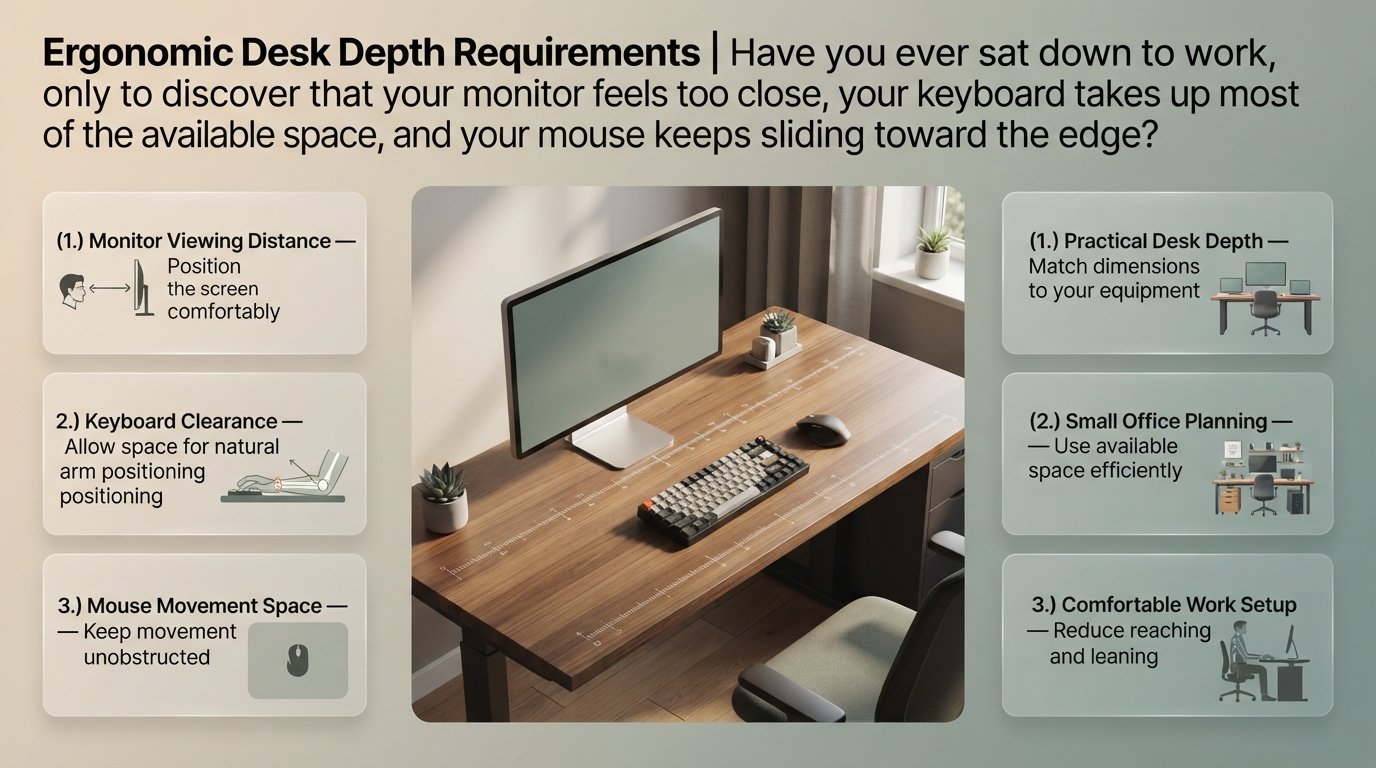
Ergonomic Desk Depth Requirements | Have you ever sat down to work, only to discover that your monitor feels too close, your keyboard takes up most of the available space, and your mouse keeps sliding toward the edge? These everyday frustrations can make even a beautifully designed home office uncomfortable. In many cases, the problem is not your chair or computer. It is the depth of your desk and how the available surface is arranged.
Understanding ergonomic desk depth requirements helps you create a workstation that supports comfortable screen positioning, natural arm movement, and efficient daily work. The right desk should accommodate your equipment without forcing you to lean forward, stretch your arms, or constantly rearrange your workspace.
At DesignMode24 Interior Design, practical home planning is about balancing appearance with everyday function. This same principle applies to an office desk: its dimensions should suit your working habits, available room, and equipment rather than simply looking attractive in a furniture showroom.
In this guide, you will learn how deep an ergonomic desk should be, whether a 20-inch or 24-inch desk is sufficient, how to plan space for different monitor sizes, and which measurements matter before purchasing furniture. You will also discover practical ways to improve a small workstation, avoid common sizing mistakes, and create a comfortable workspace without spending unnecessarily.
1. What Are the Standard Ergonomic Desk Depth Requirements?
Ergonomic desk depth requirements refer to the front-to-back dimensions needed to position a monitor, keyboard, mouse, and other working materials comfortably. For many computer users, a desk approximately 24–30 inches deep is a practical starting point. Larger monitors, paperwork, and specialist equipment may require a deeper surface.
However, there is no single desk depth that works for every person. Your equipment, body proportions, preferred working position, and room dimensions all influence the most suitable measurement.
Recommended desk depth by working style
| Desk depth | Suitable applications | Main consideration |
|---|---|---|
| 18–20 inches | Compact laptop setups and occasional tasks | Limited space for accessories |
| 20–24 inches | Small home offices and basic computer work | Requires careful equipment placement |
| 24–30 inches | General office work, studying, and everyday computer use | Practical balance of space and accessibility |
| 30–36 inches | Larger monitors, paperwork, and creative work | Provides additional front-to-back room |
| 36 inches or more | Complex workstations and multiple equipment arrangements | Requires adequate room space |
These are planning ranges, not strict medical standards. A well-organized 24-inch desk can work better than a poorly arranged 36-inch desk.
Why desk depth matters
The depth of a desk determines how much room you have between its front edge and the wall or rear edge. This space influences where your screen sits, how close your keyboard can remain to your body, and whether additional materials fit comfortably.
An appropriate desk depth can help you:
- Maintain a comfortable monitor viewing distance.
- Keep your keyboard and mouse within easy reach.
- Avoid crowding your hands against the front edge.
- Organize documents without obstructing your main working area.
- Reduce unnecessary reaching and repeated equipment adjustments.
Professional recommendation: Choose desk dimensions according to the complete working arrangement rather than the monitor alone. Your screen, keyboard, mouse, chair, and frequently used accessories should function together as one workstation.
2. How Deep Should a Desk Be for a Computer Monitor?
A desk depth of 24–30 inches works well for many standard computer setups, but the correct measurement depends on the monitor’s stand, screen size, and recommended viewing distance. The goal is to position the screen comfortably without sacrificing the space needed for typing and mouse movement.
A common viewing-distance guideline is approximately 20–40 inches between your eyes and the screen. This is a starting range rather than a fixed requirement; visual comfort, display size, resolution, and individual needs should guide the final adjustment.
Desk depth for different monitor sizes
| Monitor size | Suggested desk-depth starting point | Important consideration |
|---|---|---|
| 21–24 inches | 22–28 inches | Check the stand footprint and screen distance |
| 27 inches | 24–30 inches | Allow enough space behind the keyboard |
| 32 inches | 28–36 inches | Consider the screen’s size and viewing requirements |
| Ultrawide display | Often 28–36 inches or more | Evaluate viewing distance and horizontal arrangement |
These examples are intended for initial planning. A monitor’s diagonal size does not establish its exact viewing distance, and the stand can affect how much usable surface remains.
How to position the monitor
Start by sitting in your normal working position. Keep your shoulders relaxed, your feet supported, and your elbows near your sides.
Place the monitor directly in front of you, then adjust the screen until you can read comfortably without leaning forward. Its height should allow your head and neck to remain in a relaxed position.
If you cannot achieve a comfortable viewing distance, check whether the monitor stand is occupying too much room. A compatible monitor arm may provide more flexibility.
Common mistake: Pushing the monitor against the rear edge simply to make room for a keyboard. The screen should be positioned according to your viewing comfort, not according to the amount of space left over after arranging other equipment.
3. Is a 20-Inch-Deep Desk Too Shallow?
A 20-inch-deep desk is not automatically unsuitable, but it offers limited flexibility. It can work for a compact laptop setup or occasional computer use, especially when the equipment has a small footprint. For extended work with a separate keyboard, mouse, and monitor, it may become restrictive.
The important question is whether you can position your equipment comfortably without compromising the way you work.
When a 20-inch desk may be sufficient
A shallow desk may be practical when:
- You use a laptop for short sessions.
- Your equipment requires little surface space.
- You do not regularly work with printed documents.
- Your room cannot accommodate a deeper desk.
- You can position the screen appropriately using suitable equipment.
A small desk may also work for a student who uses a laptop for reading, online classes, and occasional assignments.
When a 20-inch desk may cause problems
A shallow surface can become frustrating when you need an external monitor, keyboard, mouse, notebook, and other accessories together.
You may notice that the monitor sits too close, the keyboard crowds the front edge, or your mouse has very little room to move.
If you work for several hours daily, consider whether a deeper desk would improve your arrangement. Alternatively, a monitor arm or a separate storage surface may free up valuable space.
Quick tip: Arrange your essential equipment on a table at home before purchasing a compact desk. Measure the space it occupies, then check whether the same arrangement would fit without crowding the desk’s edges.
4. Is a 24-Inch-Deep Desk Enough for Working From Home?
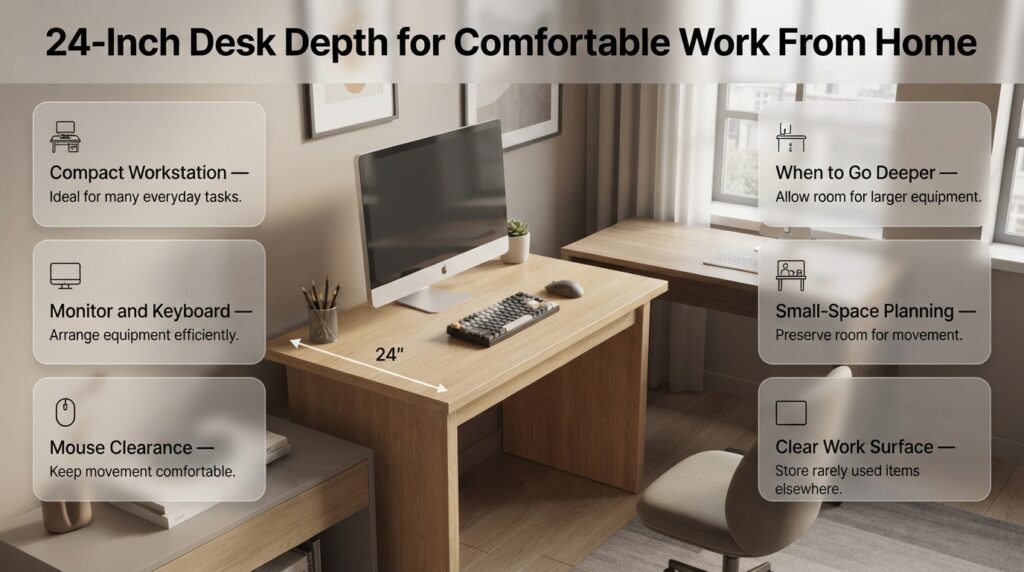
A 24-inch-deep desk is often suitable for a basic home-office workstation. It can accommodate a monitor, keyboard, and mouse when the equipment is arranged carefully. However, it may feel cramped if you use a large monitor stand, several accessories, or physical documents throughout the day.
Your daily routine should determine whether this measurement is sufficient.
Situations where 24 inches works well
A 24-inch desk may be a good choice if you use one monitor, a compact keyboard, and a mouse. It can also work with a laptop and external keyboard when the screen is elevated appropriately.
This size is especially useful in bedrooms, apartments, and multipurpose rooms where a larger desk could restrict movement.
Situations where a deeper desk may be better
Consider a depth of 30 inches or more if you regularly:
- Use a large display or multiple monitors.
- Read documents while working on a computer.
- Use drawing tablets or other desktop equipment.
- Keep notebooks and reference materials beside your keyboard.
- Need additional room for tasks that alternate between writing and typing.
For example, someone working primarily with emails may be comfortable at a 24-inch desk. A designer who switches between a large display, drawing tablet, and physical sketches may need more surface space.
How to make a 24-inch desk more functional
Keep the monitor stand as compact as practical, place the keyboard near the front edge without creating uncomfortable wrist pressure, and position the mouse beside the keyboard.
Store items that you rarely use elsewhere rather than filling the desk with decorative objects.
The goal is to maintain a clear working zone while keeping essential equipment accessible.
5. How Much Space Do a Keyboard and Mouse Need?
A keyboard and mouse need enough room for comfortable positioning and natural arm movement. The keyboard should sit close enough to your body that you do not have to reach forward, while the mouse should remain beside it without forcing your shoulder outward.
The necessary desk depth depends on the keyboard’s design, the user’s posture, and whether forearm support is available.
Position the keyboard correctly
Place your keyboard directly in front of your body, aligned with your primary monitor. Keep your elbows near your sides and your shoulders relaxed.
Your wrists should remain relatively straight while typing. Avoid placing the keyboard so far back that you must extend your arms to reach it.
A keyboard tray may help when the desk surface is too high or the keyboard position is difficult to adjust. However, the tray must provide adequate room for both the keyboard and mouse if you intend to use them together.
Give the mouse enough room
Place your mouse beside the keyboard, ideally at approximately the same working height. Leave enough room for ordinary mouse movement without repeatedly hitting a monitor stand, lamp, or other accessory.
If you use a right-handed mouse, position it on the right side. Left-handed users can reverse the arrangement.
Plan the complete working area
| Equipment | Planning priority |
|---|---|
| Keyboard | Comfortable reach and neutral wrist positioning |
| Mouse | Unrestricted movement beside the keyboard |
| Forearms | Comfortable approach without hitting obstacles |
| Documents | Separate working space or a suitable document holder |
| Accessories | Placement that does not interfere with primary tasks |
Common mistake: Choosing a desk because the keyboard fits. The keyboard may occupy only part of the surface, but the monitor stand, mouse, and documents also need to be considered.
6. How Does Monitor Stand Depth Affect Desk Requirements?
Monitor stands can occupy a substantial portion of the available desk surface. Some bases extend toward the front edge, while others sit farther back. The stand’s footprint can therefore determine whether a desk feels spacious or crowded.
Two monitors of the same size may require different arrangements because their stands have different designs.
What should you measure?
Before purchasing a desk, check the monitor stand’s front-to-back dimensions and its position relative to the screen.
Also consider whether the stand is adjustable, whether its base interferes with the keyboard, and whether cables require additional room.
A compact stand may free up space, but it should still provide stable support and allow the monitor to sit at a comfortable height.
Can a monitor arm solve the problem?
A monitor arm can free up desk space by moving the monitor’s support away from the main working surface. It may also allow easier adjustments to screen height, tilt, and distance.
However, compatibility is essential. Check the monitor’s mounting specifications, the arm’s weight capacity, and the desk’s construction before installation.
Thin, hollow, or unsupported desk surfaces may not be suitable for every mounting system.
Professional tip: Do not assume that a monitor arm makes every shallow desk ergonomic. It can create more usable surface space, but you must still check viewing distance and keyboard placement.
7. What Desk Depth Is Best for Dual Monitors?
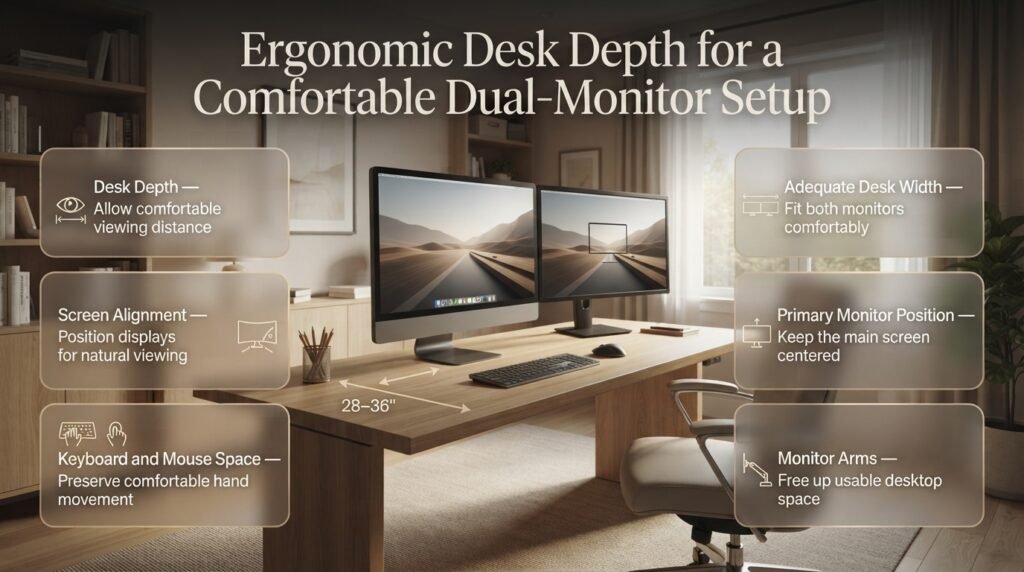
A dual-monitor workstation may benefit from a desk approximately 28–36 inches deep, depending on the size of each display, the stand design, and the distance needed for comfortable viewing. Desk width is equally important because both screens must fit across the working surface.
A deep desk cannot compensate for a surface that is too narrow to accommodate two monitors comfortably.
Plan the position of both screens
If you use both monitors equally, arrange them together so you can look between them without excessive head turning. If one display is your primary screen, place it directly in front of you and position the secondary screen to the side.
Avoid spreading the monitors so far apart that you repeatedly rotate your neck during routine tasks.
The ideal arrangement depends on how often you use each display and the type of work you perform.
Dual-monitor planning checklist
- Confirm that both displays fit across the desk.
- Check the viewing distance for each monitor.
- Leave adequate room for the keyboard and mouse.
- Position the primary display directly in front of you.
- Ensure that monitor stands do not obstruct your hands.
- Consider compatible monitor arms if they can safely free up space.
If you frequently switch between spreadsheets and reference documents, you may benefit from a slightly angled arrangement. The objective is to make both screens easy to use without unnecessary movement.
8. What Is the Difference Between Desk Depth, Width, and Height?
Desk depth measures the distance from the front edge to the back edge. Desk width measures the distance from left to right, while desk height measures the vertical distance from the floor to the working surface.
All three dimensions influence comfort, but they address different requirements.
| Dimension | What it affects | What to check |
|---|---|---|
| Depth | Monitor distance and front-to-back space | Screen, keyboard, and accessory placement |
| Width | Side-to-side workspace | Monitor arrangement and mouse space |
| Height | Arm and shoulder position | Elbow level and keyboard comfort |
| Leg clearance | Lower-body movement | Knee, thigh, and foot space |
For example, a desk measuring 48 inches wide and 24 inches deep may suit one monitor. The same desk with only 18 inches of depth may feel cramped because the screen and keyboard compete for space.
A desk measuring 36 inches deep may offer plenty of front-to-back room but still be unsuitable for two large monitors if its width is insufficient.
Why desk height also matters
Even a well-sized desk can be uncomfortable if the working surface is too high or too low.
Your chair and desk should allow you to keep your shoulders relaxed, your elbows near your body, and your wrists in a comfortable position. Adjustable chairs and footrests may help accommodate different body proportions.
When planning a home workspace, consider how the desk’s dimensions fit the surrounding furniture as well as the person using it.
9. How Can You Calculate Your Ideal Desk Depth?
You can estimate your ideal desk depth by measuring your equipment, arranging the keyboard and mouse, and checking the monitor’s viewing distance from your normal seated position.
There is no universal formula that guarantees a comfortable result. However, a systematic approach helps you identify whether a shallow desk will work or whether additional surface space is necessary.
Step 1: Measure the equipment
Record the front-to-back dimensions of your monitor stand, keyboard, and other equipment that must remain on the desk.
Remember that a monitor’s viewing distance is measured from your eyes to the screen, not from the desk’s front edge to the monitor stand.
Step 2: Position the keyboard and mouse
Arrange the keyboard so that you can type without reaching forward. Place the mouse beside it and check that your arm can move comfortably.
Do not push the keyboard toward the rear edge simply to create more room at the front.
Step 3: Establish a comfortable viewing distance
Sit naturally and adjust the monitor until the text is easy to read. Avoid leaning forward or stretching your neck to accommodate the screen.
If the screen sits too close, check whether the stand or mounting arrangement is limiting your options.
Step 4: Account for additional materials
If you use notebooks, paperwork, drawing tablets, or reference documents, determine where these items will sit during normal work.
You may not need a larger desk if some materials can be stored nearby or placed on a separate surface.
Step 5: Test the layout
Arrange your equipment temporarily and use the setup for a typical work session. Notice whether you repeatedly reach, lean, or move objects to make room.
Adjust the arrangement before deciding whether to purchase a deeper desk.
Example: Suppose your monitor stand occupies much of the rear surface and your keyboard sits close to the front edge. A monitor arm may create additional space. If the screen still cannot be positioned comfortably, a deeper desk may be the more practical solution.
10. How Does Desk Depth Affect Posture and Comfort?
Desk depth influences how easily you can position your monitor, keyboard, and mouse. A poorly arranged workstation may encourage forward leaning, excessive reaching, or awkward arm positions. However, desk depth alone cannot correct every ergonomic problem.
Chair adjustment, desk height, monitor position, and working habits all contribute to comfort.
Maintain a comfortable working position
When seated at your desk, aim to keep your shoulders relaxed, your elbows near your body, and your wrists relatively straight while typing.
Your feet should be supported by the floor or a suitable footrest. Position the monitor so that you can read without persistent neck bending.
You should also be able to change position regularly rather than remaining in one posture for hours.
Recognize signs of a poor layout
Your workstation may need adjustment if you frequently lean forward to read, reach across the desk for your mouse, or move your keyboard whenever you need to write.
Repeatedly turning your neck to view a secondary monitor can also indicate that the displays are poorly positioned.
Start by adjusting the equipment. If the problem remains, reconsider the desk’s dimensions.
Make the desk comfortable for daily use
The objective is not to create a perfectly rigid posture. It is to provide enough space for comfortable positioning and normal movement.
Regular breaks, changes in posture, and sensible equipment placement remain important even when your desk dimensions are suitable.
11. How Can You Choose Desk Depth for Different Tasks?
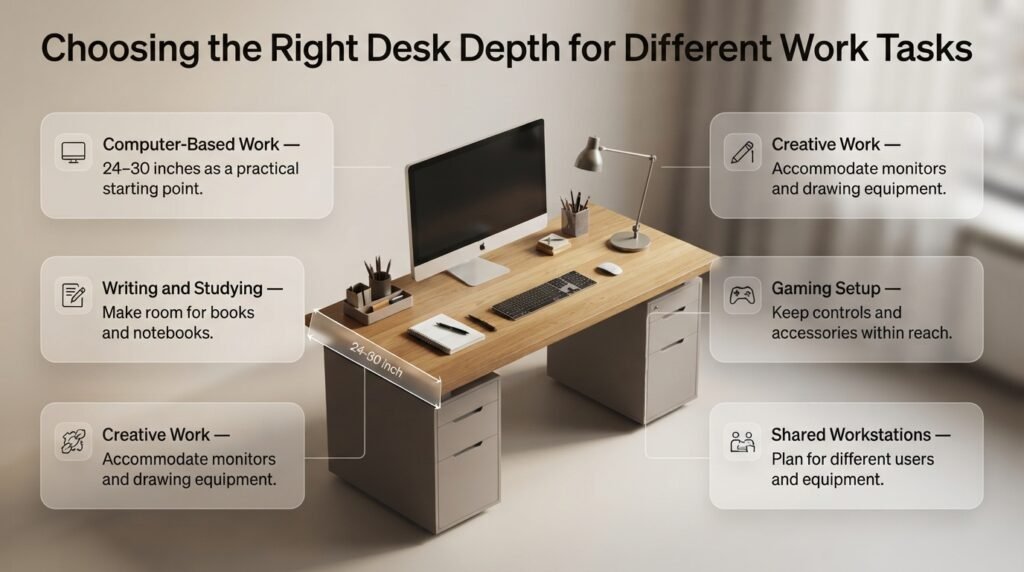
Different tasks create different space requirements. A student may need room for a laptop and notebooks, while a designer may use several displays and specialist equipment. Choosing desk depth according to your main activities helps you avoid paying for space you rarely use.
Computer-based office work
For emails, spreadsheets, online meetings, and document editing, a 24–30-inch desk is a practical starting point.
Prioritize monitor distance, keyboard placement, and enough room for a mouse. If you rarely use paper documents, you may not need a very deep surface.
Writing and studying
Students and writers may benefit from extra space for notebooks, textbooks, and printed materials.
A 28–30-inch surface can provide additional flexibility, although a smaller desk may work when books and reference materials are stored elsewhere.
Creative work
Graphic design, illustration, video editing, and technical drawing can involve several devices at once.
A deeper surface may help accommodate a large monitor, drawing tablet, and supporting materials. Consider width as well if you use multiple displays.
Gaming
A gaming setup may include a monitor, keyboard, mouse, headset stand, microphone, and speakers.
The best desk depth depends on the display and the arrangement of these accessories. Keep the primary controls within comfortable reach and avoid placing frequently used equipment behind objects that obstruct movement.
Shared home workstations
A shared desk may need to accommodate people with different heights, working habits, and equipment preferences.
Adjustable accessories and movable storage can help, but the desk should still provide sufficient space for the equipment used by each person.
For ideas on organizing spaces that serve several purposes, explore Multipurpose Room Planning.
12. How Can You Fit an Ergonomic Desk Into a Small Room?
A small room does not automatically require an uncomfortable workstation. The key is to prioritize essential equipment, reduce unnecessary clutter, and choose desk dimensions that support your work without blocking movement around the room.
A carefully planned compact setup can be more functional than a large desk surrounded by poorly arranged furniture.
Make better use of limited space
Consider the following strategies:
- Choose a desk with sufficient depth rather than maximizing width alone.
- Use a compatible monitor arm if it improves the available surface.
- Store rarely used equipment in nearby drawers or shelves.
- Keep the keyboard and mouse area clear.
- Position the monitor to reduce distracting glare.
- Ensure the chair can move without blocking doors or walkways.
Wall-mounted shelves can provide storage for books and accessories, but frequently used items should remain easy to reach.
Should you choose a corner desk?
A corner desk may make good use of an awkward room layout. It can also create separate areas for computer work and paperwork.
However, confirm that the primary monitor can sit directly in front of your normal seated position. A corner arrangement that forces you to twist your body toward the screen may be less comfortable than a simple rectangular desk.
Think about the entire room
The desk should fit alongside the bed, wardrobe, storage units, and other furniture without restricting access.
For broader home improvement ideas, visit the Home Improvement category.
The aim is to create a workspace that feels integrated into the room while preserving its everyday function.
13. What Are the Most Common Ergonomic Desk Depth Mistakes?
The most common desk depth mistakes involve buying furniture based on appearance, measuring only one piece of equipment, or ignoring how the workstation will be used throughout the day.
These errors can leave a desk looking spacious while making routine tasks awkward.
Mistake 1: Choosing the desk before measuring the monitor
A large stand can occupy more surface space than expected.
How to avoid it: Measure the stand’s footprint and check the screen’s viewing requirements before purchasing furniture.
Mistake 2: Assuming a deeper desk is always better
A deeper surface may encourage reaching if the keyboard is placed too far back.
How to avoid it: Keep frequently used equipment within comfortable reach and position the monitor according to your seated posture.
Mistake 3: Ignoring chair and leg clearance
A desk may offer generous surface space but have support panels or drawers that interfere with your knees.
How to avoid it: Check the height beneath the desk, the position of its legs, and the chair’s movement.
Mistake 4: Forgetting about the room layout
A large desk can obstruct a doorway, cupboard, or walkway.
How to avoid it: Measure the room and account for the space needed when the chair is pulled back.
Mistake 5: Using a laptop screen at an unsuitable height
Working on a laptop placed flat on a desk for extended periods may encourage downward neck bending.
How to avoid it: Consider a laptop stand or monitor with a separate keyboard and mouse so that screen and hand positions can be adjusted independently.
Mistake 6: Overlooking accessories
Lamps, speakers, charging devices, and document holders can quickly reduce usable space.
How to avoid it: Plan the complete equipment arrangement before choosing the desk.
Mistake 7: Ignoring the desk’s front edge
A sharp or bulky front edge can interfere with comfortable arm positioning, even when the desk has sufficient depth.
How to avoid it: Check the edge design, keyboard placement, and available forearm support before buying.
Mistake 8: Buying furniture without testing the setup
Measurements alone cannot fully predict how a workstation will feel during daily use.
How to avoid it: Arrange your equipment temporarily and check whether you can work without repeatedly leaning, reaching, or rearranging objects.
14. What Do Professionals Recommend When Choosing Desk Depth?
A practical workstation assessment begins with the person and the work being performed rather than a fixed furniture measurement. Professionals consider body position, screen distance, keyboard placement, equipment layout, and room constraints together.
This approach helps determine whether a shallow desk is sufficient or a deeper surface would provide meaningful benefits.
Start with your daily routine
List the tasks you perform most often. Someone who mainly attends online meetings may need a different setup from someone who works with spreadsheets, drawings, or physical documents.
Choose dimensions according to your most frequent activities, while leaving enough room for occasional tasks.
Prioritize the primary screen
If you use one monitor most of the time, position it directly in front of you. If you use two screens equally, arrange them to minimize repeated neck rotation.
Check the viewing distance after sitting naturally in your chair.
Choose adjustability where practical
A monitor arm, adjustable chair, or sit-stand desk can make a workstation easier to adapt.
However, adjustability should complement suitable dimensions rather than compensate for a fundamentally cramped surface.
Consider cable management
Cables and power adapters can interfere with monitor placement and occupy valuable space.
Plan cable routes before finalizing the layout, and keep cables away from moving mechanisms and areas where your legs may catch them.
Evaluate construction and stability
The material, frame, and support structure matter, particularly when a desk will hold heavy monitors or mounting hardware.
Check the manufacturer’s load limits and mounting instructions. Do not assume that every desk surface can safely support a monitor arm.
Balance comfort with interior design
A desk should suit the room’s proportions without sacrificing practical function. Consider its visual weight, nearby storage, and the amount of open floor space remaining.
If you are designing a workspace from scratch, Characteristics of Timeless Interiors offers a useful perspective on choosing furnishings that remain functional and visually appropriate over time.
Professional recommendation: Test your intended equipment arrangement before purchasing the desk whenever possible. A short trial can reveal whether you need more depth, a different monitor support, or simply a better layout.
15. How Can Desk Depth Work With Storage and Other Furniture?
Desk depth should be planned alongside the storage and furniture surrounding the workstation. Shelves, drawers, cabinets, and nearby furniture can improve organization, but they can also restrict movement or make equipment harder to access when poorly positioned.
The best solution is to separate essential working space from secondary storage.
Keep the primary work surface clear
Your keyboard, mouse, and monitor should have dedicated positions. Store stationery, spare cables, and infrequently used items elsewhere.
Open shelves can be useful for books and accessories, but avoid placing objects where they obstruct the screen or interfere with arm movement.
For practical styling ideas, see Styling Open Shelves Without Clutter.
Plan storage according to accessibility
Frequently used materials should be easy to reach without repeated stretching. Items used occasionally can be placed in drawers, cabinets, or nearby shelving.
A shallow desk may work particularly well when storage is moved vertically, provided shelves are installed securely and essential items remain accessible.
For related planning guidance, explore Floating Shelf Load Capacity Planning.
Consider the surrounding room
A home office may share space with a bedroom, play area, or multipurpose living space.
Keep the workstation clear of the main walking route, and make sure furniture placement does not create unnecessary obstacles.
If the room also serves children, consider how the desk interacts with the available play area. Play Zone Floor Space Planning provides additional ideas for balancing activities within a shared room.
16. What Should You Check Before Buying an Ergonomic Desk?
Before purchasing a desk, check the complete workstation rather than relying on a single advertised measurement. A useful checklist includes the desk’s depth, width, height, construction, and compatibility with your equipment.
Your pre-purchase checklist
Measurements
- Confirm the usable front-to-back depth.
- Check the width required for your monitor arrangement.
- Measure the available room and walking space.
- Check the chair’s movement and under-desk clearance.
Equipment
- Measure the monitor stand or mounting requirements.
- Plan the keyboard and mouse positions.
- Account for documents and regularly used accessories.
- Check cable routing and power access.
Comfort
- Confirm that the monitor can sit at a comfortable distance.
- Make sure the keyboard remains within easy reach.
- Check that the desk edge does not interfere with your arms.
- Ensure the desk height works with your chair.
Construction
- Check the frame’s stability and load capacity.
- Confirm that drawers or support panels do not obstruct your legs.
- Review mounting compatibility before using a monitor arm.
- Choose materials that suit your maintenance needs.
If your workstation is part of a larger home renovation, you may also need to coordinate furniture finishes and surrounding materials. The Low VOC Interior Finishes guide can help you consider material choices as part of a healthier interior planning process.
Consider the desk’s long-term use
Your needs may change if you add a monitor, switch to a different keyboard, or begin working with more documents.
Choosing a practical layout with a little flexibility can prevent the need to replace furniture unnecessarily. However, avoid buying a very large desk solely for hypothetical future equipment if it makes the current room less functional.
What Is the Ideal Desk Depth for an Ergonomic Workstation?
The ideal desk depth for an ergonomic workstation depends on your monitor size, working habits, and the amount of space required for your keyboard and mouse. For most everyday computer users, a desk measuring 24–30 inches deep provides a practical balance between screen distance and usable workspace. However, people who work with multiple monitors, large displays, or physical documents may benefit from a deeper surface.
A desk should allow you to position your monitor comfortably without pushing the keyboard too close to the front edge. Your hands should remain within easy reach, your shoulders should feel relaxed, and you should be able to use your mouse without repeatedly reaching across the desk.
Before selecting a desk, consider these important factors:
Monitor placement: Allow enough space to position the screen at a comfortable viewing distance, commonly around 20–40 inches from your eyes, depending on the display and your visual needs.
Keyboard and mouse space: Keep both within comfortable reach so that you can work without stretching your arms.
Additional equipment: Account for monitor stands, notebooks, speakers, and other accessories that occupy valuable surface space.
Room dimensions: Choose a desk that fits comfortably without restricting chair movement or access to nearby furniture.
The best desk depth is the one that supports your actual working arrangement. Rather than selecting a desk based only on standard measurements, test your equipment layout and make sure every essential item has a practical place.
Is a 24-Inch-Deep Desk Enough for Working From Home?
A 24-inch-deep desk can be an excellent option for many home offices, particularly when you use one monitor, a keyboard, and a mouse. It also works well in smaller bedrooms and apartments where a deeper desk could take up too much floor space. However, whether it is sufficient depends on your equipment and the type of work you perform throughout the day.
For example, someone who mainly handles emails, online meetings, and spreadsheets may find a 24-inch desk perfectly practical. Someone who uses a large monitor, keeps printed documents nearby, and regularly switches between writing and computer work may need additional depth.
To make a 24-inch desk more functional, consider the following adjustments:
Choose a compact monitor stand: A smaller stand can leave more room for your keyboard and mouse.
Consider a monitor arm: If the desk and monitor support it, an arm can free up valuable surface space and improve screen positioning.
Organize accessories carefully: Move rarely used objects to nearby shelves or drawers instead of crowding the desk.
Maintain comfortable reach: Do not push your keyboard too far back just to create additional room at the front.
Test your viewing distance: Make sure you can read the screen comfortably without leaning forward.
If your current setup feels cramped, you do not necessarily need to replace the desk immediately. Repositioning the monitor and reducing clutter may solve the problem. However, if you still cannot achieve comfortable screen distance and keyboard placement, a deeper desk may be a better long-term investment.
How Deep Should a Desk Be for a 27-Inch or 32-Inch Monitor?
A desk approximately 24–30 inches deep can work well with many 27-inch monitors, while a 32-inch monitor may benefit from a desk measuring around 28–36 inches deep. These ranges are starting points rather than strict requirements because the monitor stand, viewing distance, and arrangement of other equipment can significantly affect the final choice.
A larger screen does not automatically require a much deeper desk. Some monitor stands position the screen farther back, while compatible monitor arms allow more flexible positioning without occupying much of the desk surface.
When planning your workstation, pay attention to these details:
Check the monitor stand footprint: Measure how much front-to-back space the base occupies.
Follow viewing-distance guidance: Position the display so that text is readable without leaning forward or straining your eyes.
Consider the screen resolution: Display scaling and text size can influence how comfortably you read content at a particular distance.
Keep the keyboard accessible: The screen should not force you to move your keyboard into an uncomfortable position.
Account for additional equipment: A deeper surface may be useful if you also use speakers, documents, or a drawing tablet.
For example, a 27-inch monitor on a compact stand may fit comfortably on a 24-inch desk. A 32-inch display with a large stand and several accessories may be easier to manage on a 30-inch or deeper surface.
The right choice depends on the complete arrangement, not just the diagonal measurement of the monitor. Measure your equipment, establish a comfortable seated position, and check whether the desk provides enough usable space for your everyday tasks.
How Can I Make a Shallow Desk More Ergonomic Without Buying a New One?
A shallow desk can often be made more practical through careful equipment placement, better storage, and a few suitable accessories. Before replacing your furniture, identify what is actually causing the discomfort. The problem may be an oversized monitor stand, unnecessary desk clutter, or a keyboard position that leaves too little room for comfortable movement.
Start by removing items that you rarely use. Keep your keyboard and mouse in a comfortable position, then adjust the monitor until you can read the screen without leaning forward. If the stand takes up too much room, consider a compatible monitor arm that can safely support the display.
These practical changes can help:
Use a monitor arm: Free up desk space if the desk construction and mounting hardware are compatible.
Store accessories elsewhere: Move stationery, spare cables, and decorative objects to nearby shelves or drawers.
Improve laptop positioning: For extended laptop work, use a suitable stand with a separate keyboard and mouse so the screen and hands can be positioned independently.
Keep the primary work area clear: Reserve the main surface for your screen, keyboard, mouse, and frequently used materials.
Reconsider accessory placement: Move speakers, chargers, and other equipment away from the areas needed for typing and mouse movement.
However, accessories cannot solve every problem. If the monitor remains too close, your keyboard cannot sit comfortably, or you repeatedly lean forward to work, the desk may simply be too shallow for your setup.
The most effective approach is to make reasonable adjustments first, then decide whether replacing the desk would provide a meaningful improvement. This helps you avoid unnecessary spending while keeping comfort as the priority.
Does Desk Depth Affect Posture, Wrist Comfort, and Productivity?
Desk depth can influence posture and wrist comfort because it determines how much space is available to position your monitor, keyboard, and mouse. A poorly arranged desk may encourage forward leaning, excessive reaching, or awkward arm positioning. A suitable desk makes it easier to arrange equipment comfortably, although desk depth alone cannot prevent every ergonomic problem.
For example, a shallow desk may place a monitor too close to your eyes or force the keyboard toward the front edge. On the other hand, a desk that is unnecessarily deep may encourage you to reach forward if the keyboard is positioned too far away.
A well-planned workstation should support the following:
Comfortable monitor positioning: The screen should be easy to read without persistent neck bending or forward leaning.
Neutral wrist positioning: Keep your wrists relatively straight while typing and avoid pressing them against a sharp desk edge.
Relaxed shoulders: Position the keyboard and mouse so that your elbows can remain near your body.
Easy equipment access: Frequently used items should not require repeated stretching or awkward movements.
Flexible working habits: Change positions regularly and take breaks rather than remaining in one posture for extended periods.
A comfortable setup may also help you work more efficiently because you spend less time rearranging equipment or correcting an awkward position. However, productivity depends on several factors, including lighting, task organization, chair adjustment, and working habits.
When assessing your desk, look at the entire workstation rather than focusing on depth alone. A desk with suitable dimensions, an appropriately positioned monitor, and a comfortable keyboard arrangement provides a stronger foundation for everyday work than simply choosing the largest available surface.
Conclusion
Choosing the right desk depth is an important part of creating an ergonomic workstation that supports comfort, concentration, and long-term well-being. A desk that is too shallow can leave insufficient room for a monitor, keyboard, mouse, and everyday work essentials, while an unnecessarily deep desk may encourage awkward reaching and inefficient use of space. The ideal depth depends on your monitor size, working habits, available room, and the type of tasks you perform throughout the day.
For most home offices, a desk depth of 24 to 30 inches provides a practical starting point, while larger monitors, dual-screen setups, and specialized workstations may benefit from additional surface area. However, desk depth alone cannot guarantee an ergonomic setup. Monitor distance, chair height, keyboard placement, lighting, and the position of your arms should all work together to create a comfortable working environment.
Before purchasing a desk, measure your available space and consider how you will use the surface every day. Make sure your monitor can sit at a comfortable viewing distance, your keyboard and mouse remain within easy reach, and essential items do not crowd your working area. Small adjustments to monitor placement, desk accessories, and cable management can also improve an existing workstation without requiring a complete replacement.
Ultimately, the best ergonomic desk depth is the one that accommodates your equipment, supports a natural working posture, and fits your room without compromising movement or functionality. By making informed measurements and prioritizing practical comfort over appearance alone, you can create a workspace that feels organized, supports productive daily routines, and complements your overall interior design.