
Introduction
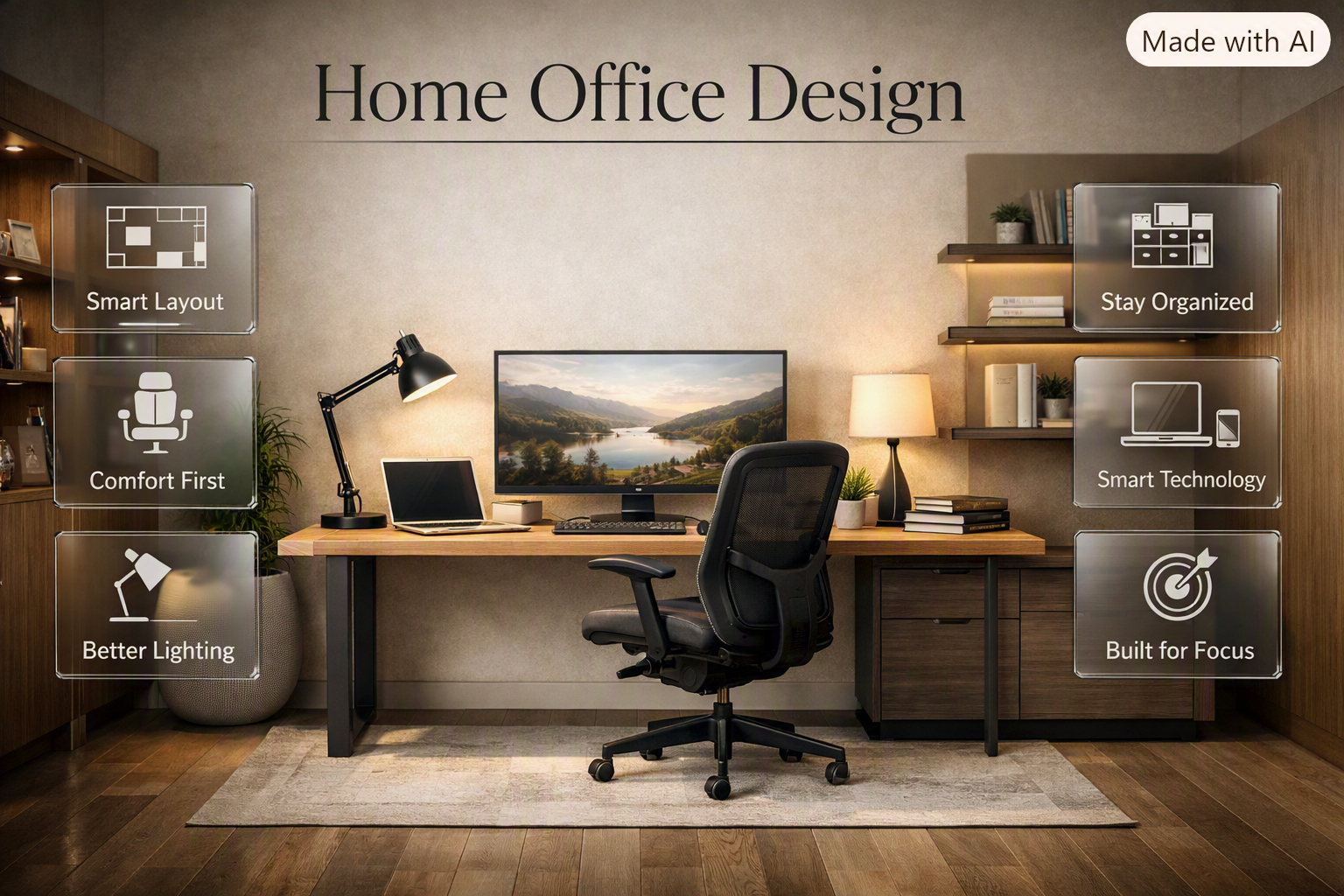
Home Office Design | Working from home can seem easy until the dining table becomes your desk, cables start spreading across the floor, papers pile up beside your laptop, and you realize you’ve been sitting in an uncomfortable chair for hours. A thoughtfully planned Home Office Design can solve these problems by creating a workspace that supports concentration, comfort, organization, and productivity without making your home feel like a corporate office.
You don’t need a huge room or an unlimited budget. A spare bedroom, living-room corner, bedroom wall, hallway alcove, or compact apartment corner can become a practical home office when the layout is planned around your actual needs.
For broader inspiration, you can explore DesignMode24 Interior Design before deciding how you want your office to fit into the overall style of your home.
This guide explains how to plan a home office from the ground up, including layout, furniture, lighting, ergonomics, storage, technology, color schemes, small-space solutions, styling ideas, common mistakes, budget considerations, and practical ways to create a workspace you’ll actually enjoy using.
What Is Home Office Design?
Home office design is the process of planning a dedicated or shared workspace around productivity, comfort, organization, technology, lighting, and personal style. A successful home office balances practical requirements with visual appeal so the room feels comfortable enough for daily work while remaining connected to the rest of the home.
A good office isn’t simply a room containing a desk and computer. Every major element should solve a problem.
The desk needs to provide enough working surface. The chair needs to support comfortable sitting. Lighting needs to make reading and screen work easier. Storage needs to control clutter. The layout needs to provide enough movement. Technology needs to be organized. And the visual style should make the room pleasant without becoming distracting.
The right solution depends on how you work.
Someone who checks emails for a couple of hours a day may need only a compact desk and laptop. A person working remotely full-time may need a more ergonomic workstation, dedicated storage, and better lighting. A designer, programmer, video editor, or content creator may need multiple monitors, larger equipment, and significantly more surface space.
Featured answer: The best home office design combines comfort, productivity, organization, lighting, and personal style. Start by understanding your work requirements and available space, then select the desk, chair, lighting, storage, and decorative elements around those needs rather than buying furniture first.
How Do You Plan a Home Office?
The first step is understanding what the workspace actually needs to do.
Before buying furniture, make a list of your daily activities. Think about how many hours you’ll spend at the desk, what equipment you’ll use, whether you’ll attend video meetings, how much paperwork you handle, and whether another person will share the room.
Ask yourself:
- How many hours do I work each day?
- Do I use a laptop, desktop, or multiple monitors?
- Do I need a printer?
- Do I need shelves or filing storage?
- Will I take frequent video calls?
- Do I need a professional background?
- Does the room receive natural light?
- Where are the electrical outlets?
- Does the room have another purpose?
- How much can I realistically spend?
Then measure the space.
Record the room’s width and length, door position, windows, built-in cabinets, radiators, electrical outlets, and any permanent features.
A simple planning sequence is:
Work requirements → Measurements → Layout → Furniture → Lighting → Storage → Technology → Decoration
This order prevents one of the most common design mistakes: buying attractive furniture before determining whether it actually works in the room.
Why Should You Measure Before Buying Furniture?
Furniture that looks compact online can feel surprisingly large once it’s inside a real room. A desk may technically fit against a wall but prevent a door from opening comfortably or leave insufficient space for your chair.
Use masking tape on the floor to mark the approximate footprint of the desk and chair. Walk around the marked area and simulate normal movement.
If the space feels cramped with only tape on the floor, it will probably feel even more crowded after you add drawers, equipment, cables, and accessories.
💡 Pro Tip: Measure the usable working surface rather than relying only on the desk’s external dimensions. Drawers, thick frames, shelves, and monitor stands can reduce the actual area available for work.
What Is the Best Home Office Layout?
The best home office layout provides enough room for comfortable working, clear movement, sensible lighting, accessible storage, and minimal distractions. Desk placement should account for windows, doors, electrical outlets, monitor position, and the amount of floor space available.
There isn’t one universal layout for every home.
Desk Against a Wall
A desk against the wall is one of the most efficient arrangements for a small office.
It keeps the center of the room open and creates a clear work zone. The wall above the desk can hold shelves, artwork, a calendar, a pinboard, or organizational accessories.
This arrangement works especially well for:
- Small bedrooms
- Apartment offices
- Alcoves
- Narrow rooms
- Shared spaces
- Compact workstations
The main drawback is that looking directly at a wall can feel restrictive for some people. Artwork, shelves, plants, or an attractive wall color can make the background more pleasant.
Desk Near a Window
Natural light is useful, but putting a desk directly in front of a window isn’t automatically the best choice.
Strong sunlight can create monitor glare, increase heat, and make video calls difficult. In many rooms, placing the desk perpendicular to the window gives you a better balance between daylight and screen visibility.
Desk Facing Into the Room
A larger room may allow the desk to face toward the center of the room.
This can create a professional appearance and allow you to see the entrance. However, this layout consumes more floor space and requires more careful cable management.
Corner Desk
An L-shaped or corner desk can make excellent use of an unused corner.
It’s particularly useful if you need:
- Multiple monitors
- Separate computer and paperwork zones
- More surface space
- Additional storage
- Space for creative work
The disadvantage is that a large corner desk can visually dominate a small room.
Home Office Layout Comparison
| Layout | Best For | Main Benefit | Potential Drawback |
|---|---|---|---|
| Desk against wall | Small rooms | Space efficient | Less visual openness |
| Desk perpendicular to window | Most users | Balanced daylight | Requires suitable wall |
| Desk facing room | Large offices | Professional appearance | Uses more floor space |
| Corner desk | Multi-monitor users | Large work surface | Can overwhelm small rooms |
| Floating desk | Very small spaces | Minimal footprint | Limited storage |
How Much Space Does a Home Office Need?
A home office doesn’t have to occupy an entire room. What matters is whether the area can comfortably accommodate your desk, chair, equipment, storage, and normal movement.
A compact workstation can work surprisingly well when you choose furniture according to the available space instead of trying to reproduce a large office setup.
Think about working space, not just room dimensions.
You need enough room for:
- Desk
- Chair
- Chair movement
- Monitor
- Keyboard and mouse
- Frequently used accessories
- Storage
- Cable routing
- Comfortable entry and exit
If your office doubles as a guest room, don’t place the desk where it blocks the bed, wardrobe, or room entrance.
How Do You Choose the Right Home Office Desk?
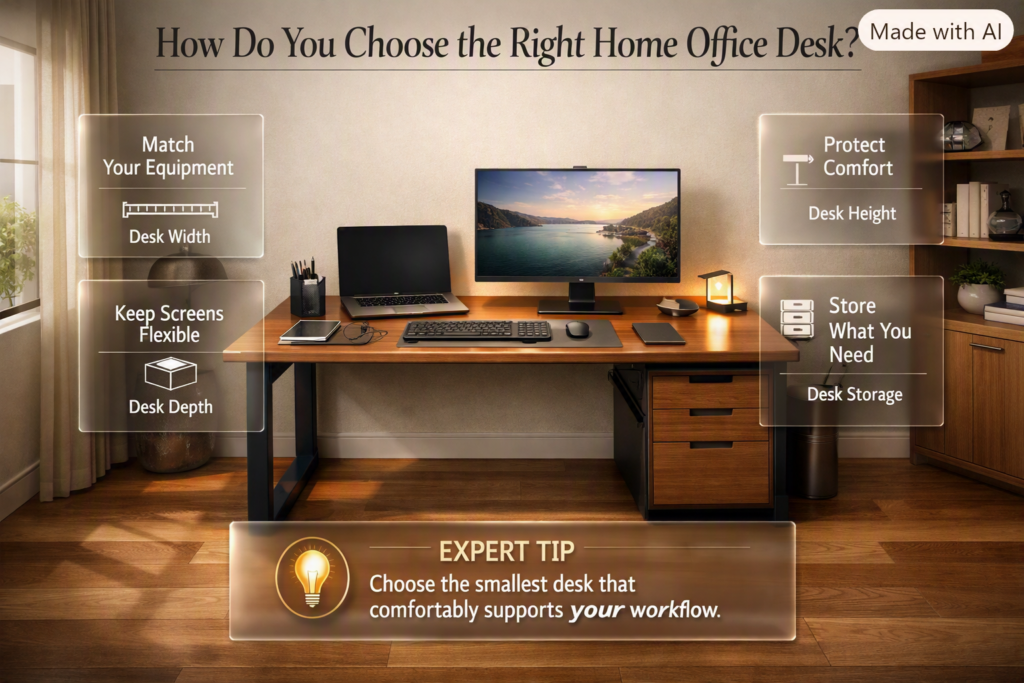
The right desk depends on your equipment and working habits. Consider width, depth, height, storage, shape, material, and cable-management features.
Desk Width
A laptop-only setup can work on a relatively compact desk.
A desktop computer with multiple monitors requires more room. If you frequently write notes, sketch, handle documents, or keep reference materials beside the computer, additional surface space becomes useful.
Desk Depth
Desk depth is often ignored.
A shallow desk can force your monitor too close to you and leave little room for a keyboard and notebook. A deeper surface gives you more flexibility for screen positioning and everyday work.
Desk Height
Your desk should allow your arms and shoulders to remain comfortable while typing.
If your shoulders constantly rise, the desk may be too high. If you find yourself leaning forward or bending your wrists awkwardly, the workstation may need adjustment.
Desk Storage
Drawers can hold stationery and small supplies, while shelves can store books and equipment.
However, don’t choose a desk with excessive storage if you don’t actually need it. Large drawer units can reduce legroom and make a small office feel heavier.
⭐ Expert Tip: Choose the smallest desk that comfortably supports your daily workflow. More surface area isn’t always better if it reduces movement or makes the room feel crowded.
What Is the Best Chair for a Home Office?
A home office chair should provide appropriate support, allow adjustment, and remain comfortable for the amount of time you actually spend working.
If you work for several hours each day, the chair deserves more attention than decorative accessories.
Look for:
- Adjustable seat height
- Suitable seat depth
- Lower-back support
- Stable construction
- Comfortable backrest
- Appropriate arm support
- Easy movement
- Materials suitable for your climate
Don’t choose a chair based only on appearance.
A stylish chair may work for occasional computer use, but someone who works remotely every day may benefit from an adjustable ergonomic chair.
How Should You Position Your Monitor?
The primary monitor should normally be directly in front of you rather than positioned far to one side.
For multiple monitors, keep your main screen central and place secondary screens beside it.
A basic workstation can be visualized like this:
        ┌───────────────┐
        │    MONITOR    │
        └───────────────┘
               ↓
     ┌───────────────────┐
     │       DESK        │
     └───────────────────┘
               ↓
             CHAIR
               ↓
             USER
The exact monitor height depends on your body, screen size, chair, and working position. The main goal is to avoid constantly bending, twisting, or leaning your neck.
Keep the keyboard and mouse in a position that allows relaxed shoulders and natural arm movement.
How Important Is Lighting in Home Office Design?
Lighting is one of the most important parts of a functional workspace because poor illumination can make screen work, reading, writing, and video calls less comfortable.
A strong lighting plan usually combines three layers:
- Natural light
- Ambient lighting
- Task lighting
Natural Light
Daylight can make a home office feel brighter and more inviting.
However, uncontrolled sunlight can create glare. Curtains, blinds, or adjustable shades provide greater control.
Ambient Lighting
Ambient lighting illuminates the room generally.
A ceiling fixture can provide this foundation, but relying entirely on overhead lighting can create a harsh or flat environment.
Task Lighting
A desk lamp provides focused illumination for reading, writing, and detailed work.
Place it so the light reaches your working surface without shining directly into your eyes or reflecting strongly from the monitor.
📌 Quick Tip: Test your office in the morning, afternoon, and evening. Sunlight changes throughout the day, so a lighting setup that works at noon may not work at 6 PM.
What Colors Are Best for a Home Office?
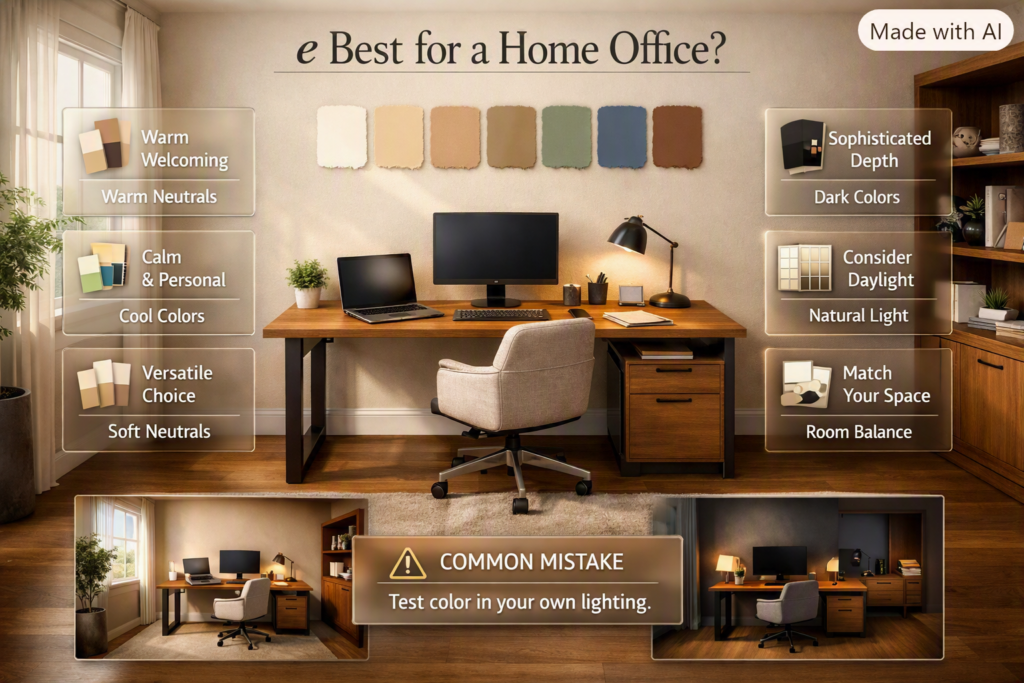
The best office color depends on the atmosphere you want and how much natural light the room receives.
Soft neutrals are versatile because they work with many furniture styles and usually don’t overwhelm the workspace.
Popular choices include:
- Warm white
- Beige
- Taupe
- Soft gray
- Muted green
- Dusty blue
- Warm brown
- Off-white
Warm Neutrals
Beige, cream, taupe, and warm white can make a workspace feel welcoming.
They work particularly well with natural wood furniture and warm lighting.
Cool Colors
Muted blue and green can add personality while maintaining a calm atmosphere.
Dark Colors
Charcoal, deep green, navy, and other darker shades can create a sophisticated office.
However, dark walls need adequate lighting. In a small room with limited daylight, using dark colors everywhere may make the space feel visually heavier.
For additional color inspiration, explore Paint Color.
⚠ Common Mistake: Don’t choose a wall color only because it looks good in an online photograph. Lighting, furniture, room size, and window direction can change how the color appears in your own space.
How Do You Design a Small Home Office?
Small offices require careful prioritization. Instead of trying to fit every possible office feature into the room, decide what you genuinely need.
Use Vertical Space
Walls provide valuable storage opportunities.
Consider:
- Floating shelves
- Tall bookcases
- Pegboards
- Wall-mounted organizers
- Cabinets
- Pinboards
Choose Compact Furniture
A narrow desk can be enough for a laptop setup. A floating desk can provide a work surface while preserving floor space.
Use Multipurpose Furniture
A desk with built-in storage can eliminate the need for a separate cabinet.
A guest room can also serve as an office when the furniture is planned around both functions.
Keep the Floor Open
Open floor space makes a small room feel less crowded.
Avoid unnecessary side tables and oversized furniture.
For more ideas on improving the functionality of your home, explore Home Improvement.
How Can You Create a Home Office in a Bedroom?
A bedroom office needs a clear distinction between work and rest.
When possible, keep the desk away from the bed. Even a small amount of separation can make the room feel more intentional.
You can create zones with:
- A bookshelf
- Different wall colors
- A rug
- Lighting
- Furniture placement
- Open shelving
- A decorative divider
A simple zoning arrangement might look like this:
┌─────────────────────────────┐
│          WORK ZONE          │
│      Desk + Chair + Shelf   │
│                             │
│────── VISUAL DIVIDER ───────│
│                             │
│          REST ZONE          │
│             BED             │
└─────────────────────────────┘
At the end of the workday, close the laptop, clear the desk, and turn off the dedicated work light. Repeating these actions creates a stronger boundary between working and resting.
How Can You Design a Home Office in a Living Room?
A living room office should feel integrated rather than looking like an unrelated workstation was pushed into an empty corner.
A narrow desk can sit against a wall, behind a sofa, beside a bookshelf, or inside an unused corner.
Use a rug, lighting, shelving, or artwork to visually define the workspace.
The main challenge is preventing work equipment from taking over the social area. Closed storage and effective cable management become especially valuable.
For more ideas on creating a cohesive living space, explore Living Room Design.
How Important Is Storage in a Home Office?
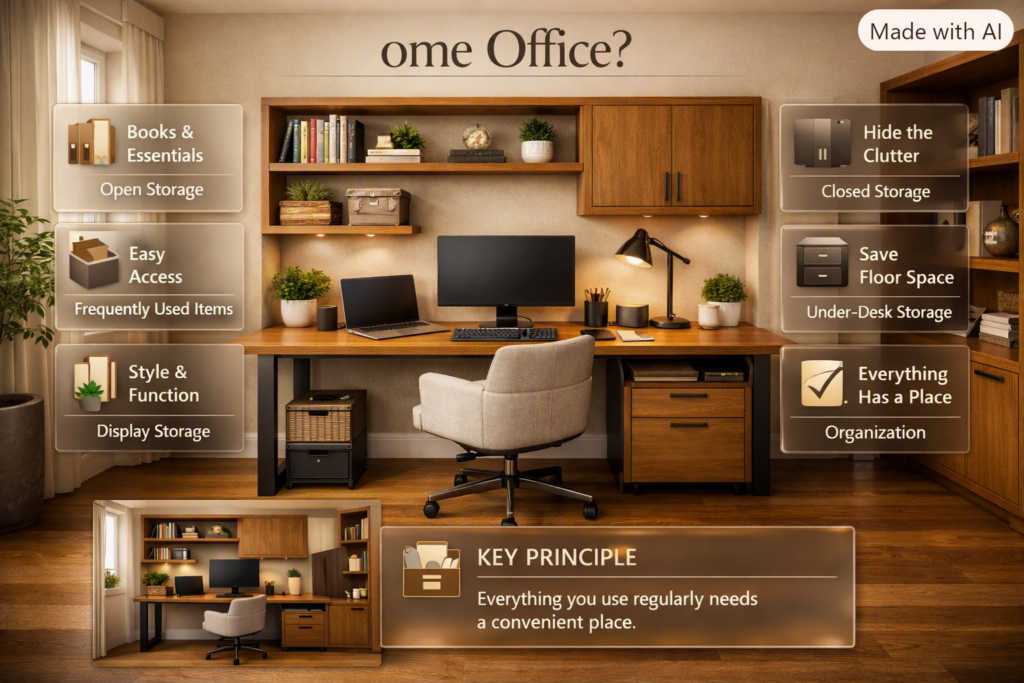
Storage keeps a workspace functional after the first few weeks.
Without designated locations for paperwork, chargers, books, stationery, and equipment, even a beautiful office can quickly become cluttered.
Open Storage
Open shelves work well for:
- Books
- Plants
- Decorative objects
- Frequently used items
Closed Storage
Closed cabinets and drawers are useful for:
- Paperwork
- Cables
- Spare equipment
- Stationery
- Items that don’t need to remain visible
Under-Desk Storage
Under-desk drawers or small cabinets can provide storage without consuming another large section of the room.
The key principle is simple: everything you use regularly should have a convenient place to return to.
For broader styling and organization ideas, explore Home Styling.
How Do You Organize a Home Office?
Start by dividing everything into three categories:
Daily use: Keep these items within easy reach.
Weekly use: Store them nearby but off the desk.
Rarely used: Put them in closed storage or another suitable location.
This prevents the desktop from becoming a storage surface.
If every inch of the desk is occupied, you may not need a larger desk. You may need a better storage system.
How Do You Hide Cables in a Home Office?
Cable management is one of the simplest ways to make an office look cleaner and more professional.
Begin by listing all the devices that need electricity or connectivity:
- Computer
- Monitor
- Printer
- Desk lamp
- Speakers
- Phone charger
- Router
- External drives
Then decide where each cable needs to travel.
Useful solutions include:
- Under-desk cable trays
- Reusable cable ties
- Cable sleeves
- Adhesive clips
- Cable boxes
- Monitor arms
- Mounted power strips
Don’t permanently hide every cable. You still need access for maintenance and replacement.
Labeling important cables can also save time later.
⚠ Common Mistake: Cable management shouldn’t be a last-minute task. Plan cable routes at the same time as the furniture layout.
How Can You Make a Home Office Look Professional?
A professional-looking office usually comes from consistency rather than expensive accessories.
Choose compatible furniture finishes. Keep the color palette controlled. Hide unnecessary cables. Use good lighting. Add a few meaningful decorative pieces rather than filling every surface.
A polished setup might include:
- A clean desk
- Comfortable chair
- Coordinated storage
- Quality lighting
- One or two plants
- Simple artwork
- Organized technology
The room should look intentional without feeling artificially staged.
For additional ideas, explore Home Design Ideas.
Which Interior Style Works Best for a Home Office?
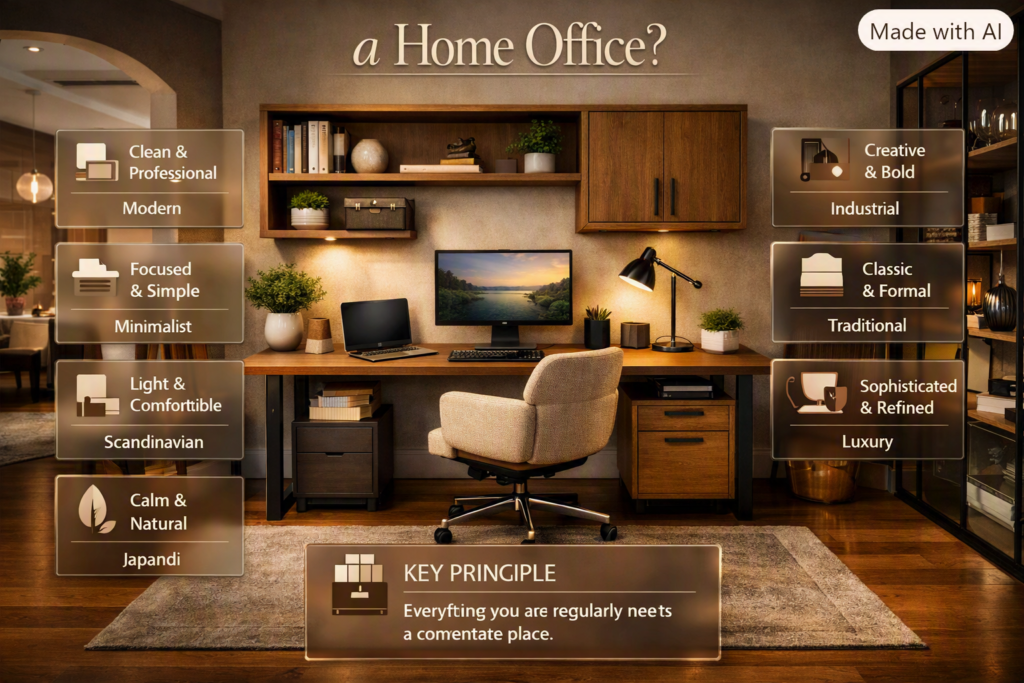
There isn’t one perfect style. The best style is the one that supports your personality and works with the rest of your home.
| Style | Typical Features | Atmosphere |
| Modern | Clean lines, simple forms | Professional |
| Minimalist | Few objects, neutral colors | Focused |
| Scandinavian | Light wood, soft colors | Comfortable |
| Japandi | Natural materials, simplicity | Calm |
| Industrial | Metal, wood, darker tones | Creative |
| Traditional | Classic furniture, rich materials | Formal |
| Luxury | Premium finishes, statement pieces | Sophisticated |
A home office doesn’t need to look exactly like the rest of the house, but repeating certain colors, materials, or finishes can make the entire home feel more cohesive.
If you’re developing the wider design direction, explore Interior Design.
How Do You Create a Japandi Home Office?
Japandi design combines Japanese simplicity with Scandinavian warmth. It works particularly well in a workspace because it emphasizes useful objects, natural materials, calm colors, and visual restraint.
Common elements include:
- Natural wood
- Soft neutral colors
- Simple furniture
- Natural textures
- Minimal decoration
- Indoor plants
- Warm lighting
The most important principle is restraint.
Don’t add decorative items simply because a shelf looks empty. Let materials, proportions, texture, and light provide visual interest.
How Do You Create a Modern Home Office?
Modern home offices generally emphasize clean lines, practical furniture, controlled colors, and minimal clutter.
A practical modern setup could include:
- A simple desk
- Ergonomic chair
- Large monitor
- Hidden cable management
- Floating shelves
- Neutral wall color
- Modern task lamp
Black, white, gray, natural wood, and muted accent colors can work together effectively.
How Do You Make a Home Office Cozy?
A productive office doesn’t have to feel cold or sterile.
You can add warmth through:
- Warm lighting
- Natural wood
- Soft rugs
- Plants
- Textiles
- Artwork
- Warm neutral colors
- Personal photographs
- Books
The goal is balance.
Too little personality can make the office feel temporary. Too much decoration can create visual distractions.
⭐ Expert Tip: Add warmth through texture rather than clutter. A quality rug, warm lamp, and plant can create more atmosphere than a collection of small decorative objects.
How Can You Improve Productivity Through Home Office Design?
Productivity is influenced by how easy it is to begin working and maintain focus.
Place frequently used items within reach. Keep distractions outside the main field of view. Make the monitor comfortable to use. Maintain consistent lighting and provide enough storage to keep the desk clear.
You can divide the room into functional zones:
Work Zone
Desk, monitor, keyboard, mouse, notebook.
Storage Zone
Books, files, stationery, equipment.
Meeting Zone
Camera background, lighting, microphone.
Refresh Zone
Water bottle, plant, or small personal item.
A predictable environment can make your workflow easier to maintain.
How Should You Design a Home Office for Video Calls?
Video calls require more planning than simply placing a laptop on a desk.
Look at what the camera sees.
Your background should be:
- Clean
- Organized
- Well lit
- Appropriate for your work
- Free from unnecessary clutter
A simple wall with artwork can work well. A tidy bookshelf can add visual interest.
Avoid placing a bright window directly behind you because it can make your face appear dark.
Test your camera from your normal working position before finalizing the room.
How Do You Design a Home Office for Two People?
Two-person offices need enough separation for both users to work comfortably.
A long shared desk can work well when both people have similar working requirements. Two separate desks may be better when each person has independent equipment or frequent meetings.
Each workstation should ideally have:
- Individual power access
- Comfortable seating
- Adequate monitor space
- Personal storage
- Appropriate lighting
Don’t assume that one oversized desk automatically creates a good two-person office. Each person still needs enough space for their actual work.
How Do You Create a Home Office on a Budget?
A limited budget doesn’t mean the office has to look unfinished.
Start with furniture you already own.
An existing table can become a desk. Existing shelves can become office storage. A basic lamp can provide task lighting.
Spend money according to practical priority:
- Comfortable seating
- Suitable desk
- Lighting
- Storage
- Cable management
- Decorative improvements
You can upgrade the office gradually.
The biggest mistake is spending most of your budget on appearance and then discovering that the workspace isn’t comfortable.
What DIY Projects Can Improve a Home Office?
DIY projects can solve practical problems while giving the room personality.
Useful projects include:
- Floating shelves
- Pegboard organizers
- Cable trays
- Desk refinishing
- Wall-mounted storage
- Custom pinboards
- Small filing systems
- Monitor shelves
- Accent wall projects
The best DIY improvement is one that solves an actual problem.
If your desk is always covered with stationery, create storage. If cables are visible, build a cable-management solution. If the room feels visually plain, consider a feature wall rather than buying dozens of accessories.
For practical project inspiration, explore DIY Home Projects.
How Can You Connect a Home Office With the Rest of the House?
A home office doesn’t have to feel like an isolated space.
Repeat colors, materials, or finishes already used elsewhere in the home.
For example, if your living room uses warm oak furniture and black accents, introducing similar tones into the office can create continuity.
The furniture doesn’t need to match exactly. Similar materials and colors are usually enough to establish a relationship between rooms.
For room-specific ideas and planning inspiration, explore Room-by-Room Design Hub.
How Can You Make a Home Office More Flexible?
A flexible office is especially useful when the room has multiple purposes.
Choose furniture that can adapt.
Useful options include:
- Foldable desks
- Mobile storage
- Shelving units
- Compact chairs
- Multipurpose tables
- Wall-mounted desks
If the room occasionally becomes a guest bedroom, avoid filling it with furniture that cannot be moved.
Flexibility is particularly valuable in smaller homes where every part of the room needs to serve a purpose.
How Much Should You Spend on a Home Office?
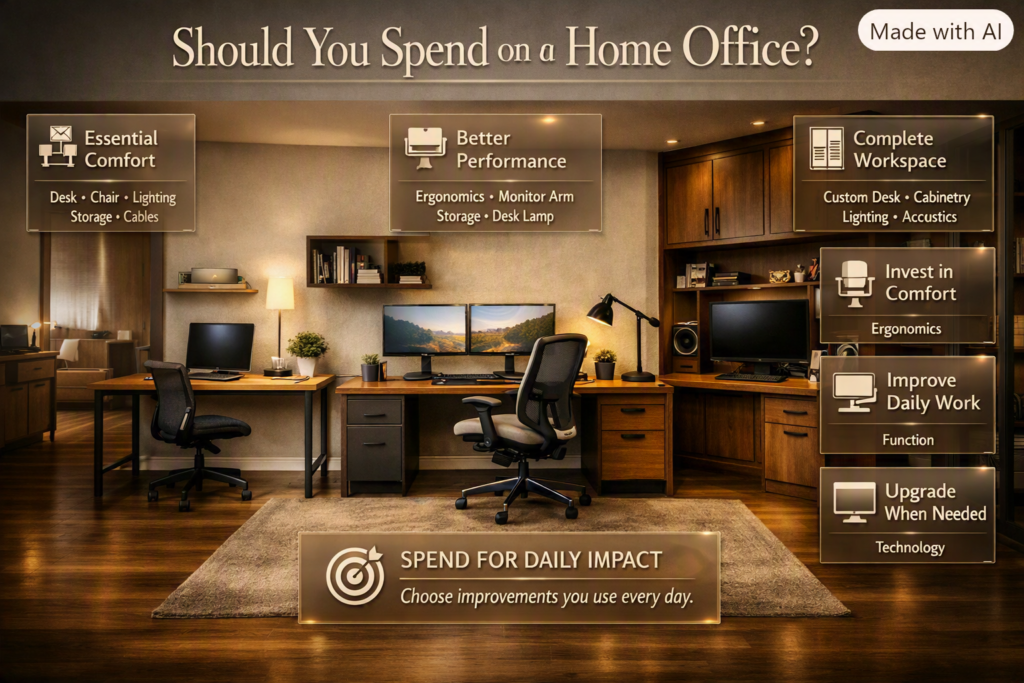
Your budget should reflect how frequently you use the office.
Basic Setup
Prioritize:
- Desk
- Chair
- Lighting
- Basic storage
- Cable management
Mid-Range Setup
Consider:
- Better ergonomic furniture
- Monitor arm
- Improved storage
- Quality desk lamp
- Better decorative finishes
Premium Setup
Consider:
- Built-in cabinetry
- Custom desk
- High-quality ergonomic chair
- Professional lighting
- Acoustic treatment
- Advanced technology
- Integrated storage
Don’t spend according to what looks impressive online. Spend according to what improves your daily working experience.
What Are the Biggest Home Office Design Mistakes?
Choosing Furniture Before Planning the Layout
Why it happens: Furniture shopping is more exciting than measuring.
Why it’s harmful: Large furniture can create movement problems.
How to avoid it: Measure the room first and test furniture footprints.
Ignoring Chair Comfort
Why it happens: Desks and decorative furniture receive more visual attention.
Why it’s harmful: An uncomfortable chair can make long working sessions frustrating.
How to avoid it: Prioritize support and adjustability.
Poor Monitor Placement
Why it happens: The monitor is placed wherever it fits.
Why it’s harmful: You may repeatedly lean, twist, or look downward.
How to avoid it: Plan monitor placement together with the desk.
Ignoring Window Direction
Why it happens: Natural light seems automatically beneficial.
Why it’s harmful: Direct sunlight can cause glare and heat.
How to avoid it: Observe the room at different times of day.
Overdecorating
Why it happens: Empty walls can feel unfinished.
Why it’s harmful: Too many objects create visual noise.
How to avoid it: Choose a small number of meaningful elements.
Forgetting Storage
Why it happens: People assume they can organize things later.
Why it’s harmful: Clutter eventually spreads onto the desk.
How to avoid it: Plan storage before the office is fully occupied.
Poor Cable Management
Why it happens: Cables are treated as a finishing detail.
Why it’s harmful: Visible cables make the office look messy.
How to avoid it: Plan cable routes during the initial layout.
Copying an Online Office Exactly
Why it happens: Beautiful office photos are inspiring.
Why it’s harmful: Every room has different dimensions, lighting, equipment, and users.
How to avoid it: Copy useful principles instead of copying the exact setup.
What Do Professionals Prioritize in Home Office Design?
Professionals usually solve functional problems before styling the room.
A practical priority order is:
Comfort → Layout → Lighting → Storage → Technology → Style
This prevents expensive mistakes.
For example, there’s little value in buying premium artwork if the monitor is constantly reflecting sunlight.
Likewise, a beautiful desk won’t compensate for an uncomfortable chair.
The strongest offices usually feel simple because every major element has a purpose.
Use the 80/20 Principle
Think of roughly 80% of the room as supporting function and 20% as providing personality and visual interest.
This isn’t a strict measurement. It’s a design mindset.
The desk, chair, lighting, storage, and technology should work first. Artwork, plants, accessories, and styling should then make the room feel personal.
How Can You Keep a Home Office Organized Long Term?
The real challenge isn’t organizing the office once. It’s keeping it organized after weeks and months of use.
Create a simple end-of-day routine:
- Return stationery to its place.
- File or remove loose paperwork.
- Return chargers to storage.
- Clear unnecessary objects from the desk.
- Organize cables.
- Close your laptop if appropriate.
- Prepare the workspace for the next day.
A five-minute reset is much easier than cleaning a completely cluttered office later.
If your workspace repeatedly becomes messy despite regular cleaning, the problem may be the storage system rather than your habits.
How Can You Design a Home Office for Creative Work?
Creative work often requires more surface area and more accessible tools than ordinary laptop-based work.
Designers, artists, content creators, architects, and other creative professionals may need:
- Large desk surface
- Multiple monitors
- Reference materials
- Sketching area
- Equipment storage
- Better task lighting
- Flexible organization
Keep the tools you use most frequently close to the workstation. Store less frequently used equipment vertically or in closed cabinets.
The office should support movement between different tasks rather than forcing everything into one tiny area.
How Can You Make a Home Office Feel More Personal?
A workspace becomes more enjoyable when it reflects the person using it.
Add meaningful elements such as:
- Artwork you actually like
- Personal photographs
- Books
- Plants
- Travel objects
- Handmade pieces
- A favorite lamp
- A small collection
The important word is meaningful.
You don’t need dozens of decorative objects. A few things that reflect your interests can make the office feel more authentic.
How Do You Create a Professional Background Without Making It Boring?
A completely blank wall can look clean, but it may also feel impersonal.
A better approach is to create controlled visual interest.
For example:
Plain wall + artwork + plant
or
Bookshelf + books + small decorative object
or
Neutral wall + simple shelving + warm lighting
Keep the arrangement balanced.
The background should support your professional appearance rather than compete with you during video calls.
How Can Sound Affect a Home Office?
Noise is often overlooked during office planning.
If you work in a busy household, consider the room’s location before deciding where the desk goes.
A room near the television, kitchen, entrance, or children’s play area may experience more interruptions.
You can improve the environment through:
- Rugs
- Curtains
- Upholstered furniture
- Bookshelves
- Acoustic panels
- Door seals
- Strategic room placement
You don’t always need expensive acoustic treatment. Soft materials can reduce echoes and make a room feel quieter.
How Do You Choose Home Office Accessories?
Accessories should support either function or atmosphere.
Useful accessories include:
- Desk organizers
- Monitor stands
- Desk lamps
- Cable organizers
- Plants
- Bookends
- Pinboards
- Small trays
- Wastebaskets
Avoid buying accessories simply because they look attractive online.
Every additional object requires space and eventually requires cleaning.
⭐ Expert Tip: Before adding a decorative item, ask yourself whether it improves function, comfort, or visual character. If it does none of those things, you probably don’t need it.
What Is the Best Home Office Design for Productivity and Comfort?
The best home office design is one that combines ergonomics, good lighting, organized storage, minimal distractions, and a layout that matches the way you actually work. Instead of starting with decoration, start with your desk, chair, monitor position, lighting, and movement. A beautiful office won’t be effective if you’re uncomfortable after two hours.
For a full-time work-from-home setup, the chair should provide proper support, the desk should allow your arms to work comfortably, and your monitor should be positioned so you’re not constantly looking downward. Your frequently used items should also stay within easy reach, reducing unnecessary movement around the workspace.
Important points to consider:
Choose comfort before appearance.
Keep your monitor directly in front of you.
Keep your feet supported.
Use a desk with enough working surface.
Keep frequently used items nearby.
Reduce visual and physical clutter.
Build short movement breaks into your working routine.
A productive office should feel easy to use, not complicated. If you have to constantly move equipment, search for stationery, fight cable clutter, or adjust an uncomfortable chair, the design is working against you.
Professional advice: Before buying expensive furniture, spend a few days testing your current setup. Notice where discomfort, clutter, glare, and interruptions occur. Those observations will tell you what actually needs to change.
How Do I Design a Small Home Office Without Making It Feel Cramped?
A small home office works best when you treat vertical space as seriously as floor space. A compact desk, wall-mounted shelves, floating storage, multifunctional furniture, and controlled decoration can create a complete workspace without filling the entire room.
The biggest mistake is trying to squeeze a full-size office setup into a small area. You don’t necessarily need a larger desk, several cabinets, and numerous accessories. You need to identify the equipment and storage you genuinely use and design around those priorities.
For a small room, consider placing the desk against a wall or in an unused corner. Floating desks can be particularly useful because they provide a working surface while keeping more floor visible. Vertical shelves can then handle books, stationery, plants, and equipment without taking up valuable floor area. Current small-office design guidance also emphasizes smart layouts and lighting as major ways to make compact spaces feel more functional.
Smart small-office solutions:
Use a narrow or floating desk.
Install shelves vertically.
Choose furniture with built-in storage.
Keep the floor as open as possible.
Use light or visually calm colors.
Hide cables along the wall or under the desk.
Avoid oversized decorative furniture.
Use one strong focal point instead of many small accessories.
Professional advice: Measure the desk, chair, and storage footprint before purchasing anything. Then mark those dimensions on the floor with tape. If you can’t move comfortably around the marked area, the furniture will probably feel too large once everything is installed.
How Can I Make My Home Office More Ergonomic?
An ergonomic home office is designed so that your chair, desk, monitor, keyboard, mouse, and lighting work together rather than being adjusted independently. The goal is to maintain a comfortable, neutral working position and reduce unnecessary reaching, bending, twisting, and prolonged awkward positioning.
Start with your chair. Your feet should be supported, your shoulders should remain relaxed, and your elbows should sit comfortably near your body while typing. Your monitor should be directly in front of you and roughly an arm’s length away, with the top of the screen around eye level or slightly below.
Laptop users often have a particular problem: when the keyboard is at a comfortable height, the screen is usually too low. A laptop stand combined with an external keyboard and mouse can create a much better workstation arrangement.
Ergonomic checklist:
Feet supported on the floor or a suitable footrest.
Shoulders relaxed.
Elbows comfortably near your body.
Wrists kept in a natural position.
Monitor directly in front of you.
Screen positioned around eye level.
Keyboard and mouse close enough to avoid reaching.
Frequently used objects kept within comfortable reach.
Change your position regularly instead of staying completely static.
Common mistake: Buying an expensive ergonomic chair and then placing the monitor too low.
Your chair isn’t the entire ergonomic system. If your monitor, desk, keyboard, and chair aren’t working together, you can still end up with an uncomfortable workstation.
Professional advice: Adjust one element at a time. Sit normally, position the chair first, then adjust the desk and monitor around your body. Don’t force your body to fit furniture that hasn’t been properly adjusted.
What Is the Best Lighting for a Home Office?
The best home office lighting combines natural light, ambient lighting, and task lighting rather than depending on one bright ceiling fixture. Good lighting should illuminate your workspace without creating harsh reflections or monitor glare.
Natural light can make an office feel more comfortable, but the position of your desk matters. A monitor directly facing a bright window can produce reflections, while a window directly behind the monitor can create difficult contrast. Positioning the monitor approximately perpendicular to a window is often a practical solution.
Layered lighting is also becoming increasingly popular because it creates a more comfortable and adaptable environment. Designers are moving toward smaller decorative lamps, softer illumination, and multiple light sources rather than relying entirely on harsh overhead lighting.
A practical lighting setup includes:
Natural light: Use daylight where possible.
Ambient light: Provides general room illumination.
Task light: Focuses light on your desk.
Video-call light: Helps illuminate your face when needed.
Your desk lamp should illuminate the work surface without reflecting directly into the monitor. Adjustable or dimmable lighting is especially useful because your requirements change throughout the day.
Quick professional tip: Don’t judge your lighting only at noon. Test the office in the morning, afternoon, and evening. A room can look perfectly lit during daylight and become uncomfortable once the sun goes down.
Also avoid making the room extremely bright while keeping the monitor unusually dark, or making the monitor extremely bright in an otherwise dark room. Aim for a comfortable overall balance.
What Home Office Design Trends Are Popular in 2026?
The strongest home office trends in 2026 are moving toward comfort, personalization, flexible furniture, layered lighting, natural materials, and workspaces that feel like part of the home rather than corporate cubicles. Current design coverage also shows growing interest in warmer, more individual interiors instead of overly sterile minimalist rooms.
One important shift is the move away from designing offices purely for appearance. People increasingly want spaces that can handle long working sessions while still feeling attractive and connected to the rest of the home.
1. Layered and Decorative Lighting
Instead of depending entirely on one ceiling fixture, homeowners are using desk lamps, floor lamps, small accent lights, and adjustable lighting to create different moods throughout the day.
2. Natural Materials
Wood, woven textures, plants, and other natural finishes help soften technology-heavy workspaces.
3. Flexible Workstations
Height-adjustable desks, mobile furniture, monitor arms, and adaptable layouts are becoming more attractive for people who don’t want to remain in one fixed position throughout the entire workday.
4. Personalized Offices
Instead of copying a perfectly staged Pinterest setup, homeowners are adding artwork, books, plants, family items, and other details that make the office feel genuinely personal.
5. Warm Minimalism
Minimalism is still useful, but today’s version is often warmer and more comfortable. Rather than an almost empty white room, think simple furniture + natural textures + warm lighting + a few meaningful objects.
6. Multi-Purpose Spaces
A home office may also function as a guest room, study area, creative studio, or occasional meeting space. This makes compact and multifunctional furniture increasingly valuable.
Professional advice: Don’t follow a trend simply because it is popular. Ask whether it improves your actual workspace. If a trendy desk makes your room cramped or a decorative lamp creates screen glare, it’s not a good design choice for your home.
Conclusion
A well-designed home office is more than a desk, chair, and computer placed in an empty corner. The right Home Office Design should make your daily work more comfortable, organized, focused, and enjoyable while fitting naturally into your home.
Start with the practical essentials: understand how you work, measure your available space, choose comfortable furniture, position your monitor correctly, and create balanced lighting. Then add storage and cable management to keep the workspace clean and efficient. Once the functional foundation is right, use colors, natural materials, plants, artwork, and personal accessories to give the room character.
For small spaces, focus on vertical storage and multifunctional furniture rather than overcrowding the floor. For larger offices, use zoning to separate work, storage, meetings, and relaxation areas. And if your office shares a bedroom or living room, visual separation can help create a stronger boundary between work and personal time.
Most importantly, don’t design your office simply to follow the latest trend. A beautiful workspace is valuable only when it works for you. Prioritize comfort, productivity, lighting, organization, and flexibility first, then build the style around them.
With thoughtful planning, even a small corner can become a professional, comfortable, and inspiring workspace that supports your work every day.
Leave a Reply