
Introduction
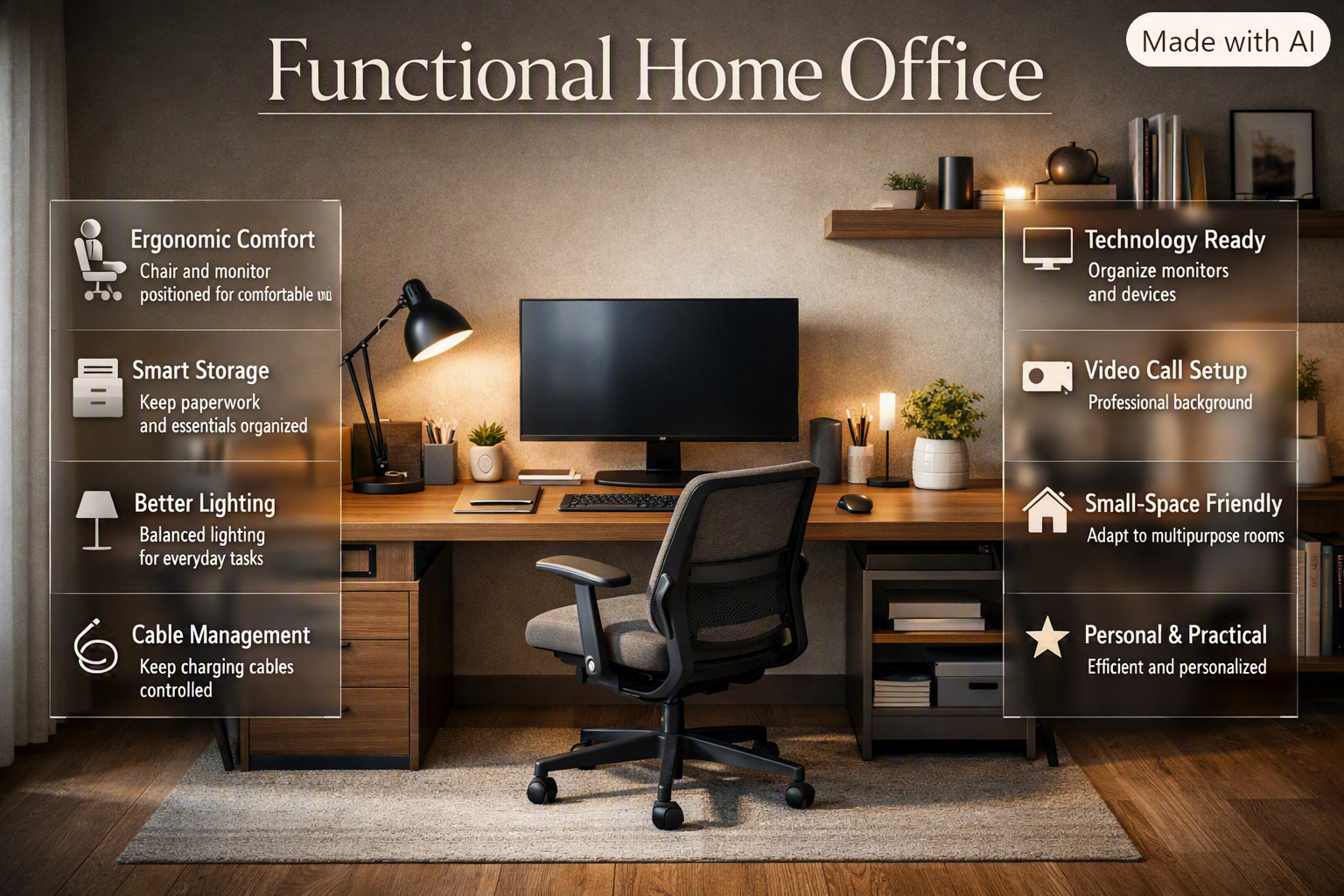
Functional Home Office | A home office can have a beautiful desk, expensive chair, stylish shelves, and carefully chosen decorations—and still be a frustrating place to work. The problem is usually not the furniture itself. It’s the way the room works.
Maybe your monitor sits in the wrong position, your chair becomes uncomfortable after an hour, paperwork keeps piling up, or every charging cable seems to end up on the floor. In a small home, the problem can be even more noticeable because the office may also need to function as a bedroom corner, guest area, or part of a living room.
A functional home office solves these everyday problems by putting the way you work first. The goal isn’t simply to create an attractive workspace. It’s to create a room or work zone where your desk, chair, storage, lighting, technology, and personal items work together naturally.
If you’re planning your workspace as part of a wider home project, DesignMode24 Interior Design can also provide broader inspiration for creating a cohesive interior rather than treating the office as an isolated room.
In this guide, you’ll learn how to plan a functional home office from the beginning, choose furniture intelligently, organize a small workspace, improve lighting, manage cables, create practical storage, support video calls, avoid common mistakes, and make the finished office feel comfortable and personal.
What Makes a Home Office Functional?
A functional home office is a workspace designed around the user’s actual work habits. It provides enough surface area, comfortable seating, suitable lighting, accessible storage, organized technology, and sufficient movement space while keeping distractions and clutter under control.
The important word is functional.
A functional office doesn’t necessarily need a large room, designer furniture, or a complicated setup. It simply needs to make everyday tasks easier.
For example, a person who works eight hours a day from a laptop may need:
- A comfortable adjustable chair
- A desk with enough depth
- A laptop stand
- An external keyboard and mouse
- Good task lighting
- A small amount of storage
- Convenient access to power
Someone who works with multiple monitors, paper documents, drawing materials, or physical samples may need a much larger work surface and more storage.
So the first principle is simple:
Design for the work, not for the photograph.
A beautiful desk that doesn’t provide enough space for your equipment isn’t functional. A stylish shelf that becomes overloaded with clutter isn’t functional. A large chair that blocks the doorway isn’t functional.
The strongest home office design balances productivity, comfort, organization, appearance, and flexibility.
How Do You Plan a Functional Home Office?
Start by understanding how you work, then measure the room and identify the main work zone. After that, select the desk and chair, plan storage and lighting, organize technology, and finally add decorative elements.
This order matters because furniture and decoration should support the layout rather than dictate it.
Before buying anything, answer these questions:
- How many hours do I normally work here?
- Do I use a laptop, desktop, or multiple monitors?
- Do I regularly attend video meetings?
- Do I handle paper documents?
- Do I need a printer?
- How much storage do I actually need?
- Do I need space for writing or creative work?
- Is the office also used for another purpose?
- Where are the electrical outlets?
- How much natural light enters the room?
- Is the room likely to change in the future?
These questions reveal what the room needs.
Measure the Space First
Measure the walls, windows, doors, outlets, radiators, built-in cabinets, and other fixed elements.
Don’t measure only the space where you want the desk. Consider the entire movement path.
A desk might technically fit against a wall, but if opening the door means hitting the chair, the layout isn’t successful.
You also need space to:
- Pull the chair backward
- Open drawers
- Access cabinets
- Walk behind the desk
- Reach electrical outlets
- Clean the floor
- Move equipment when necessary
📌 Quick Tip: Use masking tape to mark the proposed desk dimensions directly on the floor. Sit in the planned chair position and walk around the taped area. You’ll discover many layout problems before spending money.
Where Should You Put a Home Office Desk?
The best desk position depends on natural light, screen glare, privacy, room circulation, and the type of work you perform. In many rooms, positioning the desk perpendicular to a window provides a useful balance between daylight and screen visibility.
A desk directly in front of a window can look attractive, but strong daylight may reflect from your screen. A desk directly opposite a window can also place a bright light source behind the monitor.
At the same time, putting your back completely toward an open doorway may make the workspace feel less comfortable.
Consider these possibilities:
Desk Facing a Window
Advantages:
- Attractive view
- Strong natural light
- Visually pleasant workspace
Possible drawbacks:
- Screen glare
- Outdoor distractions
- Difficult video-call exposure
Desk Perpendicular to a Window
Advantages:
- Good natural light
- Lower glare potential
- Balanced screen visibility
Possible drawbacks:
- Requires sufficient wall space
- Light may still change throughout the day
Desk Against an Interior Wall
Advantages:
- Easy furniture arrangement
- Fewer distractions
- Predictable lighting
Possible drawbacks:
- May require stronger artificial lighting
- Can feel enclosed if the room is small
There isn’t one universally correct position. The right choice depends on the room and your working habits.
How Do You Choose the Right Home Office Desk?
Choose a desk according to the equipment you use, the tasks you perform, and the amount of clear surface you need. Desk width, depth, height, storage, and adjustability can all affect how comfortable and productive your setup feels.
A laptop-only workstation doesn’t require the same surface area as a professional workstation with two large monitors and paperwork.
Consider Desk Width
A compact desk may be sufficient for:
- One laptop
- Keyboard and mouse
- Notebook
- Phone
- Small lamp
A larger desk may be better for:
- Dual monitors
- Printer
- Documents
- Creative materials
- Reference books
- Multiple devices
Don’t Ignore Desk Depth
Width often gets the most attention, but depth matters too.
A shallow desk can force the monitor too close to you. It can also leave insufficient room between the keyboard and monitor.
A useful workspace needs enough depth to accommodate the screen, keyboard, mouse, and some clear working space.
Consider a Height-Adjustable Desk
A height-adjustable desk can be useful if you prefer changing between sitting and standing.
However, it isn’t a substitute for good ergonomics.
If you use a standing desk, make sure the screen and input devices can also be positioned comfortably at different heights.
⭐ Expert Tip: Don’t buy a standing desk because it’s trendy. Buy one because changing positions genuinely fits the way you work.
What Should You Look for in a Home Office Chair?
A home office chair should support comfortable working without forcing you into a rigid position. Adjustable seat height, suitable seat depth, supportive backrest, lumbar support, and comfortable arm positioning are all useful features.
When testing a chair, check whether:
- Your feet can rest comfortably on the floor.
- Your knees remain comfortable.
- Your lower back receives adequate support.
- Your shoulders stay relaxed.
- Your arms can rest naturally.
- The seat doesn’t feel excessively deep.
- You can adjust the chair to suit your desk.
The most attractive chair isn’t necessarily the best chair.
A chair can look perfect in an interior photograph while becoming uncomfortable after two hours of actual work.
Don’t Treat Ergonomics as a Luxury
Ergonomics isn’t only relevant to large corporate offices.
When you work from home, you may spend many hours in the same position. Small problems can become very noticeable when repeated every day.
Your chair, desk, monitor, keyboard, and mouse should therefore be considered as one system.
How Should You Position Your Monitor?
Your primary monitor should generally sit directly in front of you rather than forcing you to turn your head continuously toward one side.
If you use two monitors, decide which one is your primary screen. Place the primary screen centrally and position the secondary display beside it.
For laptop users, raising the laptop screen and pairing it with an external keyboard and mouse can create a more comfortable arrangement while freeing desk space.
The important point isn’t buying expensive equipment. It’s positioning what you already have intelligently.
How Important Is Lighting in a Functional Home Office?
Lighting is one of the most important parts of a functional workspace because it affects visibility, comfort, atmosphere, and screen use. A strong setup usually combines natural daylight, general room lighting, and task lighting.
Three Useful Layers of Office Lighting
1. Ambient lighting
This provides overall illumination so the room isn’t dependent on a single desk lamp.
2. Task lighting
This focuses light on activities such as reading, writing, drawing, or paperwork.
3. Natural lighting
Daylight can make the office feel brighter and more comfortable, but it needs to be managed to prevent glare.
A common mistake is using a bright ceiling light as the only source of illumination.
This may make the room technically bright but can create an unpleasant working environment.
How Can You Reduce Screen Glare?
Screen glare is often caused by placing the monitor directly in line with a window or strong light source.
Try changing the monitor angle or desk position before buying expensive accessories.
You can also use:
- Curtains
- Blinds
- Adjustable task lamps
- Matte surfaces
- Screen positioning adjustments
Observe the workspace at different times of day. A desk that looks perfect at 9 a.m. may have serious glare problems in the afternoon.
How Much Storage Does a Functional Home Office Need?
The right amount of storage depends on what you actually need to keep. Everyday items should be within easy reach, while less frequently used supplies can be stored in cabinets, shelves, or drawers farther from the desk.
A simple three-level system works well:
| Storage level | Suitable items |
|---|---|
| Immediate reach | Pens, notebook, headphones, daily documents |
| Nearby | Printer paper, folders, office supplies |
| Long-term | Archived files, seasonal equipment, rarely used items |
This approach prevents the desk from becoming a permanent storage area.
Instead of allowing everything to accumulate around your monitor, create a home for each category.
Open Storage vs. Closed Storage
Open shelving is useful when you want quick access or want to display attractive objects.
Closed storage is better when you need to hide visual clutter.
For many offices, a mixture works best.
You might keep books and a few decorative objects on open shelves while storing cables, paperwork, and miscellaneous supplies behind cabinet doors.
For additional ideas about improving and organizing your home, explore Home Improvement.
How Do You Keep a Home Office Organized?
Organization works best when it follows your habits rather than fighting them.
If you use something every day, don’t store it at the back of a cabinet.
If you rarely use something, it doesn’t need valuable desk space.
Create specific locations for:
- Documents
- Stationery
- Electronics
- Charging accessories
- Books
- Receipts
- Cables
- Office supplies
A five-minute reset at the end of the working day can make a significant difference.
Before finishing work, return loose items to their designated locations, clear unnecessary papers, put devices where they belong, and prepare the desk for the next day.
📌 Quick Tip: Don’t try to organize everything perfectly in one afternoon. Start with the items that create the most daily friction.
How Do You Manage Cables in a Home Office?
Cable management should be planned as part of the workstation rather than treated as an afterthought.
A simple system looks like this:
Wall outlet → Power management → Cable routing → Equipment
Keep cables behind or underneath the desk whenever possible.
Useful solutions can include:
- Cable clips
- Cable sleeves
- Under-desk cable trays
- Velcro straps
- Clearly labeled charging cables
- A dedicated charging location
⚠ Common Mistake: Creating an enormous cable bundle and hiding it behind the desk. This may look tidy temporarily but makes maintenance difficult. Keep cables organized enough that you can identify and replace individual connections.
How Can You Make a Small Home Office Functional?
A small office becomes functional when every item earns its space. Use appropriately sized furniture, vertical storage, wall-mounted solutions, multipurpose pieces, and a clear floor area.
Small rooms don’t necessarily require less functionality. They require more careful planning.
Use Vertical Space
If floor space is limited, move storage upward.
Instead of a wide low cabinet, consider:
- Tall shelving
- Wall-mounted cabinets
- Floating shelves
- Pegboards
- Vertical filing systems
Choose Multipurpose Furniture
A desk with drawers can reduce the need for separate storage.
A fold-down desk can disappear when the room has another purpose.
A compact cabinet can combine filing, equipment storage, and display space.
Keep the Floor Visible
A crowded floor makes a small room feel smaller.
Whenever possible, allow some clear floor area around the desk.
This improves movement and makes the office feel less visually compressed.
How Can You Design a Home Office in a Bedroom?

A bedroom office needs particularly clear boundaries because the space has two very different functions.
Keep the work area visually distinct from the sleeping area where possible.
You can use:
- A small room divider
- A different wall color
- A compact desk
- A dedicated floor lamp
- Wall shelving
- Closed storage
When the working day ends, put documents away, close the laptop, and clear the desk.
This simple transition can help the room feel like a bedroom again rather than a workplace that happens to contain a bed.
Can a Home Office Work in a Living Room?
Yes, but the office should be visually integrated into the room.
A small desk can sit against an unused wall, inside a recessed area, or near a bookshelf.
The key is avoiding the appearance that office equipment has simply been dropped into the living room.
Matching the desk finish with other furniture can create visual continuity.
A consistent color palette can also make the office feel intentional.
For more guidance on coordinating different spaces within a home, explore the Room-by-Room Design Hub.
How Can Interior Design Improve a Functional Home Office?
Functionality and interior design should work together rather than compete. The office needs practical furniture and organization first, but materials, colors, lighting, proportions, textures, and decorative elements determine how comfortable and visually cohesive the finished space feels.
A workspace can be highly practical without looking cold.
You can introduce personality through:
- Artwork
- Plants
- Textiles
- Wood finishes
- Decorative books
- A small rug
- Accent lighting
- Carefully chosen accessories
The important thing is restraint.
A workspace should feel personal without becoming visually overloaded.
If you’re exploring the broader principles behind creating cohesive interiors, Interior Design can provide useful ideas that translate naturally into home office planning.
What Colors Work Best in a Home Office?
There is no single best office color. The right choice depends on the room’s natural light, size, furniture, and atmosphere you want to create.
Soft neutrals can create a calm background.
Muted greens and blues can introduce color without becoming overwhelming.
Warm beige, taupe, and earthy shades can create a comfortable atmosphere.
A darker accent wall can provide visual depth in a larger, well-lit room.
Consider the Light Before Choosing Color
The same paint color can look completely different under:
- Morning daylight
- Afternoon sunlight
- Warm artificial lighting
- Cool artificial lighting
Always consider how the color behaves throughout the day.
If you need more inspiration for selecting a suitable palette, explore Paint Color.
Should a Home Office Have a Dedicated Video-Call Background?
If you regularly attend online meetings, a dedicated background is useful. It doesn’t need to be elaborate. A clean wall, organized bookshelf, artwork, or simple shelving can create a professional visual backdrop.
Avoid placing a bright window directly behind you.
The camera should also be positioned at a comfortable height rather than pointing sharply upward or downward.
Before an important meeting, check:
- Background clutter
- Lighting on your face
- Camera height
- Visible cables
- Noise sources
- What appears behind your chair
A functional office should work for both focused private work and professional communication.
How Can You Make a Home Office More Productive?
Productivity is influenced by the environment, but the solution isn’t simply adding more productivity gadgets.
A better approach is to remove unnecessary friction.
Ask yourself:
- Is the printer easy to reach?
- Can I charge my devices without moving furniture?
- Do I have enough writing space?
- Can I find documents quickly?
- Is my screen positioned comfortably?
- Does clutter build up during the day?
- Is the room too noisy?
- Is lighting comfortable?
- Do I have a clear end-of-work routine?
Fixing these small problems can have a greater practical impact than buying another organizational product.
How Do You Create a Home Office That Encourages Focus?
A focused office has fewer unnecessary distractions and a clear visual hierarchy.
That doesn’t mean the room needs to be minimalist.
Instead, decide which objects deserve attention.
Keep the most visually prominent areas clean and use decoration selectively.
You can also create separate zones:
Work Zone → Main desk and equipment
Storage Zone → Documents and supplies
Reading Zone → Books or reference materials
Meeting Zone → Camera-friendly background
Not every office needs all four zones, but thinking in zones helps prevent unrelated activities from taking over the workspace.
What Technology Should a Modern Home Office Include?
The answer depends entirely on the work.
A basic office may need only:
- Laptop
- Charger
- External mouse
- Keyboard
- Desk lamp
A more advanced workstation may include:
- Multiple monitors
- Docking station
- Webcam
- Microphone
- Speakers
- Printer
- External storage
- Network equipment
Don’t purchase technology simply because it looks impressive.
Every device creates additional requirements for power, space, cables, maintenance, and storage.
⭐ Expert Tip: Build the workstation around the tasks you perform most often. Add technology only when it solves a real problem.
What Are the Most Common Functional Home Office Mistakes?
A poorly planned office often fails because several small mistakes accumulate.
Choosing Furniture Before Measuring
People often buy a desk because they like its appearance and only later discover that it overwhelms the room.
Why it happens: Furniture shopping feels more exciting than planning.
Why it’s harmful: The desk may restrict movement or leave insufficient storage space.
Better approach: Measure first and establish maximum dimensions.
Prioritizing Appearance Over Comfort
A beautiful chair or desk may not work well for long hours.
Better approach: Treat comfort and usability as design requirements, not optional upgrades.
Ignoring Cable Management
Cables are often dealt with after everything else has been installed.
Why it happens: They seem like a minor detail.
Why it’s harmful: Poor cable organization creates clutter and makes maintenance harder.
Better approach: Plan cable routes before installing equipment.
Using the Desk as Storage
Paperwork, chargers, stationery, books, and random objects gradually occupy the entire work surface.
Better approach: Give each category a designated storage location.
Installing Only One Light
A single overhead light may create harsh shadows or an uncomfortable contrast between the screen and surrounding room.
Better approach: Combine ambient and task lighting.
Overfilling a Small Room
People often try to compensate for limited storage by adding more furniture.
Why it’s harmful: The room becomes harder to move through and visually feels smaller.
Better approach: Use vertical storage and multipurpose furniture.
Forgetting Future Needs
Your workspace may change as your job changes.
Better approach: Leave some flexibility for another monitor, larger equipment, additional storage, or a different working style.
How Can You Design a Functional Home Office Step by Step?
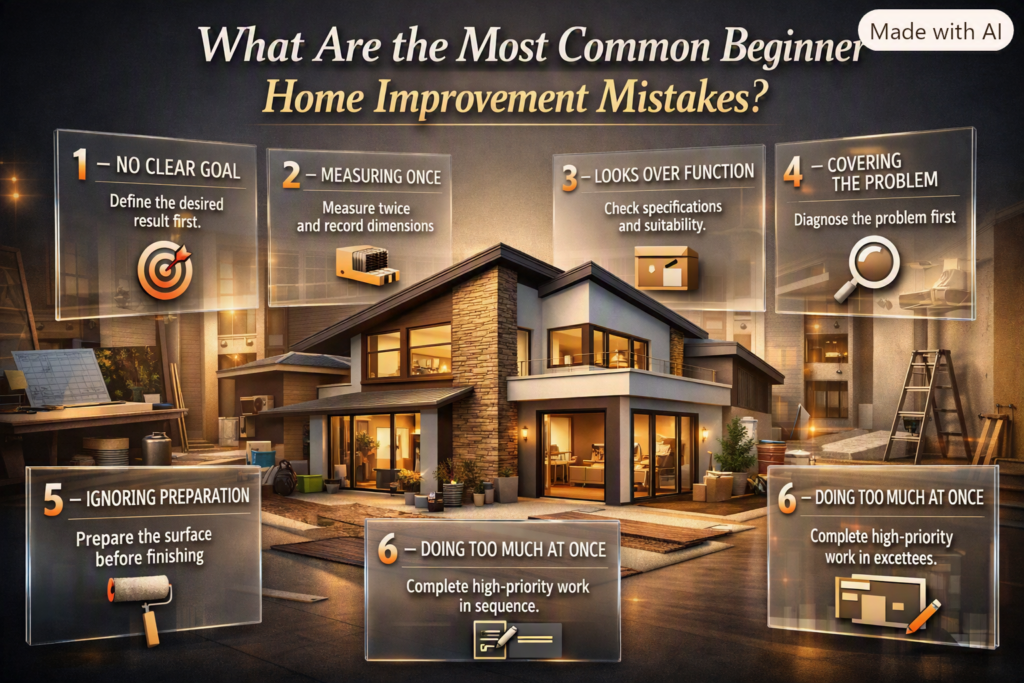
A structured process makes the project easier and prevents unnecessary spending.
Step 1: Define Your Work
Write down the tasks you perform most frequently.
What to do: List equipment, documents, meetings, creative tasks, and storage requirements.
Why it matters: Your workflow determines the room’s priorities.
Professional advice: Don’t design for an imaginary perfect office. Design for your real working day.
Step 2: Measure Everything
Record wall lengths, window positions, door swings, outlets, and fixed features.
Common mistake: Measuring only the desk area.
Step 3: Create a Layout
Mark the desk, chair, storage, and movement paths.
What to do: Test different desk positions before purchasing.
Quick example: A desk perpendicular to a window may provide better screen visibility than one directly facing it.
Step 4: Choose the Desk
Match the desk to your equipment.
Professional advice: Prioritize usable surface area and appropriate depth.
Step 5: Choose the Chair
Select based on adjustability and support.
Step 6: Plan Lighting
Identify where natural light enters and add task lighting where necessary.
Step 7: Add Storage
Store daily-use items near the desk and less frequently used items elsewhere.
Step 8: Install Technology
Position monitors, chargers, cables, and other devices as a coordinated system.
Step 9: Add Personality
Once the workspace functions properly, add color, plants, artwork, and decorative elements.
Step 10: Test the Office
Use the workspace for several days.
Notice what annoys you.
Does the printer feel too far away?
Does the desk feel too shallow?
Is the light uncomfortable?
Are cables still visible?
Does storage fill too quickly?
Fix those issues before considering the design finished.
Can DIY Projects Improve a Functional Home Office?
Absolutely. Some of the most useful office improvements can be completed without replacing major furniture.
For example, you might:
- Build a floating shelf
- Refinish an old cabinet
- Create a cable-management channel
- Add a pegboard
- Paint an accent wall
- Build a simple monitor riser
- Repurpose a storage box
- Create a custom stationery organizer
These projects can be particularly useful when the office has unusual dimensions or a limited budget.
If you’re interested in practical upgrades you can complete yourself, explore DIY Home Projects.
The important principle is to improve functionality rather than creating projects simply for decoration.
How Can Sustainability Fit Into a Functional Home Office?
A sustainable office doesn’t require buying an expensive collection of environmentally marketed products. Often, the most sustainable decision is to use what you already have more intelligently and purchase fewer but more durable items.
Consider:
- Reusing existing furniture
- Repairing furniture instead of replacing it
- Choosing durable materials
- Using energy-efficient lighting
- Reducing disposable office products
- Buying only necessary equipment
- Choosing furniture that can adapt to future needs
A desk that lasts ten years may be a better long-term choice than a cheaper desk that needs replacing repeatedly.
Sustainability also includes energy use.
Turning off unnecessary equipment, using efficient lighting, and avoiding excessive standby consumption can reduce waste over time.
For broader ideas about environmentally conscious homes and materials, explore Sustainable Home Design.
How Can You Make the Office Look Expensive Without Spending Too Much?
A sophisticated office usually depends more on consistency than price.
Choose a small number of finishes and repeat them.
For example:
- Warm wood + soft neutral walls
- Black accents + light furniture
- Natural textures + muted colors
- White surfaces + warm lighting
Avoid mixing too many unrelated finishes.
You can also improve the appearance of the room through small details:
- Matching storage containers
- Concealed cables
- Consistent hardware
- Framed artwork
- A quality desk lamp
- One or two healthy plants
- Clean surfaces
A tidy, coherent room often looks more expensive than a room filled with costly but unrelated objects.
Functional Home Office vs. Beautiful Home Office
The two goals don’t need to conflict.
| Feature | Function-first approach | Decoration-first approach |
| Desk | Chosen for work requirements | Chosen mainly for appearance |
| Chair | Comfort and support | Style |
| Lighting | Task and visual comfort | Atmosphere |
| Storage | Based on workflow | Based on visual appeal |
| Technology | Planned into layout | Added afterward |
| Decoration | Added selectively | Often prioritized |
| Long-term usability | High | Depends on planning |
The strongest result combines both approaches.
Function creates the foundation.
Design creates personality.
Neither should eliminate the other.
How Can You Improve an Existing Home Office Without Starting Over?
You don’t always need a complete renovation.
Start by identifying the three biggest problems.
For example:
Problem 1: Desk feels crowded.
Solution: Remove rarely used equipment and add a small storage system.
Problem 2: Screen glare.
Solution: Change the monitor angle or desk position.
Problem 3: Cables are visible.
Solution: Install an under-desk cable tray and secure loose wires.
After fixing the major problems, reassess the room.
This approach is usually more effective than replacing everything at once.
If your office is part of a larger renovation or home refresh, you can also explore the broader resources available from DesignMode24 Interior Design.
What Should You Spend More Money On?
Not every part of the office deserves the same budget.
If money is limited, prioritize things you physically interact with for long periods.
A reasonable priority order is:
- Comfortable chair
- Suitable desk
- Appropriate lighting
- Reliable technology
- Practical storage
- Decorative accessories
This isn’t a universal rule, but it reflects a useful principle:
Spend more on things that directly affect everyday use.
A decorative object can make the room prettier, but it won’t fix an uncomfortable chair.
What Should You Avoid Buying?
Avoid products that solve problems you don’t actually have.
For example, you may not need:
- Multiple desk organizers
- Excessive decorative shelving
- Large filing cabinets for digital-only work
- Oversized desks
- Too many lighting fixtures
- Unnecessary technology accessories
Before buying anything, ask:
What problem does this solve?
If you can’t answer clearly, you probably don’t need it.
How Should You Organize a Functional Home Office for Daily Use?
Think of the desk as the center of a workflow rather than simply a piece of furniture.
Items you use every few minutes should be close.
Items you use once a day can be slightly farther away.
Items you use once a month should not occupy prime workspace.
This creates a simple hierarchy:
High frequency → Close
Medium frequency → Nearby
Low frequency → Stored away
This principle can make even a modest office feel significantly more efficient.
How Do You Keep the Office Functional Over Time?
An office doesn’t stay organized automatically.
Your needs will change.
You may get a new monitor, change jobs, buy additional equipment, or start handling more paperwork.
Review the workspace periodically.
Every few months, ask:
- What am I no longer using?
- What has become difficult to reach?
- Which cables are unnecessary?
- Is storage still sufficient?
- Is the desk still large enough?
- Does the lighting still work?
- Is anything causing repeated frustration?
Remove things that no longer serve a purpose.
A functional office should evolve with you.
Functional Home Office Checklist
Before calling your workspace complete, review the following:
- The desk fits comfortably in the room.
- There is enough clear desk space for actual work.
- The chair provides appropriate support.
- The monitor is positioned comfortably.
- Natural light doesn’t create excessive screen glare.
- Task lighting is available where needed.
- Frequently used supplies are easy to reach.
- Storage prevents desk clutter.
- Cables are routed safely and neatly.
- Power outlets are accessible.
- The workspace allows comfortable movement.
- Video-call positioning has been considered if necessary.
- The room has enough flexibility for future needs.
- Decorative elements don’t interfere with functionality.
- The office feels comfortable enough to use every day.
How do you make a home office more functional?
Making a home office functional starts with designing around your daily workflow rather than simply adding attractive furniture. The desk should have enough space for your equipment, the chair should support comfortable working, frequently used items should be easy to reach, and storage should prevent the workspace from becoming cluttered. Lighting and technology placement also need to work together instead of being treated as separate details.
A practical approach is to organize the room into clear priorities:
Work zone: Desk, chair, monitor, keyboard and mouse
Storage zone: Documents, stationery and equipment
Technology zone: Chargers, cables, printer and accessories
Lighting zone: Natural light, ambient lighting and task lighting
Personal zone: Plants, artwork and decorative elements
The biggest improvement often comes from removing friction. If you constantly reach for your printer, search for documents, fight screen glare, or move things around to create desk space, those are signs that the layout needs adjustment. A functional office should make your normal routine easier, not require you to constantly adapt to the room.
What is the best desk setup for a functional home office?
The best desk setup keeps your primary screen directly in front of you, places the monitor roughly an arm’s length away, and positions the keyboard and mouse so your arms and wrists can remain comfortable. Your desk should also provide enough clear surface for the work you actually perform rather than being filled with decorative objects or rarely used equipment.
For a laptop-based setup, consider raising the laptop with a stand and using an external keyboard and mouse. This allows the screen and input devices to be positioned more independently. If you use multiple monitors, identify your primary screen and place it centrally rather than constantly turning toward a secondary display.
A good setup should also leave sufficient space around the desk. Don’t push furniture so tightly against walls or storage units that you can’t pull the chair back comfortably.
A practical desk setup should include:
Monitor at a comfortable viewing height
Keyboard and mouse within easy reach
Enough depth for comfortable screen positioning
Clear space for writing or other work
Accessible power outlets
Organized cables
Adequate lighting
Enough room behind the chair for movement
The important point is that desk ergonomics is a system. Buying a good desk alone won’t fix a monitor that’s too low or a chair that’s incorrectly adjusted.
How do you make a small home office functional?
A small home office becomes functional when you use the available space deliberately instead of trying to fit too much furniture into it. Start with the essential work zone, then use vertical storage, compact furniture, wall-mounted solutions, and multipurpose pieces to provide additional functionality without sacrificing floor space. Current small-space office design is increasingly focused on built-in storage, multifunctional furniture, and keeping clutter concealed.
For a compact room, think vertically. A tall storage cabinet may provide more useful capacity than a wide cabinet, while floating shelves can provide storage without taking up valuable floor space.
You can also consider:
A shallow-depth desk
Floating or wall-mounted desk
Vertical shelving
Under-desk drawers
Monitor arms
Fold-away furniture
Closed storage for visual clutter
Multipurpose furniture
Don’t automatically assume that a smaller room needs smaller functionality. It needs better prioritization.
Keep the things you use every day close to the desk. Move occasional items into higher or less accessible storage. Anything you rarely use shouldn’t occupy valuable workspace.
One of the biggest mistakes is filling every available corner. Leaving some open floor area can make the room easier to move through and visually larger.
How should you arrange lighting in a functional home office?
A functional home office should combine natural light, general room lighting, and focused task lighting. The most important consideration is controlling glare. Ideally, position the monitor so windows and strong light sources aren’t directly reflecting into the screen; placing the monitor perpendicular to a window is often a practical solution.
Natural daylight can make an office feel brighter and more pleasant, but direct sunlight can create strong reflections and changing brightness throughout the day. Blinds or curtains can help you control those changes.
For task lighting, place the lamp where it illuminates paperwork or your working surface without reflecting directly from the monitor.
A simple lighting strategy is:
Natural light: General daytime illumination
Ambient light: Overall room visibility
Task light: Reading, writing and detailed work
Screen positioning: Reduce direct reflections
Don’t make the common mistake of using a very bright ceiling fixture as the only light source. The room may technically be bright, but the contrast between the screen and surrounding environment can still be uncomfortable.
The best lighting setup is one you can adjust throughout the day as daylight changes.
What lighting is best for a functional home office?
Good lighting should make the workspace comfortable to use while preventing glare on the screen. Natural light is valuable, but the position of the desk matters. Placing a monitor directly in front of a bright window or directly opposite one can create unwanted reflections and contrast, making the screen harder to view. A window positioned to the side is generally a more practical arrangement.
A functional office benefits from layered lighting rather than relying on one ceiling fixture. Ambient lighting illuminates the room, task lighting provides focused light for reading and paperwork, and a smaller light can improve your appearance during video meetings. Adjustable or dimmable lighting is particularly useful because your requirements change between daytime computer work and evening tasks.
For better home-office lighting:
Use natural light where possible
Position windows to minimize screen glare
Add a focused desk or task lamp
Avoid extremely bright light directly behind the monitor
Use adjustable lighting for different times of day
Keep the room and screen brightness reasonably balanced
Take regular visual breaks during long screen sessions
Lighting is often treated as decoration, but in a functional home office, it is part of the working environment itself.
Conclusion
A functional home office is more than a desk and chair placed in an empty room. It’s a workspace designed around the way you actually work, with the right balance of comfort, organization, lighting, storage, technology, and personal style. Whether you have a dedicated room or a small corner of your bedroom or living area, thoughtful planning can make the space significantly more practical.
Start with the essentials: choose a desk that gives you enough working space, position your monitor comfortably, invest in a supportive chair, control natural and artificial lighting, and keep everyday items within easy reach. Then use smart storage and cable management to prevent clutter from taking over the workspace.
The best results don’t necessarily require expensive furniture or a complete renovation. Sometimes moving the desk, improving the lighting, adding vertical storage, or removing unnecessary items can make a bigger difference than buying something new.
Most importantly, let function come before decoration. Once the workspace works well, you can add colors, artwork, plants, textures, and other personal touches to make it feel like part of your home.
A well-designed home office should make your daily work easier, more comfortable, and more organized. Design it for the way you live and work today, while leaving enough flexibility for tomorrow.
Leave a Reply