Introduction
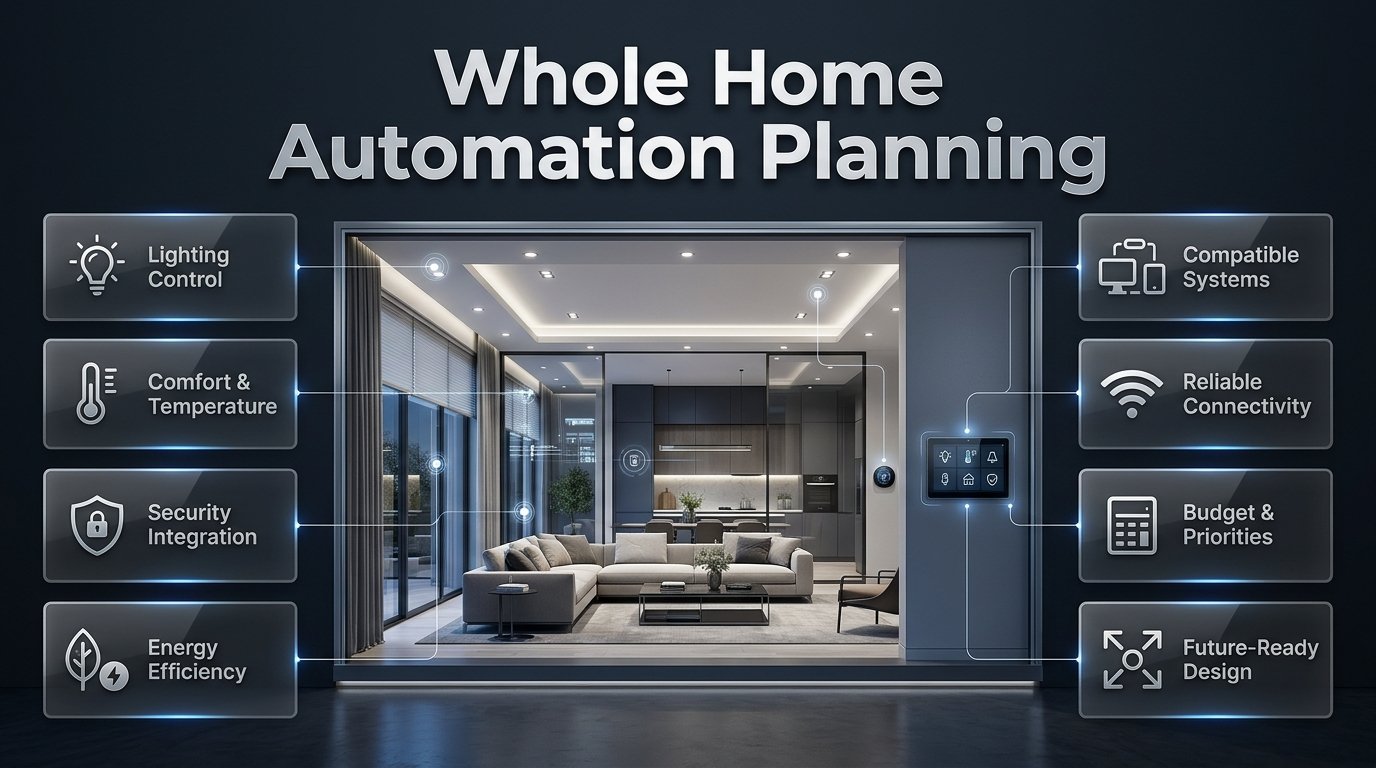
Whole Home Automation Planning | Modern homes are expected to do more than look attractive. Homeowners want better lighting, comfortable temperatures, improved security, energy efficiency, and convenient controls that make everyday routines easier. However, when smart devices are purchased without a clear plan, the result can be a collection of disconnected products rather than a home that works intelligently.
Whole home automation planning helps you avoid that problem by organizing technology around your property’s layout, household routines, budget, and long-term needs. Instead of choosing gadgets one by one, you create a coordinated plan for lighting, climate control, security, motorized window treatments, entertainment, and other connected systems.
At DesignMode24 Interior Design, thoughtful home planning means considering how functionality, technology, and interior design work together. A well-designed smart home should feel comfortable and natural to use, with technology that supports your lifestyle instead of making everyday activities more complicated.
In this guide, you’ll learn how to plan a complete home automation system, choose compatible devices, prepare your electrical and network infrastructure, estimate costs, improve security, and avoid the mistakes that commonly affect smart home projects.
1. What Is Whole Home Automation Planning?
Whole home automation planning is the process of designing a connected system in which compatible household devices work together through a shared platform, controller, or set of automation rules. It involves selecting suitable technologies, organizing devices by room, planning connectivity, and deciding how different systems should respond to everyday activities.
The objective isn’t to automate every possible function. It’s to create a reliable home environment that provides convenience, comfort, security, and control without unnecessary complexity.
A complete automation plan may include:
- Smart lighting, dimmers, and automated switches.
- Heating, ventilation, and air conditioning controls.
- Motorized blinds, shades, and curtains.
- Smart locks, door sensors, and security cameras.
- Occupancy, temperature, humidity, and leak sensors.
- Voice assistants and centralized control panels.
- Compatible appliances and entertainment equipment.
- Energy monitoring and selected water-management systems.
Consider a family that wants to simplify its evening routine. Instead of manually adjusting several lights, closing blinds, changing the thermostat, and checking the front door, the family can use a coordinated routine to manage supported devices together.
The individual devices still perform their own functions, but the planning process determines how they interact.
Why does a whole-home approach matter?
A room-by-room shopping approach can create compatibility problems. One lighting system might require a particular hub, another device might depend on cloud access, and a third might not integrate with the chosen voice assistant.
Whole-home planning identifies these requirements before money is spent.
It also helps homeowners make better decisions about physical infrastructure. A motorized blind may need a suitable power supply, while a smart lighting system may require specific switches or wiring arrangements. Addressing these details early is usually easier than correcting them after renovation work is complete.
2. What Should You Decide Before Buying Smart Home Devices?
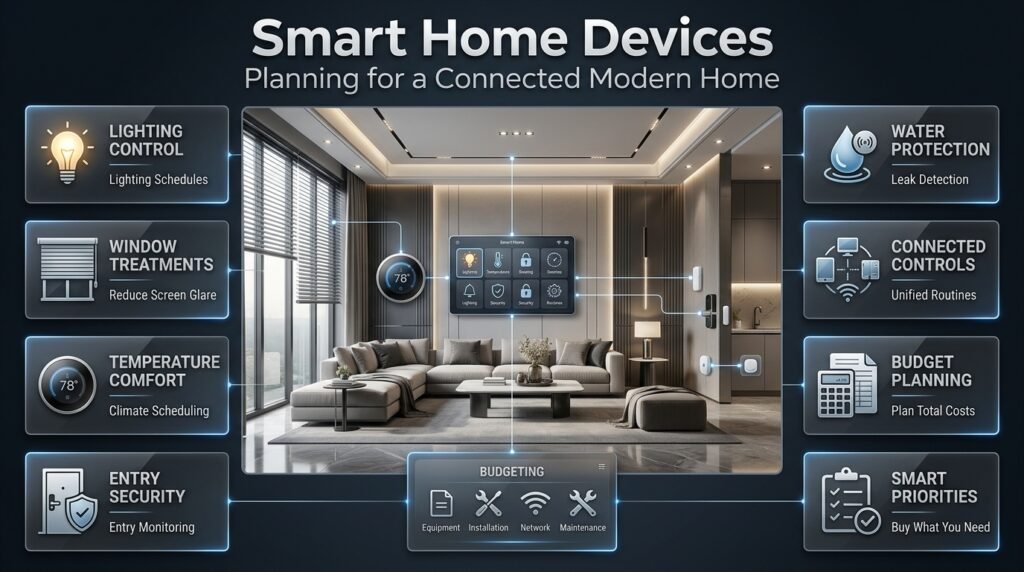
Before purchasing equipment, establish what you want your home to do, which functions matter most, and how much control you want over the system.
Start by examining your existing routines rather than browsing product catalogs. This helps you separate genuine household needs from features that look impressive but offer little practical value.
Identify your most important household needs
Walk through your home at different times of the day and identify tasks that could be made easier.
For example, you might notice that hallway lights are frequently left on, afternoon sunlight creates glare on television screens, bedrooms become uncomfortable overnight, or family members regularly forget to secure an entrance.
Each issue suggests a potential automation.
| Household problem | Possible solution | Expected benefit |
|---|---|---|
| Lights remain on in empty rooms | Suitable occupancy sensors or schedules | Less unnecessary lighting |
| Afternoon glare affects screens | Motorized blinds with suitable controls | Better visual comfort |
| Temperature changes throughout the day | Compatible thermostat scheduling | More consistent comfort |
| Doors are difficult to monitor | Door sensors and compatible smart locks | Improved awareness of entry activity |
| Water leaks go unnoticed | Leak sensors and suitable alerts | Earlier warning of potential damage |
| Multiple controls are inconvenient | Coordinated scenes or routines | Easier daily operation |
Not every solution needs to be fully automated. A well-positioned physical switch may solve a problem more effectively than a complicated sensor arrangement.
Establish a realistic budget
Your budget should cover more than the devices themselves. Include installation, electrical work, network upgrades, programming, subscriptions, and future maintenance.
For major renovations, also consider the cost of preparing wiring and power access for equipment you may install later.
A sensible budget prioritizes the foundation first, followed by essential functions and optional enhancements.
Pro Tip: List your five most important automation goals before selecting products. If a device doesn’t support one of those goals or provide a clear additional benefit, reconsider whether you need it.
3. How Do You Choose the Right Smart Home Platform?
A smart home platform connects compatible devices and provides the interface through which you control them. Depending on the system, this may be a mobile application, voice assistant, dedicated controller, or combination of interfaces.
The right platform depends on your device requirements, technical preferences, budget, and expectations for local operation.
Compare the available connectivity technologies
Different communication technologies serve different purposes. Some connect devices directly to a home network, while others create low-power wireless networks for sensors, switches, and accessories.
| Technology | Typical role | Main consideration |
|---|---|---|
| Wi-Fi | Connects many smart devices to the home network | Coverage and network capacity |
| Zigbee | Connects compatible low-power automation devices | Usually requires a compatible coordinator or hub |
| Z-Wave | Supports compatible home automation devices | Regional frequency and product compatibility |
| Thread | Provides low-power mesh networking | Requires compatible Thread infrastructure |
| Bluetooth | Supports nearby connections and device setup | Range and whole-home coverage |
| Ethernet | Provides wired network connections | Requires suitable cabling |
These technologies can coexist in one property. For example, a homeowner might use Wi-Fi for selected cameras, Ethernet for a controller, and Thread for compatible sensors.
The important consideration is whether the devices can communicate through the intended platform.
What is Matter, and should you consider it?
Matter is an interoperability standard intended to help compatible smart home devices work across supported ecosystems. Thread, by comparison, is a networking technology that some Matter devices use to communicate.
Matter can simplify product selection, but it doesn’t guarantee that every device will support every feature in every ecosystem. Some functions may depend on the controller, software version, device category, or manufacturer’s implementation.
Before buying, check:
- Whether the exact device model is supported.
- Whether a hub or border router is necessary.
- Which features are available through your chosen platform.
- Whether essential routines can run locally.
- How firmware updates and long-term support are handled.
Choose a platform based on the complete system you want to build, not just the convenience of one application.
Should every device come from one manufacturer?
Not necessarily. Products from different manufacturers can work together when suitable integrations and standards are supported.
However, mixing brands without checking compatibility can create unnecessary troubleshooting. Some integrations allow basic on-and-off control but don’t expose advanced features such as detailed sensor readings, specialized scenes, or device-specific settings.
Create a shortlist of essential products and verify their compatibility before purchasing optional equipment.
4. How Should You Plan Home Automation Room by Room?
Room-by-room planning translates your overall goals into practical decisions about device placement, controls, power, and daily use. Each room has different lighting requirements, movement patterns, privacy needs, and environmental conditions.
Living room: Comfort and flexible lighting
Living rooms often support several activities, including watching television, reading, entertaining guests, and relaxing.
A practical system may include dimmable lighting, separate lighting zones, motorized blinds, and compatible entertainment controls.
Create distinct zones for ambient lighting, task lighting, and accent lighting. This allows you to adjust the atmosphere without turning every light on or off together.
For example, a movie scene might dim overhead lights, switch off selected accent lights, and close blinds. A reading scene could instead provide brighter illumination near a chair.
Sensor placement is particularly important in living rooms. A sensor that cannot detect someone sitting still may switch off lights during a film. Test sensor coverage and adjust settings before relying on automatic control.
Kitchen: Task lighting and practical safety
Kitchen automation should improve visibility and make routine tasks easier.
Useful features include under-cabinet lighting, pantry sensors, appropriately rated switches, and leak detection near vulnerable plumbing connections.
Separate task lighting from decorative lighting so that food preparation remains comfortable and well illuminated.
Pay attention to appliance compatibility. A smart plug should only operate equipment when its electrical rating, intended use, and manufacturer’s instructions permit it. Permanently installed or high-power appliances may require specialized controls installed by a qualified electrician.
Bedroom: Quiet and predictable routines
Bedroom automation should support rest and convenience without creating unnecessary interruptions.
Consider bedside controls, gradually brightening lights, automated blackout blinds, and temperature schedules that suit the occupants.
A bedtime routine might turn off selected lights and adjust the thermostat while leaving essential pathways or security-related functions unaffected.
Always retain accessible manual controls. A bedroom should remain easy to use if a mobile phone is unavailable or the network temporarily fails.
Bathroom: Humidity and leak monitoring
Bathrooms benefit from suitable ventilation controls, convenient lighting, and early leak detection.
A compatible humidity sensor may help control a suitable ventilation system, while a leak sensor can provide an alert if water collects near a vulnerable fixture.
Use devices specifically rated for their installation environment. Electrical work near water must comply with applicable safety requirements and local codes.
Hallway and entryway: Arrival and departure
Hallways and entrances are natural locations for occupancy sensors, lighting schedules, door contacts, and compatible smart locks.
An arrival routine might turn on selected entrance lights when someone enters during dark hours.
A departure routine could switch off unnecessary lighting, adjust the climate settings, and arm selected security devices.
Avoid designing routines that lock occupants out or make normal entry unnecessarily difficult. Keep a dependable backup method for essential access.
For additional ideas on organizing the entrance, see Entryway Storage Capacity Planning. A well-organized entryway can complement automated lighting and access controls by keeping everyday essentials easy to reach.
Home office: Focus and glare management
A smart office can coordinate task lighting, temperature, and window treatments.
Motorized blinds can help reduce glare on computer screens, while lighting scenes can provide suitable illumination for video meetings or focused work.
Avoid aggressive automation that changes brightness repeatedly or adjusts the temperature whenever a sensor detects a minor movement. Office controls should remain stable and predictable during work.
5. How Do You Plan Smart Lighting Throughout the Home?
Lighting is often one of the most useful starting points for whole-home automation because it affects comfort, visibility, atmosphere, and everyday convenience.
The key is to plan lighting zones, control methods, and scenes before selecting individual products.
Create separate lighting zones
A lighting zone is a group of lights that should operate together. Typical examples include kitchen task lighting, living-room ambient lighting, bedside lights, and hallway illumination.
For each zone, decide whether you need:
- Simple on-and-off control.
- Dimming.
- Scheduled operation.
- Occupancy-based activation.
- Daylight-responsive adjustment.
- Integration into larger scenes.
Separate zones allow you to create different lighting conditions without unnecessary energy use or visual clutter.
Choose compatible bulbs, switches, and dimmers
Smart bulbs and smart switches operate differently.
A smart bulb usually needs continuous power to remain connected. If someone turns off its physical wall switch, app control may stop working until the switch is restored.
A smart switch can provide convenient physical control, but its compatibility depends on the electrical installation, connected lighting, and manufacturer’s requirements.
Before buying, verify whether the switch requires a neutral wire, supports the intended load, and is compatible with the selected bulbs or fixtures.
Use scenes that match real activities
Useful scenes might include:
- Morning lighting for getting ready.
- Cooking lighting for food preparation.
- Evening lighting for relaxation.
- Entertaining lighting for guests.
- Night lighting for safe movement.
- Away lighting for selected security or occupancy purposes.
Scenes should be simple enough that household members can understand and adjust them.
For related decorating guidance, Understanding Furniture Proportions can help you consider how furniture scale, lighting placement, and room layout influence one another.
6. How Do You Integrate Automated Window Treatments?
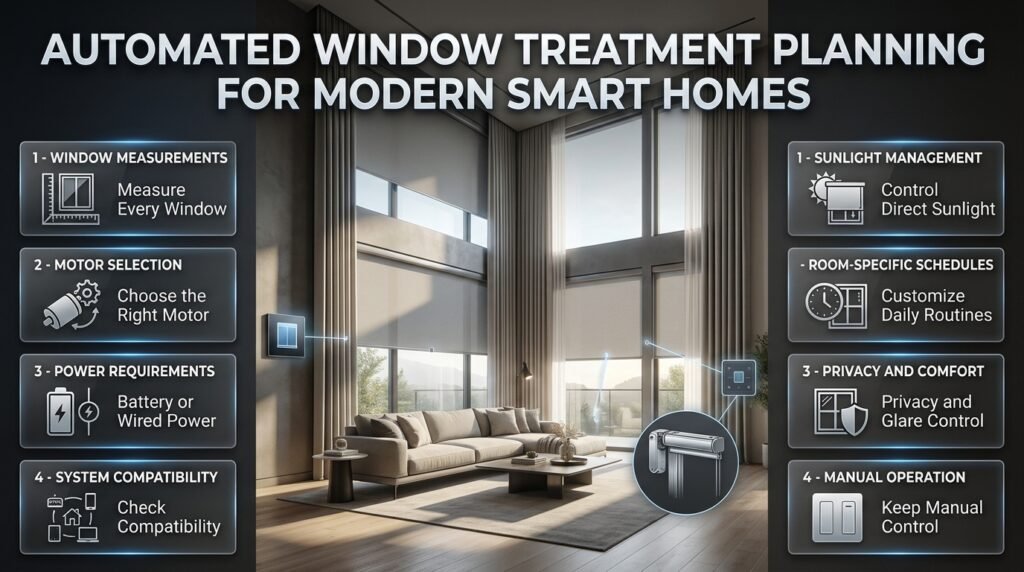
Motorized blinds, shades, and curtains can improve privacy, reduce glare, and help manage sunlight. Their effectiveness depends on window orientation, glazing, room use, motor selection, and control compatibility.
Plan window treatments early, especially during renovations or new construction.
Measure the windows and assess power requirements
Record each window’s dimensions, mounting arrangement, surrounding obstructions, and desired coverage.
Determine whether the selected motor is battery-powered, rechargeable, or designed for a fixed power supply. Confirm how it communicates with the automation platform and whether a hub is required.
For large or frequently used window treatments, consider the convenience of maintenance and access to the motor.
Coordinate blinds with sunlight and temperature
A sunny room may benefit from closing selected shades during periods of intense sunlight. Another room may need daylight for comfort or to reduce reliance on artificial lighting.
Avoid applying one schedule to every window. Different orientations and room functions can require different responses.
For instance, a bedroom may prioritize privacy in the morning, while a home office may need glare control during afternoon meetings.
Explore Automated Window Treatment Planning for more detailed guidance on coordinating motorized coverings with the home’s design and daily routines.
Keep manual control available
Window treatments should remain usable when automation is unavailable. Depending on the product, this may involve a physical control, supported local operation, or an appropriate backup procedure.
Also consider children, pets, furniture placement, and access for cleaning. Motorized systems should be selected and installed according to the manufacturer’s safety instructions.
7. How Should You Plan Wi-Fi, Wiring, and Network Coverage?
A reliable network is essential for many connected home devices. Weak signals, poorly positioned equipment, interference, and unsuitable router configurations can make a system unreliable even when individual products are working correctly.
Map the home before installation
Identify the planned locations of controllers, cameras, sensors, access points, and network-connected equipment.
Pay attention to areas where coverage may be difficult, including basements, upper floors, garages, thick masonry walls, and exterior entrances.
Wireless range specifications are not guarantees of real-world performance. Building materials, distance, interference, and device placement can significantly affect connectivity.
Decide where Ethernet makes sense
Wired connections can be useful for stationary equipment that benefits from stable network access.
Consider suitable Ethernet connections for controllers, network switches, access points, and supported cameras. If construction work is planned, installing appropriate cabling or conduit may be easier before walls are closed.
A practical infrastructure plan should also include:
- A suitable location for network equipment.
- Accessible electrical outlets.
- Ventilation around equipment.
- Clearly identified cables.
- Space for future connections.
- Backup power where justified.
Should smart devices use a separate network?
Network segmentation can help separate smart devices from computers and other sensitive equipment. Some routers support guest or IoT networks for this purpose.
However, isolation must be configured carefully because certain smart home systems rely on local device discovery and communication.
Test the system after making network changes, especially if automations depend on a central controller.
8. How Much Does Whole Home Automation Cost?
Whole-home automation costs vary according to property size, device quantity, installation requirements, network infrastructure, and system complexity.
A basic wireless setup may be relatively affordable, while an extensively integrated property with custom lighting controls, centralized equipment, motorized shades, and professional programming can require a much larger investment.
| Project level | Relative cost | Typical features |
|---|---|---|
| Starter setup | Low | A few smart bulbs, plugs, and sensors |
| Room-based automation | Low to moderate | Multiple lighting zones and basic routines |
| Multi-room system | Moderate | Lighting, climate controls, selected security devices, and network improvements |
| Extensive whole-home installation | High | Centralized controls, structured cabling, motorized treatments, and complex integrations |
These categories are comparative, not fixed price quotations.
What affects the budget?
Device quantity: Every additional device can increase hardware, configuration, and maintenance requirements.
Electrical installation: New wiring, specialized switches, and electrical upgrades may add significant costs.
Window treatments: Custom sizing, motor selection, and power access can increase expenses.
Network infrastructure: Cabling, switches, access points, and controller equipment may be necessary.
Professional programming: Complex scenes and integrations require planning, configuration, and testing.
Recurring costs: Some monitoring, cloud services, and advanced features require subscriptions.
How can you control spending?
Start with infrastructure and functions that deliver clear benefits.
- Establish reliable network coverage.
- Automate the most frequently used lighting zones.
- Add climate controls where compatible.
- Address essential security and leak-detection needs.
- Expand into window treatments and entertainment.
- Add advanced integrations only when their benefits justify the cost.
Avoid buying every device at once. A phased approach allows you to test performance and identify compatibility issues before committing to a larger installation.
9. How Can You Make Smart Home Automation More Energy Efficient?
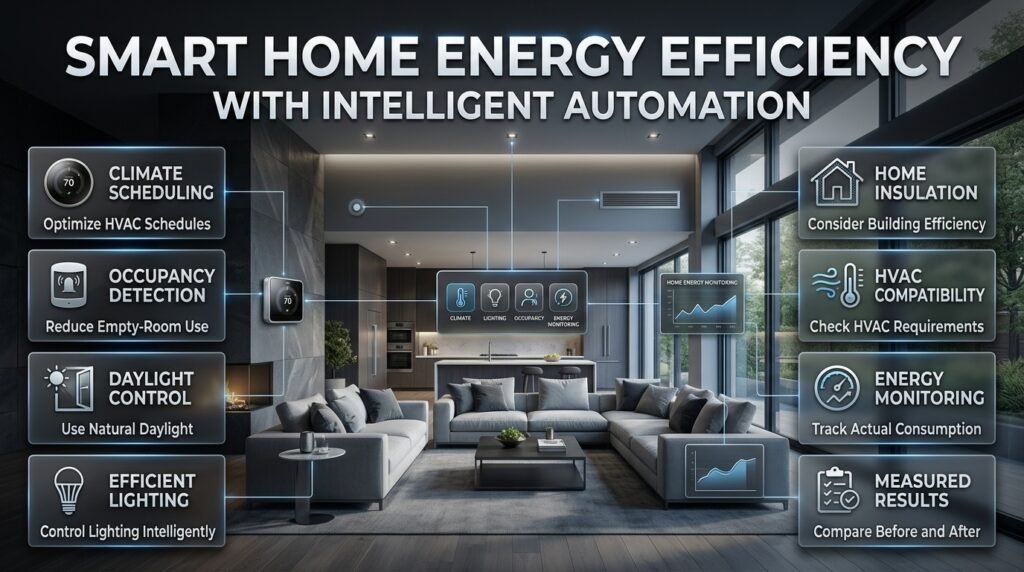
Automation can help reduce unnecessary energy use by coordinating lighting, heating, cooling, and selected appliances with actual household needs.
However, savings depend on the property’s existing efficiency, climate, equipment, energy prices, and how the system is configured.
Use climate controls intelligently
A compatible thermostat can adjust heating or cooling schedules when the home is unoccupied and restore a comfortable setting before occupants return.
Avoid extreme settings that make the home uncomfortable or cause the equipment to work inefficiently. Consider the building’s insulation, the type of HVAC system, and the time required to reach a comfortable temperature.
Use daylight and occupancy information
Occupancy-based lighting can reduce unnecessary operation in suitable areas, while daylight-responsive controls may lower artificial lighting when natural light is sufficient.
The key is choosing appropriate sensors and settings. A poorly positioned occupancy sensor may switch off lights while someone is sitting still, creating frustration rather than efficiency.
Monitor results instead of assuming savings
Establish a baseline using existing energy bills or available monitoring data. After implementing automation, compare consumption and comfort.
Look for changes that are measurable and repeatable. Avoid assuming that every smart product automatically reduces electricity use, since connected devices also consume some power.
For related home improvement guidance, visit Home Improvement, where practical improvements can complement a broader approach to managing a property’s comfort and functionality.
10. How Should You Protect a Connected Home?
Smart home security requires attention to devices, accounts, networks, privacy, and physical access. A connected lock or camera can provide useful control, but poor configuration may introduce avoidable risks.
Secure accounts and connected devices
Use unique passwords and enable multifactor authentication where available. Install security updates, remove unused integrations, and review permissions regularly.
Choose products from manufacturers that explain their update policies and support arrangements.
Avoid sharing administrator credentials with every household member. Where possible, use individual accounts or appropriately limited permissions.
Plan for outages and device failures
Ask what happens if the internet connection fails, a controller restarts, or a sensor battery becomes depleted.
Where supported, local automation can keep selected routines running during internet outages. Essential access should also have a dependable alternative if a smart lock or mobile application becomes unavailable.
Don’t make smoke alarms, carbon-monoxide alarms, or other life-safety functions dependent on general-purpose smart home routines. Use suitable certified equipment and follow applicable safety requirements.
Consider privacy before installing cameras
Think carefully about camera placement, recording settings, and who can access footage.
Avoid unnecessary recording of neighboring private areas, and check applicable local rules for surveillance and audio recording.
A secure installation should protect both the property and the privacy of people who live in or visit it.
11. How Do You Make Automation Fit the Interior Design?
Technology should complement the home’s architecture, furniture, materials, and visual character.
A room can contain excellent smart devices and still feel poorly designed if controls are awkwardly placed, sensors interrupt the visual balance, or equipment is difficult to access.
Coordinate controls with room layouts
Place switches and control panels where people naturally expect them. Consider how furniture placement, door swings, and circulation routes affect accessibility.
Sensors should be positioned for effective coverage rather than appearance alone. Equipment cabinets should provide suitable ventilation and access for maintenance.
When planning a renovation, coordinate these decisions with the electrical and interior design plans before installation begins.
Select finishes and furniture thoughtfully
Smart technology does not require a futuristic-looking interior. Discreet controls, suitable finishes, and carefully integrated lighting can work with traditional, contemporary, minimalist, and Japandi-inspired spaces.
For inspiration, explore Japandi Furniture Proportions, which can help you think about visual balance and the relationship between furniture and available space.
If you are planning built-in furniture or display areas, Wall Shelves Ideas can also help you consider how storage, decorative objects, and technology should share wall space.
Avoid overloading rooms with technology
Not every room needs a screen, voice assistant, motion sensor, and smart accessory.
Install equipment where it solves a specific problem. A simple wall switch may be the most effective control for a rarely used light, while a coordinated scene may be valuable in a frequently used living area.
The objective is a comfortable home, not the highest possible device count.
12. What Are the Most Common Whole Home Automation Planning Mistakes?
Many smart home projects become frustrating because the owner prioritizes features over compatibility, reliability, and usability.
| Mistake | Why it causes problems | Better approach |
|---|---|---|
| Buying devices before selecting a platform | Products may not integrate properly | Verify compatibility first |
| Relying on weak Wi-Fi coverage | Devices may disconnect or respond slowly | Assess coverage and improve infrastructure |
| Automating every function | Routines can become confusing or intrusive | Start with essential activities |
| Removing all physical controls | Household members may struggle during failures | Keep accessible manual controls |
| Ignoring wiring requirements | Future upgrades may require additional work | Prepare infrastructure during renovations |
| Choosing only by purchase price | Poor support or integration can increase long-term costs | Consider reliability and lifecycle costs |
| Neglecting security updates | Devices and accounts may become more vulnerable | Maintain a regular security routine |
| Skipping real-world testing | Sensors may behave incorrectly in normal use | Test every important routine |
Why does overautomation become a problem?
An automation may look sensible in theory but behave poorly in everyday conditions.
For example, a motion sensor may switch off a living-room light when everyone is sitting quietly. A scheduled blind may close during a video meeting when natural light is still needed.
These problems happen when the automation rules fail to account for actual behavior.
Improve the system through suitable sensor placement, appropriate delays, manual overrides, and activity-specific settings where supported.
Why should you avoid choosing products only by price?
A low-cost device may be perfectly suitable for a simple task, but purchase price alone doesn’t reveal compatibility, update support, installation requirements, or reliability.
Evaluate the complete cost of ownership, including replacement options and the effort needed to maintain the device.
Choose products that meet your actual requirements rather than paying extra for features you won’t use.
13. What Should You Ask an Automation Installer Before Starting?
A professional installer can help coordinate wiring, networking, compatible devices, and complex automation routines. However, homeowners should understand the proposed system before approving the work.
Ask the installer to explain the following:
- Which platform will control the system?
- Which devices and functions are compatible?
- What will continue working without internet access?
- Are electrical or structural changes required?
- How will the system be tested?
- What happens if a controller or device fails?
- Are subscriptions or recurring service fees required?
- Who will manage software updates and troubleshooting?
- Will you receive configuration documentation?
- How can the system be expanded later?
Request a written scope that identifies hardware, installation work, programming, warranties, and support arrangements.
If the project includes substantial design changes, Interior Designer Contract Essentials can help you understand the importance of documenting responsibilities, deliverables, and expectations.
You can also use Questions to Ask an Interior Design Consultant when coordinating the automation plan with broader interior design decisions.
Clear communication reduces misunderstandings and makes it easier to compare proposals fairly.
14. How Do You Future-Proof a Whole Home Automation System?
Future-proofing means making reasonable decisions today so that the system can evolve without requiring unnecessary rebuilding.
No platform or device can be guaranteed to remain compatible forever. Manufacturers change products, software evolves, and support policies vary. A practical plan therefore emphasizes flexibility rather than dependence on a single feature.
Prepare the physical infrastructure
During renovations or new construction, consider suitable conduit, network cabling, power access, and accessible equipment locations.
You may not need to install every planned device immediately, but preparing for likely future requirements can reduce later disruption.
Document cable routes and identify important connections so future installers can work efficiently.
Prefer flexible standards and supported integrations
Choose products with clear compatibility information and established support arrangements. Where practical, favor systems that offer useful integration options and local controls.
Before adopting a new technology, check whether it meets your requirements now rather than purchasing it solely because it promises future capabilities.
Maintain a useful device inventory
Record device models, locations, communication methods, power requirements, and relevant configuration details.
Keep this information securely so that you can troubleshoot faults, replace equipment, and expand the system without repeating the original research.
A well-documented system is often easier to maintain than one containing newer but poorly integrated devices.
15. What Is the Best Step-by-Step Process for Planning Whole Home Automation?
A structured process helps homeowners move from initial ideas to a working system without overlooking important details.
Step 1: Define your goals
Identify the household problems you want to solve. Focus on comfort, lighting, security, energy management, and convenience.
Why it matters: Clear goals prevent unnecessary purchases and keep the project focused.
Step 2: Assess the property
Review room layouts, existing electrical installations, network coverage, window dimensions, and renovation plans.
Professional advice: Record limitations before selecting devices. Older wiring, difficult wireless coverage, or unusual window arrangements can affect product choice.
Step 3: Select the platform
Compare supported devices, connectivity requirements, local operation, security, and future expansion options.
Common mistake: Assuming that devices with similar marketing labels will automatically work together.
Step 4: Plan each room
Assign devices and routines according to the room’s purpose and the needs of its occupants.
Example: A bedroom may need bedside lighting and quiet temperature scheduling, while a kitchen may benefit more from task lighting and leak detection.
Step 5: Plan infrastructure
Identify electrical requirements, cabling routes, access points, controller locations, and power supplies.
Why it matters: Infrastructure decisions can be expensive to change after construction is finished.
Step 6: Estimate the total budget
Include hardware, installation, programming, subscriptions, and a contingency for unexpected work.
Professional advice: Prioritize the foundation and essential functions before investing in optional features.
Step 7: Install in manageable stages
Begin with a group of devices that solve important problems. Verify their performance before expanding.
Why it matters: Testing a smaller system makes compatibility problems easier to identify and correct.
Step 8: Test everyday scenarios
Test morning routines, evening lighting, entry and departure sequences, sensor behavior, and manual controls.
Also confirm which functions remain available during network or internet interruptions.
Step 9: Document the system
Keep a secure inventory of devices, installation details, important settings, and troubleshooting procedures.
Step 10: Review after normal use
After several weeks, identify routines that genuinely help and adjust those that cause inconvenience.
Remove unnecessary automations rather than keeping them simply because they were part of the original plan.
For practical project ideas that can complement broader home improvements, explore DIY Home Projects. Always distinguish suitable DIY tasks from electrical work or installations that require a qualified professional.
How Do You Plan a Whole Home Automation System for a New or Existing Home?
Planning a whole home automation system starts with understanding how you use your home and which everyday tasks you want to simplify. Before purchasing devices, evaluate your lighting, climate control, security requirements, window treatments, electrical setup, and network coverage. This helps you create a connected system in which compatible devices work together rather than operate as separate gadgets.
For a new home or major renovation, plan wiring, power outlets, network connections, lighting zones, and equipment locations before construction is completed. In an existing home, you can often begin with compatible wireless devices and expand gradually without making extensive structural changes. The most effective approach is to establish a reliable foundation and add automation according to your household’s priorities.
Important planning considerations:
Identify the three to five household routines you want to improve first.
Choose a compatible smart home platform before purchasing multiple devices.
Check electrical requirements, wireless coverage, and installation limitations.
Keep physical controls available for essential functions.
Prepare for future upgrades without buying unnecessary equipment today.
How Much Does Whole Home Automation Cost, and What Should You Automate First?
The cost of whole home automation depends on the property’s size, number of devices, installation requirements, and level of integration. A basic setup with smart bulbs and a few sensors generally costs much less than a professionally installed system combining centralized lighting, motorized blinds, security equipment, climate controls, and structured wiring. Ongoing subscriptions and maintenance should also be considered when calculating the total investment.
To manage costs, start with functions that offer noticeable everyday benefits. Smart lighting can simplify room control, compatible thermostats can improve temperature scheduling, and leak sensors can provide early warnings about potential water damage. Once these systems operate reliably, you can expand into motorized window treatments, entertainment integration, and advanced automation routines.
Practical ways to manage your budget:
Prioritize essential functions instead of purchasing every available smart device.
Include installation, electrical work, and network upgrades in your budget.
Compare long-term support and operating costs, not just purchase prices.
Reserve some money for unexpected installation requirements.
Add optional features in stages as your needs and budget allow.
Which Smart Home Devices and Technologies Work Best Together?
The best smart home devices are those that meet your needs and communicate reliably through your chosen platform. Wi-Fi, Zigbee, Z-Wave, and Thread support different types of connected devices, while Matter is designed to improve interoperability between compatible products and ecosystems. These technologies can coexist in one home, but compatibility must be checked before buying.
For example, smart lighting may use one communication technology while selected sensors use another. A suitable controller or hub can coordinate compatible devices, allowing them to participate in shared routines. However, a device’s advertised compatibility does not always mean that every feature will be available through every platform.
Before selecting your devices:
Verify compatibility with your intended controller or smart home ecosystem.
Check whether a hub, border router, or additional equipment is required.
Confirm which functions work locally and which depend on cloud services.
Review firmware update policies and manufacturer support.
Test essential integrations before expanding the system across the entire home.
Can Whole Home Automation Work Without Wi-Fi or an Internet Connection?
Some home automation functions can continue working without internet access, but the result depends on the devices, controller, and system configuration. Certain products rely heavily on cloud services, while systems with local automation capabilities can run supported schedules and routines within the home. A temporary internet outage therefore does not necessarily mean that every smart device will stop working.
When planning your system, identify which functions must remain available during an outage. Lighting controls, selected sensor routines, and compatible local schedules may continue operating, while remote notifications, cloud-based voice commands, or off-site access may become unavailable. You should also consider what happens if the router, hub, or an individual device fails.
Ways to improve reliability:
Choose a platform that supports local control for important routines.
Maintain dependable physical switches and manual controls.
Provide a suitable backup method for essential entry functions.
Test important automations during a simulated internet interruption.
Keep device instructions and troubleshooting information accessible.
How Can You Make Whole Home Automation Energy-Efficient, Secure, and Future-Ready?
An effective whole home automation system should do more than respond to commands. It should help manage energy use, protect connected devices, and remain adaptable as household needs change. Compatible thermostats can adjust heating and cooling schedules, occupancy sensors can control selected lighting, and motorized blinds can help manage sunlight and glare. Actual energy savings depend on the home’s existing efficiency, climate, equipment, and automation settings.
Security and future compatibility deserve equal attention. Use strong, unique passwords, enable multifactor authentication where available, install software updates, and review device permissions regularly. When planning renovations, consider suitable cabling, accessible equipment locations, and supported technologies that allow future expansion. No platform can guarantee permanent compatibility, so documentation and a practical backup strategy remain important.
Professional recommendations:
Use schedules and sensors that reflect real household routines.
Review energy consumption before and after making major changes.
Secure smart home accounts and keep supported devices updated.
Choose products with clear compatibility and long-term support information.
Document device locations, installation details, and system configurations.
Retain manual control for essential functions and plan for equipment failures.
conclusion
Conclusion
Whole home automation planning is about creating a connected living environment that makes everyday life more comfortable, convenient, secure, and energy-efficient. The best results come from planning around your household’s real needs rather than purchasing smart devices simply because they offer advanced features. By considering lighting, climate control, automated window treatments, security systems, entertainment, and energy management as part of one coordinated plan, you can create a home that feels both modern and practical.
Before investing in smart technology, assess your current layout, identify your priorities, establish a realistic budget, and check device compatibility. Reliable connectivity, strong privacy settings, appropriate wiring, and future upgrade options are equally important. If you are renovating or designing a new home, coordinating automation with your interior design decisions can also help preserve visual balance while keeping controls accessible and discreet.
For more inspiration, explore DesignMode24 Interior Design to discover practical ideas for creating beautiful, functional, and thoughtfully planned living spaces. Whether you are introducing a few smart features or developing a complete home automation system, a well-organized approach will help you make confident decisions and avoid unnecessary expenses.
Ultimately, a successful smart home is not defined by the number of connected devices but by how naturally its technology supports your lifestyle. Start with the features that provide the greatest everyday value, build a reliable foundation, and expand your system as your needs evolve.